Array
(
[Fleet Tracking Portal] => Array
(
[Enterprise] => Array
(
[44] => Array
(
[posts] => WP_Query Object
(
[query] => Array
(
[orderby] => title
[order] => ASC
[post_type] => bestpractice
[posts_per_page] => 999
[tax_query] => Array
(
[0] => Array
(
[taxonomy] => feature
[field] => term_id
[terms] => 44
[include_children] => 1
)
[1] => Array
(
[taxonomy] => solution
[field] => term_id
[terms] => 12
)
[relation] => AND
[2] => Array
(
[taxonomy] => product
[field] => term_id
[terms] => 585
)
)
[meta_query] => Array
(
[0] => Array
(
[key] => _exclude_whitelabel_full
[compare] => NOT EXISTS
)
)
)
[query_vars] => Array
(
[orderby] => title
[order] => ASC
[post_type] => bestpractice
[posts_per_page] => 999
[tax_query] => Array
(
[0] => Array
(
[taxonomy] => feature
[field] => term_id
[terms] => 44
[include_children] => 1
)
[1] => Array
(
[taxonomy] => solution
[field] => term_id
[terms] => 12
)
[relation] => AND
[2] => Array
(
[taxonomy] => product
[field] => term_id
[terms] => 585
)
)
[meta_query] => Array
(
[0] => Array
(
[key] => _exclude_whitelabel_full
[compare] => NOT EXISTS
)
)
[error] =>
[m] =>
[p] => 0
[post_parent] =>
[subpost] =>
[subpost_id] =>
[attachment] =>
[attachment_id] => 0
[name] =>
[pagename] =>
[page_id] => 0
[second] =>
[minute] =>
[hour] =>
[day] => 0
[monthnum] => 0
[year] => 0
[w] => 0
[category_name] =>
[tag] =>
[cat] =>
[tag_id] =>
[author] =>
[author_name] =>
[feed] =>
[tb] =>
[paged] => 0
[meta_key] =>
[meta_value] =>
[preview] =>
[s] =>
[sentence] =>
[title] =>
[fields] => all
[menu_order] =>
[embed] =>
[category__in] => Array
(
)
[category__not_in] => Array
(
)
[category__and] => Array
(
)
[post__in] => Array
(
)
[post__not_in] => Array
(
[0] => 14750
[1] => 23436
[2] => 27424
[3] => 27817
[4] => 30225
[5] => 31065
[6] => 31175
[7] => 32017
[8] => 32296
[9] => 32565
[10] => 32605
[11] => 32636
[12] => 33723
[13] => 33737
[14] => 33761
[15] => 34344
[16] => 34459
[17] => 34553
[18] => 34586
[19] => 34590
[20] => 34637
[21] => 34651
[22] => 34657
[23] => 34659
)
[post_name__in] => Array
(
)
[tag__in] => Array
(
)
[tag__not_in] => Array
(
)
[tag__and] => Array
(
)
[tag_slug__in] => Array
(
)
[tag_slug__and] => Array
(
)
[post_parent__in] => Array
(
)
[post_parent__not_in] => Array
(
)
[author__in] => Array
(
)
[author__not_in] => Array
(
)
[search_columns] => Array
(
)
[ignore_sticky_posts] =>
[suppress_filters] =>
[cache_results] => 1
[update_post_term_cache] => 1
[update_menu_item_cache] =>
[lazy_load_term_meta] => 1
[update_post_meta_cache] => 1
[nopaging] =>
[comments_per_page] => 50
[no_found_rows] =>
[taxonomy] => feature
[term_id] => 44
)
[tax_query] => WP_Tax_Query Object
(
[queries] => Array
(
[0] => Array
(
[taxonomy] => feature
[terms] => Array
(
[0] => 44
)
[field] => term_id
[operator] => IN
[include_children] => 1
)
[1] => Array
(
[taxonomy] => solution
[terms] => Array
(
[0] => 12
)
[field] => term_id
[operator] => IN
[include_children] => 1
)
[relation] => AND
[2] => Array
(
[taxonomy] => product
[terms] => Array
(
[0] => 585
)
[field] => term_id
[operator] => IN
[include_children] => 1
)
)
[relation] => AND
[table_aliases:protected] => Array
(
[0] => wp_term_relationships
[1] => tt1
[2] => tt2
)
[queried_terms] => Array
(
[feature] => Array
(
[terms] => Array
(
[0] => 44
)
[field] => term_id
)
[solution] => Array
(
[terms] => Array
(
[0] => 12
)
[field] => term_id
)
[product] => Array
(
[terms] => Array
(
[0] => 585
)
[field] => term_id
)
)
[primary_table] => wp_posts
[primary_id_column] => ID
)
[meta_query] => WP_Meta_Query Object
(
[queries] => Array
(
[0] => Array
(
[key] => _exclude_whitelabel_full
[compare] => NOT EXISTS
)
[relation] => OR
)
[relation] => AND
[meta_table] => wp_postmeta
[meta_id_column] => post_id
[primary_table] => wp_posts
[primary_id_column] => ID
[table_aliases:protected] => Array
(
[0] => wp_postmeta
)
[clauses:protected] => Array
(
[wp_postmeta] => Array
(
[key] => _exclude_whitelabel_full
[compare] => NOT EXISTS
[compare_key] => =
[alias] => wp_postmeta
[cast] => CHAR
)
)
[has_or_relation:protected] =>
)
[date_query] =>
[request] => SELECT SQL_CALC_FOUND_ROWS wp_posts.ID
FROM wp_posts LEFT JOIN wp_term_relationships ON (wp_posts.ID = wp_term_relationships.object_id) LEFT JOIN wp_term_relationships AS tt1 ON (wp_posts.ID = tt1.object_id) LEFT JOIN wp_term_relationships AS tt2 ON (wp_posts.ID = tt2.object_id) LEFT JOIN wp_postmeta ON ( wp_posts.ID = wp_postmeta.post_id AND wp_postmeta.meta_key = '_exclude_whitelabel_full' )
WHERE 1=1 AND wp_posts.ID NOT IN (14750,23436,27424,27817,30225,31065,31175,32017,32296,32565,32605,32636,33723,33737,33761,34344,34459,34553,34586,34590,34637,34651,34657,34659) AND (
wp_term_relationships.term_taxonomy_id IN (44)
AND
tt1.term_taxonomy_id IN (12)
AND
tt2.term_taxonomy_id IN (585)
) AND (
wp_postmeta.post_id IS NULL
) AND ((wp_posts.post_type = 'bestpractice' AND (wp_posts.post_status = 'publish' OR wp_posts.post_status = 'graded' OR wp_posts.post_status = 'not_graded')))
GROUP BY wp_posts.ID
ORDER BY wp_posts.post_title ASC
LIMIT 0, 999
[posts] => Array
(
[0] => WP_Post Object
(
[ID] => 23999
[post_author] => 12
[post_date] => 2021-10-06 15:19:09
[post_date_gmt] => 2021-10-06 22:19:09
[post_content] => You can enable Single Sign-On (SSO) with the Portal as an extra layer of security for your organization.
When enabled, your users will have the same login experience on the Portal as they have in your internal systems. Typically this is done via Microsoft Azure AD, in which we use the same Identity Provider for our Portal that you use for your email.
How this benefits you
This Single Sign-On model increases security on multiple levels:
- Fewer passwords – Once SSO is enabled, a copy of your login password is no longer stored, meaning your passwords are stored in fewer places. This also means your users will have fewer passwords to remember.
- World-Class Security – Eliminate concerns regarding Portal login security. With SSO, authentication is delegated to industry leaders (e.g., Microsoft, etc.) with proven security models.
- Revoke Access Instantly – When you need to revoke access for a departing employee, that also means revoking access to various external systems. With SSO, cutting off their email account also cuts off their Portal access instantly.
Portal SSO Example
The below is an example of how this works for your users.
- When a user navigates to the login page, they enter their email address on your company’s domain (i.e. john.doe@company.com), and click Next.
- The user will be redirected to Azure AD to authenticate their password on a Microsoft.com website. There they can also fulfill any other security requirements for your organization, such as Multi-Factor Authentication.
- Azure AD issues an authorization token that we then use to log the user into the Portal.


In cases where Azure AD has already authenticated the user, step 2 above is bypassed. If Azure AD already knows the user, even from a different website, they’ll issue the authorization token without prompting the user for a password again.
Frequently Asked Questions
[et class="table-zebra" colwidth="30%|70%"]
Question,Answer
Do all of my users need to use SSO?,SSO will be bound to your company’s email domain(s); however\, logins with usernames or emails off that domain can be supported by storing a password like other users not using SSO.~~
A user with an email bound to SSO cannot alternately log in with their username to bypass SSO. All SSO users will need to use their email to log in.
Do you support automatic provisioning with SCIM?,We have not implemented SCIM endpoints\, so all management or user accounts need to be done through the Portal or APIs. Users who are terminated in your IDP will have access cut off instantly in the Portal because they won’t be able to log in\, but their Portal user record will still be marked as active until you update it.
How often do users have to log in?, We have adopted Microsoft’s refresh token expiration policy\, which is common in most modern websites. A refresh token will be stored as a cookie in the browser allowing the user to refresh their login without a password. If the user doesn’t log in for 90 days\, this token will expire. Otherwise\, it will continue to be valid as long as the user logs in regularly. It will also expire if the user changes their password\, deletes their cookie\, or access is revoked at their Identity Provider.
What exactly do you mean by “Revoke Access Instantly”?,Modern authentication uses a short-lived token called an Access Token to allow for access. When a user is disabled in your Identity Provider\, they will no longer be able to retrieve a new access token\, so even if they are currently using a valid access token it will be valid for\, at most\, one hour after access is revoked.
[/et]
[post_title] => Portal Single Sign-On
[post_excerpt] =>
[post_status] => publish
[comment_status] => closed
[ping_status] => closed
[post_password] =>
[post_name] => portal-single-sign-on
[to_ping] =>
[pinged] =>
[post_modified] => 2023-01-03 09:11:04
[post_modified_gmt] => 2023-01-03 16:11:04
[post_content_filtered] =>
[post_parent] => 0
[guid] => https://help.gpsinsight.com/?post_type=bestpractice&p=23999
[menu_order] => 0
[post_type] => bestpractice
[post_mime_type] =>
[comment_count] => 0
[filter] => raw
)
[1] => WP_Post Object
(
[ID] => 25226
[post_author] => 12
[post_date] => 2022-07-13 05:27:05
[post_date_gmt] => 2022-07-13 12:27:05
[post_content] => Welcome emails are sent through a marketing service, which is different than many of the other emails we send on behalf of support. Because of this change, you may not receive a welcome email, or it may end up in the spam/junk folder.
Not Seeing Welcome Emails?
If you do not see the welcome email in your spam or junk folders, contact your IT Team to ask them to “
whitelist DKIM signed messages from gpsinsight.com and mail.gpsinsight.com." If you are still unable to receive welcome emails, then your IT team can whitelist the following IP ranges:
- 159.183.133.119
- 159.183.214.110
Welcome Email Workaround
Use the following workaround until your IT Team completes the whitelisting.
- Navigate to portal.gpsinsight.com, and click the Forgot Password link.
- Enter your username and click Send Code.
- Using the portal login page sends the password reset email through different services to allow you to view the welcome email.
[post_title] => Viewing Welcome Emails
[post_excerpt] =>
[post_status] => publish
[comment_status] => closed
[ping_status] => closed
[post_password] =>
[post_name] => viewing-welcome-emails
[to_ping] =>
[pinged] =>
[post_modified] => 2023-07-13 10:18:25
[post_modified_gmt] => 2023-07-13 17:18:25
[post_content_filtered] =>
[post_parent] => 0
[guid] => https://help.gpsinsight.com/?post_type=bestpractice&p=25226
[menu_order] => 0
[post_type] => bestpractice
[post_mime_type] =>
[comment_count] => 0
[filter] => raw
)
)
[post_count] => 2
[current_post] => -1
[before_loop] => 1
[in_the_loop] =>
[post] => WP_Post Object
(
[ID] => 23999
[post_author] => 12
[post_date] => 2021-10-06 15:19:09
[post_date_gmt] => 2021-10-06 22:19:09
[post_content] => You can enable Single Sign-On (SSO) with the Portal as an extra layer of security for your organization.
When enabled, your users will have the same login experience on the Portal as they have in your internal systems. Typically this is done via Microsoft Azure AD, in which we use the same Identity Provider for our Portal that you use for your email.
How this benefits you
This Single Sign-On model increases security on multiple levels:
- Fewer passwords – Once SSO is enabled, a copy of your login password is no longer stored, meaning your passwords are stored in fewer places. This also means your users will have fewer passwords to remember.
- World-Class Security – Eliminate concerns regarding Portal login security. With SSO, authentication is delegated to industry leaders (e.g., Microsoft, etc.) with proven security models.
- Revoke Access Instantly – When you need to revoke access for a departing employee, that also means revoking access to various external systems. With SSO, cutting off their email account also cuts off their Portal access instantly.
Portal SSO Example
The below is an example of how this works for your users.
- When a user navigates to the login page, they enter their email address on your company’s domain (i.e. john.doe@company.com), and click Next.
- The user will be redirected to Azure AD to authenticate their password on a Microsoft.com website. There they can also fulfill any other security requirements for your organization, such as Multi-Factor Authentication.
- Azure AD issues an authorization token that we then use to log the user into the Portal.
In cases where Azure AD has already authenticated the user, step 2 above is bypassed. If Azure AD already knows the user, even from a different website, they’ll issue the authorization token without prompting the user for a password again.
Frequently Asked Questions
[et class="table-zebra" colwidth="30%|70%"]
Question,Answer
Do all of my users need to use SSO?,SSO will be bound to your company’s email domain(s); however\, logins with usernames or emails off that domain can be supported by storing a password like other users not using SSO.~~
A user with an email bound to SSO cannot alternately log in with their username to bypass SSO. All SSO users will need to use their email to log in.
Do you support automatic provisioning with SCIM?,We have not implemented SCIM endpoints\, so all management or user accounts need to be done through the Portal or APIs. Users who are terminated in your IDP will have access cut off instantly in the Portal because they won’t be able to log in\, but their Portal user record will still be marked as active until you update it.
How often do users have to log in?, We have adopted Microsoft’s refresh token expiration policy\, which is common in most modern websites. A refresh token will be stored as a cookie in the browser allowing the user to refresh their login without a password. If the user doesn’t log in for 90 days\, this token will expire. Otherwise\, it will continue to be valid as long as the user logs in regularly. It will also expire if the user changes their password\, deletes their cookie\, or access is revoked at their Identity Provider.
What exactly do you mean by “Revoke Access Instantly”?,Modern authentication uses a short-lived token called an Access Token to allow for access. When a user is disabled in your Identity Provider\, they will no longer be able to retrieve a new access token\, so even if they are currently using a valid access token it will be valid for\, at most\, one hour after access is revoked.
[/et]
[post_title] => Portal Single Sign-On
[post_excerpt] =>
[post_status] => publish
[comment_status] => closed
[ping_status] => closed
[post_password] =>
[post_name] => portal-single-sign-on
[to_ping] =>
[pinged] =>
[post_modified] => 2023-01-03 09:11:04
[post_modified_gmt] => 2023-01-03 16:11:04
[post_content_filtered] =>
[post_parent] => 0
[guid] => https://help.gpsinsight.com/?post_type=bestpractice&p=23999
[menu_order] => 0
[post_type] => bestpractice
[post_mime_type] =>
[comment_count] => 0
[filter] => raw
)
[comment_count] => 0
[current_comment] => -1
[found_posts] => 2
[max_num_pages] => 1
[max_num_comment_pages] => 0
[is_single] =>
[is_preview] =>
[is_page] =>
[is_archive] => 1
[is_date] =>
[is_year] =>
[is_month] =>
[is_day] =>
[is_time] =>
[is_author] =>
[is_category] =>
[is_tag] =>
[is_tax] => 1
[is_search] =>
[is_feed] =>
[is_comment_feed] =>
[is_trackback] =>
[is_home] =>
[is_privacy_policy] =>
[is_404] =>
[is_embed] =>
[is_paged] =>
[is_admin] =>
[is_attachment] =>
[is_singular] =>
[is_robots] =>
[is_favicon] =>
[is_sitemap] =>
[is_posts_page] =>
[is_post_type_archive] => 1
[query_vars_hash:WP_Query:private] => 3782b77e5d9ed62141deef02cd1f3274
[query_vars_changed:WP_Query:private] => 1
[thumbnails_cached] =>
[allow_query_attachment_by_filename:protected] =>
[stopwords:WP_Query:private] =>
[compat_fields:WP_Query:private] => Array
(
[0] => query_vars_hash
[1] => query_vars_changed
)
[compat_methods:WP_Query:private] => Array
(
[0] => init_query_flags
[1] => parse_tax_query
)
[query_cache_key:WP_Query:private] => wp_query:c52687e3b8febdb97dc43563334b4ab1
)
[children] => Array
(
)
[term] => WP_Term Object
(
[term_id] => 44
[name] => Users
[slug] => users
[term_group] => 0
[term_taxonomy_id] => 44
[taxonomy] => feature
[description] => The data in your Portal account is only accessible to users with a valid login. Users can adjust contact information and add and/or edit other users directly from the Portal.
[parent] => 0
[count] => 11
[filter] => raw
[term_order] => 5
[cat_ID] => 44
[category_count] => 11
[category_description] => The data in your Portal account is only accessible to users with a valid login. Users can adjust contact information and add and/or edit other users directly from the Portal.
[cat_name] => Users
[category_nicename] => users
[category_parent] => 0
)
[post_count] => 2
)
)
)
[Advanced Admin] => Array
(
[Enterprise] => Array
(
[14] => Array
(
[posts] => WP_Query Object
(
[query] => Array
(
[orderby] => title
[order] => ASC
[post_type] => bestpractice
[posts_per_page] => 999
[tax_query] => Array
(
[0] => Array
(
[taxonomy] => feature
[field] => term_id
[terms] => 14
[include_children] => 1
)
[1] => Array
(
[taxonomy] => solution
[field] => term_id
[terms] => 12
)
[relation] => AND
[2] => Array
(
[taxonomy] => product
[field] => term_id
[terms] => 511
)
)
[meta_query] => Array
(
[0] => Array
(
[key] => _exclude_whitelabel_full
[compare] => NOT EXISTS
)
)
)
[query_vars] => Array
(
[orderby] => title
[order] => ASC
[post_type] => bestpractice
[posts_per_page] => 999
[tax_query] => Array
(
[0] => Array
(
[taxonomy] => feature
[field] => term_id
[terms] => 14
[include_children] => 1
)
[1] => Array
(
[taxonomy] => solution
[field] => term_id
[terms] => 12
)
[relation] => AND
[2] => Array
(
[taxonomy] => product
[field] => term_id
[terms] => 511
)
)
[meta_query] => Array
(
[0] => Array
(
[key] => _exclude_whitelabel_full
[compare] => NOT EXISTS
)
)
[error] =>
[m] =>
[p] => 0
[post_parent] =>
[subpost] =>
[subpost_id] =>
[attachment] =>
[attachment_id] => 0
[name] =>
[pagename] =>
[page_id] => 0
[second] =>
[minute] =>
[hour] =>
[day] => 0
[monthnum] => 0
[year] => 0
[w] => 0
[category_name] =>
[tag] =>
[cat] =>
[tag_id] =>
[author] =>
[author_name] =>
[feed] =>
[tb] =>
[paged] => 0
[meta_key] =>
[meta_value] =>
[preview] =>
[s] =>
[sentence] =>
[title] =>
[fields] => all
[menu_order] =>
[embed] =>
[category__in] => Array
(
)
[category__not_in] => Array
(
)
[category__and] => Array
(
)
[post__in] => Array
(
)
[post__not_in] => Array
(
[0] => 14750
[1] => 23436
[2] => 27424
[3] => 27817
[4] => 30225
[5] => 31065
[6] => 31175
[7] => 32017
[8] => 32296
[9] => 32565
[10] => 32605
[11] => 32636
[12] => 33723
[13] => 33737
[14] => 33761
[15] => 34344
[16] => 34459
[17] => 34553
[18] => 34586
[19] => 34590
[20] => 34637
[21] => 34651
[22] => 34657
[23] => 34659
)
[post_name__in] => Array
(
)
[tag__in] => Array
(
)
[tag__not_in] => Array
(
)
[tag__and] => Array
(
)
[tag_slug__in] => Array
(
)
[tag_slug__and] => Array
(
)
[post_parent__in] => Array
(
)
[post_parent__not_in] => Array
(
)
[author__in] => Array
(
)
[author__not_in] => Array
(
)
[search_columns] => Array
(
)
[ignore_sticky_posts] =>
[suppress_filters] =>
[cache_results] => 1
[update_post_term_cache] => 1
[update_menu_item_cache] =>
[lazy_load_term_meta] => 1
[update_post_meta_cache] => 1
[nopaging] =>
[comments_per_page] => 50
[no_found_rows] =>
[taxonomy] => feature
[term_id] => 14
)
[tax_query] => WP_Tax_Query Object
(
[queries] => Array
(
[0] => Array
(
[taxonomy] => feature
[terms] => Array
(
[0] => 14
)
[field] => term_id
[operator] => IN
[include_children] => 1
)
[1] => Array
(
[taxonomy] => solution
[terms] => Array
(
[0] => 12
)
[field] => term_id
[operator] => IN
[include_children] => 1
)
[relation] => AND
[2] => Array
(
[taxonomy] => product
[terms] => Array
(
[0] => 511
)
[field] => term_id
[operator] => IN
[include_children] => 1
)
)
[relation] => AND
[table_aliases:protected] => Array
(
[0] => wp_term_relationships
[1] => tt1
[2] => tt2
)
[queried_terms] => Array
(
[feature] => Array
(
[terms] => Array
(
[0] => 14
)
[field] => term_id
)
[solution] => Array
(
[terms] => Array
(
[0] => 12
)
[field] => term_id
)
[product] => Array
(
[terms] => Array
(
[0] => 511
)
[field] => term_id
)
)
[primary_table] => wp_posts
[primary_id_column] => ID
)
[meta_query] => WP_Meta_Query Object
(
[queries] => Array
(
[0] => Array
(
[key] => _exclude_whitelabel_full
[compare] => NOT EXISTS
)
[relation] => OR
)
[relation] => AND
[meta_table] => wp_postmeta
[meta_id_column] => post_id
[primary_table] => wp_posts
[primary_id_column] => ID
[table_aliases:protected] => Array
(
[0] => wp_postmeta
)
[clauses:protected] => Array
(
[wp_postmeta] => Array
(
[key] => _exclude_whitelabel_full
[compare] => NOT EXISTS
[compare_key] => =
[alias] => wp_postmeta
[cast] => CHAR
)
)
[has_or_relation:protected] =>
)
[date_query] =>
[request] => SELECT SQL_CALC_FOUND_ROWS wp_posts.ID
FROM wp_posts LEFT JOIN wp_term_relationships ON (wp_posts.ID = wp_term_relationships.object_id) LEFT JOIN wp_term_relationships AS tt1 ON (wp_posts.ID = tt1.object_id) LEFT JOIN wp_term_relationships AS tt2 ON (wp_posts.ID = tt2.object_id) LEFT JOIN wp_postmeta ON ( wp_posts.ID = wp_postmeta.post_id AND wp_postmeta.meta_key = '_exclude_whitelabel_full' )
WHERE 1=1 AND wp_posts.ID NOT IN (14750,23436,27424,27817,30225,31065,31175,32017,32296,32565,32605,32636,33723,33737,33761,34344,34459,34553,34586,34590,34637,34651,34657,34659) AND (
wp_term_relationships.term_taxonomy_id IN (14)
AND
tt1.term_taxonomy_id IN (12)
AND
tt2.term_taxonomy_id IN (511)
) AND (
wp_postmeta.post_id IS NULL
) AND ((wp_posts.post_type = 'bestpractice' AND (wp_posts.post_status = 'publish' OR wp_posts.post_status = 'graded' OR wp_posts.post_status = 'not_graded')))
GROUP BY wp_posts.ID
ORDER BY wp_posts.post_title ASC
LIMIT 0, 999
[posts] => Array
(
[0] => WP_Post Object
(
[ID] => 904
[post_author] => 12
[post_date] => 2016-01-15 21:46:49
[post_date_gmt] => 2016-01-15 21:46:49
[post_content] => [solution term="basic,standard,pro,enterprise"]
Alerts are an incredibly powerful fleet management tool
*IF* they are implemented properly. If you get too many, you're likely to ignore them. If you don't get enough, you're likely to miss important events. And of course, all of this is assuming that you've
accurately identified the policies that these alerts are meant to help enforce in the first place. This article helps you strategize alerts so that they remain manageable and effective.
1. Examine Existing Policy
In order to determine which alerts to schedule and the settings to use, start by listing policies (e.g., late arrival and/or early departure times, unnecessary engine idle times over “x” minutes, use of vehicle or trailer after work hours, speeding over "xx" mph of posted limit or other threshold, other potential misuses of company time and/or property).
Once you've listed all of your policies, determine which ones require immediate notification. Not all policies translate into alerts--in fact, many violations can be consolidated and delivered with scheduled reports, which allow you to focus more on trends as opposed to individual violations. Alerts are typically used for the most outstanding or potentially dangerous violations (e.g., very high speeding) that should be addressed immediately (e.g., individual driver coaching).
2. Document the Alert Settings
Once you've identified which policies require an alert, create a matrix to capture more details, such as who needs to know when violations are taking place[/solution][solution term="standard,pro,enterprise"], on what specific vehicle groups,[/solution][solution term="basic,standard,pro,enterprise"] and at what frequency. The threshold is largely dictated by policy and will determine how aggressive your approach is (e.g., how often you will be alerted).
Sample Alert Matrix
[et class="table-zebra" colwidth="20%|30%|25%|25%"]
Alert,Recipient(s),Vehicle/Group/Hierarchy,Threshold(s)
Stop/Idle,Southwest Fleet Manager and Driver,Southwest, Idle stop > 8 min
Service Reminders, Driver only, All Vehicles, 500 miles\, 40 hours\, 7 days within service
More...,,,
[/et]
3. Prioritize and Roll Out in Phases
After you complete an alert configuration matrix, you'll be able to characterize your approach (moderate, medium, or aggressive).
-
Moderate - No alerts set or highly egregious
- Medium - Alerts set at high thresholds (e.g., 30+ min idle, 20+ miles posted speed)
- Aggressive - Alerts set at low thresholds (e.g., 5+ min idle, 10+ miles posted speed)
If your approach is already moderate, you may not need to consider a phased roll-out. However, if your approach is medium to aggressive, you may find
tremendous benefits to rolling out alerts according to a phased schedule.
[et class="table-zebra" colwidth="20%|30%|50%"]
Phase,Plan,Example
Q1, Set alerts to monitor
device health (Pro/En)., External Power Loss\Tampering (Standard)\, Battery Voltage (Pro/En)
Q2, Set alerts for egregious violations sent to managers only.,Posted Speed 20+ MPH\, Idle 30+\, Other
Q3, Set alerts for moderate violations sent to other recipients not directly related to fleet.,Landmark Alerts\, Maintenance\, Odd Hours\, Other)
Q4, Set alerts on egregious groups to be delivered to managers\, and notify drivers via email
or SMS., -
[/et]
4. Evaluate Effectiveness
What's working? What's not? If you feel overburdened or annoyed by alerts, it's a sign that something needs adjustment:
- Adjust existing thresholds
- Coach repeat offenders and create special alert groups for those drivers.
- Identify additional areas that require alerts
- Identify alerts that can be inactivated and addressed with scheduled reports instead.
Make alerts work
for you, not the other way around.
More reference materials:
[post_title] => Strategies for Using Alerts
[post_excerpt] => When used properly, Alerts are an incredibly powerful fleet management tool.
[post_status] => publish
[comment_status] => closed
[ping_status] => closed
[post_password] =>
[post_name] => strategies-for-using-alerts
[to_ping] =>
[pinged] =>
[post_modified] => 2019-06-07 11:04:06
[post_modified_gmt] => 2019-06-07 18:04:06
[post_content_filtered] =>
[post_parent] => 0
[guid] => http://gpsihelp.wpengine.com/?post_type=bestpractice&p=904
[menu_order] => 0
[post_type] => bestpractice
[post_mime_type] =>
[comment_count] => 0
[filter] => raw
)
)
[post_count] => 1
[current_post] => -1
[before_loop] => 1
[in_the_loop] =>
[post] => WP_Post Object
(
[ID] => 904
[post_author] => 12
[post_date] => 2016-01-15 21:46:49
[post_date_gmt] => 2016-01-15 21:46:49
[post_content] => [solution term="basic,standard,pro,enterprise"]
Alerts are an incredibly powerful fleet management tool
*IF* they are implemented properly. If you get too many, you're likely to ignore them. If you don't get enough, you're likely to miss important events. And of course, all of this is assuming that you've
accurately identified the policies that these alerts are meant to help enforce in the first place. This article helps you strategize alerts so that they remain manageable and effective.
1. Examine Existing Policy
In order to determine which alerts to schedule and the settings to use, start by listing policies (e.g., late arrival and/or early departure times, unnecessary engine idle times over “x” minutes, use of vehicle or trailer after work hours, speeding over "xx" mph of posted limit or other threshold, other potential misuses of company time and/or property).
Once you've listed all of your policies, determine which ones require immediate notification. Not all policies translate into alerts--in fact, many violations can be consolidated and delivered with scheduled reports, which allow you to focus more on trends as opposed to individual violations. Alerts are typically used for the most outstanding or potentially dangerous violations (e.g., very high speeding) that should be addressed immediately (e.g., individual driver coaching).
2. Document the Alert Settings
Once you've identified which policies require an alert, create a matrix to capture more details, such as who needs to know when violations are taking place[/solution][solution term="standard,pro,enterprise"], on what specific vehicle groups,[/solution][solution term="basic,standard,pro,enterprise"] and at what frequency. The threshold is largely dictated by policy and will determine how aggressive your approach is (e.g., how often you will be alerted).
Sample Alert Matrix
[et class="table-zebra" colwidth="20%|30%|25%|25%"]
Alert,Recipient(s),Vehicle/Group/Hierarchy,Threshold(s)
Stop/Idle,Southwest Fleet Manager and Driver,Southwest, Idle stop > 8 min
Service Reminders, Driver only, All Vehicles, 500 miles\, 40 hours\, 7 days within service
More...,,,
[/et]
3. Prioritize and Roll Out in Phases
After you complete an alert configuration matrix, you'll be able to characterize your approach (moderate, medium, or aggressive).
-
Moderate - No alerts set or highly egregious
- Medium - Alerts set at high thresholds (e.g., 30+ min idle, 20+ miles posted speed)
- Aggressive - Alerts set at low thresholds (e.g., 5+ min idle, 10+ miles posted speed)
If your approach is already moderate, you may not need to consider a phased roll-out. However, if your approach is medium to aggressive, you may find
tremendous benefits to rolling out alerts according to a phased schedule.
[et class="table-zebra" colwidth="20%|30%|50%"]
Phase,Plan,Example
Q1, Set alerts to monitor
device health (Pro/En)., External Power Loss\Tampering (Standard)\, Battery Voltage (Pro/En)
Q2, Set alerts for egregious violations sent to managers only.,Posted Speed 20+ MPH\, Idle 30+\, Other
Q3, Set alerts for moderate violations sent to other recipients not directly related to fleet.,Landmark Alerts\, Maintenance\, Odd Hours\, Other)
Q4, Set alerts on egregious groups to be delivered to managers\, and notify drivers via email
or SMS., -
[/et]
4. Evaluate Effectiveness
What's working? What's not? If you feel overburdened or annoyed by alerts, it's a sign that something needs adjustment:
- Adjust existing thresholds
- Coach repeat offenders and create special alert groups for those drivers.
- Identify additional areas that require alerts
- Identify alerts that can be inactivated and addressed with scheduled reports instead.
Make alerts work
for you, not the other way around.
More reference materials:
[post_title] => Strategies for Using Alerts
[post_excerpt] => When used properly, Alerts are an incredibly powerful fleet management tool.
[post_status] => publish
[comment_status] => closed
[ping_status] => closed
[post_password] =>
[post_name] => strategies-for-using-alerts
[to_ping] =>
[pinged] =>
[post_modified] => 2019-06-07 11:04:06
[post_modified_gmt] => 2019-06-07 18:04:06
[post_content_filtered] =>
[post_parent] => 0
[guid] => http://gpsihelp.wpengine.com/?post_type=bestpractice&p=904
[menu_order] => 0
[post_type] => bestpractice
[post_mime_type] =>
[comment_count] => 0
[filter] => raw
)
[comment_count] => 0
[current_comment] => -1
[found_posts] => 1
[max_num_pages] => 1
[max_num_comment_pages] => 0
[is_single] =>
[is_preview] =>
[is_page] =>
[is_archive] => 1
[is_date] =>
[is_year] =>
[is_month] =>
[is_day] =>
[is_time] =>
[is_author] =>
[is_category] =>
[is_tag] =>
[is_tax] => 1
[is_search] =>
[is_feed] =>
[is_comment_feed] =>
[is_trackback] =>
[is_home] =>
[is_privacy_policy] =>
[is_404] =>
[is_embed] =>
[is_paged] =>
[is_admin] =>
[is_attachment] =>
[is_singular] =>
[is_robots] =>
[is_favicon] =>
[is_sitemap] =>
[is_posts_page] =>
[is_post_type_archive] => 1
[query_vars_hash:WP_Query:private] => dc72849d63f9ae9fe84fb2dc5b95e336
[query_vars_changed:WP_Query:private] => 1
[thumbnails_cached] =>
[allow_query_attachment_by_filename:protected] =>
[stopwords:WP_Query:private] =>
[compat_fields:WP_Query:private] => Array
(
[0] => query_vars_hash
[1] => query_vars_changed
)
[compat_methods:WP_Query:private] => Array
(
[0] => init_query_flags
[1] => parse_tax_query
)
[query_cache_key:WP_Query:private] => wp_query:11d539bd6d281cdeaf9635272bf7496b
)
[children] => Array
(
)
[term] => WP_Term Object
(
[term_id] => 14
[name] => Alerts
[slug] => alerts
[term_group] => 0
[term_taxonomy_id] => 14
[taxonomy] => feature
[description] => Alerts provide real-time notification for driver and vehicle activity. You can set up notification to be sent to one or more email addresses or SMS numbers each time an alert is triggered.
[parent] => 0
[count] => 17
[filter] => raw
[term_order] => 11
[cat_ID] => 14
[category_count] => 17
[category_description] => Alerts provide real-time notification for driver and vehicle activity. You can set up notification to be sent to one or more email addresses or SMS numbers each time an alert is triggered.
[cat_name] => Alerts
[category_nicename] => alerts
[category_parent] => 0
)
[post_count] => 1
)
[310] => Array
(
[posts] => WP_Query Object
(
[query] => Array
(
[orderby] => title
[order] => ASC
[post_type] => bestpractice
[posts_per_page] => 999
[tax_query] => Array
(
[0] => Array
(
[taxonomy] => feature
[field] => term_id
[terms] => 310
[include_children] => 1
)
[1] => Array
(
[taxonomy] => solution
[field] => term_id
[terms] => 12
)
[relation] => AND
[2] => Array
(
[taxonomy] => product
[field] => term_id
[terms] => 511
)
)
[meta_query] => Array
(
[0] => Array
(
[key] => _exclude_whitelabel_full
[compare] => NOT EXISTS
)
)
)
[query_vars] => Array
(
[orderby] => title
[order] => ASC
[post_type] => bestpractice
[posts_per_page] => 999
[tax_query] => Array
(
[0] => Array
(
[taxonomy] => feature
[field] => term_id
[terms] => 310
[include_children] => 1
)
[1] => Array
(
[taxonomy] => solution
[field] => term_id
[terms] => 12
)
[relation] => AND
[2] => Array
(
[taxonomy] => product
[field] => term_id
[terms] => 511
)
)
[meta_query] => Array
(
[0] => Array
(
[key] => _exclude_whitelabel_full
[compare] => NOT EXISTS
)
)
[error] =>
[m] =>
[p] => 0
[post_parent] =>
[subpost] =>
[subpost_id] =>
[attachment] =>
[attachment_id] => 0
[name] =>
[pagename] =>
[page_id] => 0
[second] =>
[minute] =>
[hour] =>
[day] => 0
[monthnum] => 0
[year] => 0
[w] => 0
[category_name] =>
[tag] =>
[cat] =>
[tag_id] =>
[author] =>
[author_name] =>
[feed] =>
[tb] =>
[paged] => 0
[meta_key] =>
[meta_value] =>
[preview] =>
[s] =>
[sentence] =>
[title] =>
[fields] => all
[menu_order] =>
[embed] =>
[category__in] => Array
(
)
[category__not_in] => Array
(
)
[category__and] => Array
(
)
[post__in] => Array
(
)
[post__not_in] => Array
(
[0] => 14750
[1] => 23436
[2] => 27424
[3] => 27817
[4] => 30225
[5] => 31065
[6] => 31175
[7] => 32017
[8] => 32296
[9] => 32565
[10] => 32605
[11] => 32636
[12] => 33723
[13] => 33737
[14] => 33761
[15] => 34344
[16] => 34459
[17] => 34553
[18] => 34586
[19] => 34590
[20] => 34637
[21] => 34651
[22] => 34657
[23] => 34659
)
[post_name__in] => Array
(
)
[tag__in] => Array
(
)
[tag__not_in] => Array
(
)
[tag__and] => Array
(
)
[tag_slug__in] => Array
(
)
[tag_slug__and] => Array
(
)
[post_parent__in] => Array
(
)
[post_parent__not_in] => Array
(
)
[author__in] => Array
(
)
[author__not_in] => Array
(
)
[search_columns] => Array
(
)
[ignore_sticky_posts] =>
[suppress_filters] =>
[cache_results] => 1
[update_post_term_cache] => 1
[update_menu_item_cache] =>
[lazy_load_term_meta] => 1
[update_post_meta_cache] => 1
[nopaging] =>
[comments_per_page] => 50
[no_found_rows] =>
[taxonomy] => feature
[term_id] => 310
)
[tax_query] => WP_Tax_Query Object
(
[queries] => Array
(
[0] => Array
(
[taxonomy] => feature
[terms] => Array
(
[0] => 310
)
[field] => term_id
[operator] => IN
[include_children] => 1
)
[1] => Array
(
[taxonomy] => solution
[terms] => Array
(
[0] => 12
)
[field] => term_id
[operator] => IN
[include_children] => 1
)
[relation] => AND
[2] => Array
(
[taxonomy] => product
[terms] => Array
(
[0] => 511
)
[field] => term_id
[operator] => IN
[include_children] => 1
)
)
[relation] => AND
[table_aliases:protected] => Array
(
[0] => wp_term_relationships
[1] => tt1
[2] => tt2
)
[queried_terms] => Array
(
[feature] => Array
(
[terms] => Array
(
[0] => 310
)
[field] => term_id
)
[solution] => Array
(
[terms] => Array
(
[0] => 12
)
[field] => term_id
)
[product] => Array
(
[terms] => Array
(
[0] => 511
)
[field] => term_id
)
)
[primary_table] => wp_posts
[primary_id_column] => ID
)
[meta_query] => WP_Meta_Query Object
(
[queries] => Array
(
[0] => Array
(
[key] => _exclude_whitelabel_full
[compare] => NOT EXISTS
)
[relation] => OR
)
[relation] => AND
[meta_table] => wp_postmeta
[meta_id_column] => post_id
[primary_table] => wp_posts
[primary_id_column] => ID
[table_aliases:protected] => Array
(
[0] => wp_postmeta
)
[clauses:protected] => Array
(
[wp_postmeta] => Array
(
[key] => _exclude_whitelabel_full
[compare] => NOT EXISTS
[compare_key] => =
[alias] => wp_postmeta
[cast] => CHAR
)
)
[has_or_relation:protected] =>
)
[date_query] =>
[request] => SELECT SQL_CALC_FOUND_ROWS wp_posts.ID
FROM wp_posts LEFT JOIN wp_term_relationships ON (wp_posts.ID = wp_term_relationships.object_id) LEFT JOIN wp_term_relationships AS tt1 ON (wp_posts.ID = tt1.object_id) LEFT JOIN wp_term_relationships AS tt2 ON (wp_posts.ID = tt2.object_id) LEFT JOIN wp_postmeta ON ( wp_posts.ID = wp_postmeta.post_id AND wp_postmeta.meta_key = '_exclude_whitelabel_full' )
WHERE 1=1 AND wp_posts.ID NOT IN (14750,23436,27424,27817,30225,31065,31175,32017,32296,32565,32605,32636,33723,33737,33761,34344,34459,34553,34586,34590,34637,34651,34657,34659) AND (
wp_term_relationships.term_taxonomy_id IN (310)
AND
tt1.term_taxonomy_id IN (12)
AND
tt2.term_taxonomy_id IN (511)
) AND (
wp_postmeta.post_id IS NULL
) AND ((wp_posts.post_type = 'bestpractice' AND (wp_posts.post_status = 'publish' OR wp_posts.post_status = 'graded' OR wp_posts.post_status = 'not_graded')))
GROUP BY wp_posts.ID
ORDER BY wp_posts.post_title ASC
LIMIT 0, 999
[posts] => Array
(
[0] => WP_Post Object
(
[ID] => 7585
[post_author] => 12
[post_date] => 2017-07-18 23:08:33
[post_date_gmt] => 2017-07-18 23:08:33
[post_content] =>
The PNP-3000 series device has been discontinued as of January 2026.
Identifying the data you want to track is a pivotal step in creating and maintaining a fleet safety program that works for your fleet. Measure what matters to you and your fleet by configuring thresholds on your devices. Sounds simple enough, right? But wait! You have a range of vehicles, so uniform thresholds cannot be applied to the entire fleet. Did this just get complicated? Not for you!
We are here to help!
The following thresholds can be applied to
PNP-3000 devices by utilizing the
Device Configuration Page in the Portal:
- Rapid acceleration
- Harsh braking
- Hard left/right turning
- Idling
- Speeding
How are Thresholds Measured?
Definition:[glossary slug="g-force"]G-force[/glossary], ("G" as in gravitational) is not really a force; it is a felt weight based on acceleration or deceleration. Acceleration is the increase in rate of velocity/speed; deceleration is the decrease of rate of velocity/speed. The measurement involves location, speed, and time.
Here are some real-world g-force examples:
- Decent rollercoasters reach between 3-6g.
- Top fuel dragsters reach an average of 4g.
- Formula One cars during extreme braking maneuvers reach 5g.
- A high performance sports car jamming 0-60 in 2.5 seconds, only reaches 1.5g.
- DOT defines harsh (not dangerous) braking as .45g (Think of your average NYC cab driver).
- >25g means probable death or serious injury.
Pro and Enterprise Only: Still unsure about what g-force is? See the How Do I Detect A Crash? article.
Recommended G-Force Thresholds
We’ve done the research for you and here are some recommended default thresholds (in g-force) based on types of vehicles by weight class*:
[et class="table-zebra" colwidth="25%|75%"]
Weight Class,Recommended Thresholds
Class 1~~~~

~~~~6\,000 lbs or less, Rapid Acceleration 0.37g~~~~Harsh Braking 0.38g~~~~Hard Turning Events 0.38g
Class 2~~~~

~~~~6\,001 - 10\,000 lbs, Rapid Acceleration 0.35g~~~~Harsh Braking 0.36g~~~~Hard Turning Events 0.35g
Class 3~~~~

~~~~10\,001 - 14\,000 lbs, Rapid Acceleration 0.33g~~~~Harsh Braking 0.34g~~~~Hard Turning Events 0.33g
Class 4~~~~

~~~~14\,001 - 16\,000 lbs, Rapid Acceleration 0.30g~~~~Harsh Braking 0.31g~~~~Hard Turning Events 0.30g
Class 5~~~~

~~~~16\,001 - 19\,500 lbs, Rapid Acceleration 0.28g~~~~Harsh Braking 0.29g~~~~Hard Turning Events 0.28g
[/et]
*The above threshold settings are estimates and should be used as a starting point. You’ll need to adjust these settings to gather data that really works for your fleet. In addition, please note that the thresholds for a truck at empty or full cargo status (i.e., a delivery truck at the beginning of the day and at the end of the day) may significantly differ and it’s important to understand which violations you want to catch.
[post_title] => Defining Thresholds for Your Fleet
[post_excerpt] => Identifying the data you want to track is a pivotal step in creating and maintaining a fleet safety program that works for your fleet.
[post_status] => publish
[comment_status] => closed
[ping_status] => closed
[post_password] =>
[post_name] => defining-thresholds-for-your-fleet
[to_ping] =>
[pinged] =>
[post_modified] => 2026-01-14 12:34:46
[post_modified_gmt] => 2026-01-14 19:34:46
[post_content_filtered] =>
[post_parent] => 0
[guid] => https://help.gpsinsight.com/?post_type=bestpractice&p=7585
[menu_order] => 0
[post_type] => bestpractice
[post_mime_type] =>
[comment_count] => 0
[filter] => raw
)
[1] => WP_Post Object
(
[ID] => 7114
[post_author] => 12
[post_date] => 2017-06-26 16:17:55
[post_date_gmt] => 2017-06-26 16:17:55
[post_content] => A driver policy may contain information on mobile phone usage, traffic violations, safety guidelines, revocation of vehicle privileges, acceptable use, etc.
In addition, a driver policy gives drivers one source for all information relating to their use of a company vehicle, including maintenance or damage. The most effective driver policy will be customized according to your specific requirements and fleet policies.
Employee buy-in is easiest to achieve when you cultivate a team approach to planning and adopting policies. Solicit feedback from employees while developing new policies or changing existing ones.
Topics to consider include the following:
[row]
[column lg="4" md="12" sm="12" xs="12" ]
General Information
- Employee Eligibility
- Replacement Vehicles
- Driver Responsibilities
- Revocation of Company Car Privilege
- Safety Guidelines
- Driver/Vehicle Maintenance Responsibility
- Who May Drive the Company-Provided Vehicle
- Personal Use
- Business Use
- Other Use
- Passengers
- Control of Keys
- Pushing and Towing
- Towing a Trailer
- Smoking Policy
- Washing and Cleaning
- Traffic Violations
- License Plate Renewal
- Mileage Reporting
- Cell Phone Usage Policy
- Vandalism/Theft
- Electronic Equipment Policy
- Signs
- Vehicle Rentals
- Employee Transfer/Unassigned Vehicle
- Vehicle Transport
[/column]
[column lg="4" md="12" sm="12" xs="12" ]
Ordering Information
- Vehicle Replacement Policy
- Vehicle Ordering Cycles
- Vehicle Selection
- Snow Belt
- Extra Equipment
- Vehicle Ordering
- Vehicle Delivery
- Vehicle Title and Registration
- Vehicle Insurance
- Purchase Policy
- Vehicle Disposal
Vehicle Expenses
- Preventive Maintenance and Repairs
- Non-Routine Maintenance and Repair Work
- Fuel Card
- Miscellaneous Expenses
- Change of Address
[/column]
[column lg="4" md="12" sm="12" xs="12" ]
Insurance and Accidents
- Insurance Coverage
- Restrictions
- Accident Reporting
- Repair of Damage to Your Company Vehicle
- Vehicle Theft
- Deductibles
- Injuries
- Medical Requests
- Leave of Absence
Defensive Driving
- Definition
- Best Practices
Safety Policy
- General Information
- Procedure
- Driver Risk Levels
- Gross or Willful Misconduct
- Alcohol or Substance Abuse Related Driving Offense
[/column]
[/row]
Best Practice: Driver Policy Letters (Samples)
[post_title] => Driver Policy
[post_excerpt] => A driver policy may contain information on mobile phone usage, traffic violations, safety guidelines, revocation of vehicle privileges, acceptable use, etc.
[post_status] => publish
[comment_status] => closed
[ping_status] => closed
[post_password] =>
[post_name] => driver-policy
[to_ping] =>
[pinged] =>
[post_modified] => 2019-06-07 10:14:41
[post_modified_gmt] => 2019-06-07 17:14:41
[post_content_filtered] =>
[post_parent] => 0
[guid] => https://help.gpsinsight.com/?post_type=bestpractice&p=7114
[menu_order] => 0
[post_type] => bestpractice
[post_mime_type] =>
[comment_count] => 0
[filter] => raw
)
[2] => WP_Post Object
(
[ID] => 543
[post_author] => 12
[post_date] => 2015-12-29 20:44:33
[post_date_gmt] => 2015-12-29 20:44:33
[post_content] => As part of the implementation process, it is recommended to inform drivers of the GPS unit installation. The most successful fleet management programs include good communication of established policy and facilitate driver coaching to ensure compliance.
If you're not sure where to start with that process, an updated driver policy letter may get the ball rolling. The following sample policy letters are available for you to copy, modify, and make your own.
[tabs class="yourcustomclass"]
[tab title="Sample 1" active="active"]
Notice of GPS Evaluation
We are in the process of evaluating our company vehicle’s performance in order to add efficiencies and promote improved service in line with the new driving program we are implementing. We are evaluating a new telematics solution, [whitelabel_name], to help departments better manage their vehicles. This solution will assist our company in achieving our fleet goals of reducing fuel costs, increasing driver safety, and improving utilization efficiencies.
We're asking for your help to participate in the processes. An installation team will install a small GPS device on a select group of company vehicles, which is capable of tracking driving activity. This program may eventually be pushed out to all vehicles and departments. No action is required on your part during this evaluation period aside from drivers driving as they normally would drive and users trying out the new system.
Some employees within our organization will be provided with access to the [whitelabel_name] online portal. Those users will receive a welcome email with login information. Users will also be auto registered for training courses, and live training will also be offered. We would greatly appreciate your cooperation during this trial period.
Over time, alerts may be enabled to suggest more effective driving behavior when appropriate, but please understand that these alerts are for informational purposes to help us understand what goals to set and what level of coaching to offer.
We thank you for your participation in ensuring the quality of our results. The GPS unit will not interfere with daily tasks. If you have any questions, please contact ________ at _____________.
Thank you,
Management Team
[/tab]
[tab title="Sample 2"]
Driving Company Vehicles Policy
Only approved
XYZ Company employees may become Authorized Drivers. As an Authorized Driver for
XYZ Company, the employee named above agrees to the following company policy:
Definitions:
- “Driver is the employee authorized by XYZ Company to operate the vehicle.
- “Vehicle” includes any company-owned or operated vehicle of any size, used for transporting passengers, property, and/or towing trailers.
Drivers are to abide by, and will be held accountable for adhering to, the following policy items. Disciplinary action may be taken for violation of any of the items in this policy. These items may not constitute a complete list of required safe driving procedures.
- The Driver shall be responsible for the safe and legal transportation of the Vehicle, the trailer and its contents, and all passengers in the vehicle.
- The Driver shall abide by all state and local laws regarding operation of the Vehicle.
- No one other than the Driver is allowed to operate the Vehicle.
- The Driver must “log in” via his/her Driver App (or Driver ID keyfob or Garmin device, if applicable) upon startup of the Vehicle.
- The driver shall perform daily pre-trip inspections of the Vehicle and trailer, in addition to weekly inspections.
- The driver and all passengers must remain seated with seat belts buckled while the Vehicle is in motion.
- Our Vehicles are equipped with Global Positioning System (GPS). This system monitors speed, location, and routes to increase our fleet’s efficiency. Drivers may be subject to discipline for:
a. Tampering, removing, or in any way disabling the GPS device
b. Late Arrival and/or early departure times
c. Unnecessary engine idle times (over “x” minutes of idling)
d. Use of vehicle or trailer after work hours
e. Other potential misuses of company time and/or property
- The Driver shall abide by all laws, including speed limits. If a Driver is found exceeding the speed limit by “x” mph or more, he may be subject to disciplinary action. When towing a trailer, the driver must not exceed “x” mph, even if the posted speed limit is greater than this.
- Cell phones should not be used while driving. (insert policy on hands-free devices here)
- There is no smoking allowed in the Vehicle.
- The Driver will not eat or drink while the Vehicle is in motion.
[/tab]
[tab title="Sample 3"]
Mobile Resources Management Acknowledgement
To further its interest to increase productivity; aid in quick deliveries; routing organization, promptness, and efficiency; and to promote safe work practices (e.g., driving within the speed limit),
XYZ Company has installed mobile monitoring systems/devices in many company-owned vehicles. The following applies:
- Employees will be notified during new employee orientation that XYZ Company will be utilizing mobile monitoring systems/devices.
- Employees will be notified there is no personal "expectation of privacy" while working/operating/driving a company-owned vehicle on public roadways for XYZ Company. What this means is that XYZ company will monitor the driver and the location and movement of most company vehicles.
- Monitoring will be initiated for many employees driving or performing work on behalf of the company in company-owned vehicles. Continued use of a company-owned vehicle by an employee and having the knowledge of mobile monitoring systems/devices constitutes consent for XYZ Company to access the data provided through and by the systems.
- Mobile monitoring systems/devices can record and display location and movements as well as vehicle idle times, maintenance, sustainables (Fuel range); fuel usage, etc. (not an all inclusive listing) to establish history that XYZ Company can access at any time.
- XYZ Company reserves the right to utilize mobile monitoring systems/devices only during work hours and/or whenever equipment is being used.
- Employees working on behalf of the company agree and understand that mobile monitoring is a condition of employment, performance will be monitored, and employees held accountable.
- Employees may not damage, disable, or shut down mobile monitoring systems/devices in an effort to sabotage the unit and/or data recorded.
Data will be collected, stored and maintained at each branch location and in some instances, at the corporate office.
XYZ Company will comply with all federal and state laws as well as collective bargaining agreement verbiage related to GPS monitoring in the workplace.
The Driving Company Vehicle policies may address additional policy requirements concerning this topic. Appropriate disciplinary action, up to termination of employment, will be taken by
XYZ Company against employees found to have engaged in a prohibited use of company-supplied electronic tools and information.
XYZ Company reserves the rights to terminate, modify, or suspend this policy, in whole, or in part, at any time without prior notice.
As an employee of
XYZ Company, I understand that I am expected to adhere to this and all other personnel policies as a condition of employment. Further, I have read, agree, and understand the terms of conditions outlined within the Mobile Resource Management Policy.
[row]
[column lg="4" md="12" sm="12" xs="12" ]
Employee Name ______________
[/column]
[column lg="4" md="12" sm="12" xs="12" ]
Employee Signature _____________
[/column]
[column lg="4" md="12" sm="12" xs="12" ]
Date _____________
[/column]
[/row]
[/tab]
[/tabs]
Driver Policy Example
The following are examples of a full Driver Policy, which you can amend to suit your business requirements. When active, this policy applies to anyone who drives as part of their work, whether driving their own vehicle or one provided by the company.
Dash Camera Policy
More and more companies are implementing dash camera use in vehicles to increase driver safety. If you are interested in implementing dash cameras or have already purchased dash cameras and you are wondering where to start with a Dash Camera Policy, please use the following link to download a sample dash camera policy.
[post_title] => Driver Policy Letters (Samples)
[post_excerpt] => As part of the implementation process, it is recommended to inform drivers of the GPS unit installation.
[post_status] => publish
[comment_status] => open
[ping_status] => open
[post_password] =>
[post_name] => driver-policy-letters-samples
[to_ping] =>
[pinged] =>
[post_modified] => 2023-09-01 09:25:59
[post_modified_gmt] => 2023-09-01 16:25:59
[post_content_filtered] =>
[post_parent] => 0
[guid] => http://gpsihelp.wpengine.com/?p=543
[menu_order] => 0
[post_type] => bestpractice
[post_mime_type] =>
[comment_count] => 0
[filter] => raw
)
[3] => WP_Post Object
(
[ID] => 7188
[post_author] => 12
[post_date] => 2017-07-07 20:44:18
[post_date_gmt] => 2017-07-07 20:44:18
[post_content] => [solution term="basic,standard,pro,enterprise"]
Introduction
Every organization has a vision or picture of what it desires for its future fleet management program. Values manifest in daily decision making. Fleet usage guidelines and norms informally define how employees utilize vehicles and manage their time with customers. It is recommended that you invest the time to proactively define your fleet safety program and driver policy for your team and for the benefit of your customers. Get strategic about your business no matter what size fleet you have currently.
The key is to agree upon and articulate the Company vision, mission, values, and strategies to engage the entire team in such a way that each person can own their achievement. Employee buy-in is easiest to achieve when you cultivate a team approach to planning and adopting policies. Solicit feedback from employees while developing new policies or changing existing ones.
Discovery Process
- Review the company's website to understand the history and culture. The "About Us" page is usually a good place start.
- Build upon existing Employee Handbooks or Policy Documents
- Interview the Owner and/or Executive Team about the relationship between the fleet and business strategy
- Explore how company initiatives and policy align with vehicle usage:
- Reducing Carbon Footprint
- Community Involvement
- Cost Reduction Initiatives
- Existing Safety Programs
[/solution][solution term="standard,pro,enterprise]
Considerations
- Consider the Approval Process: Who, from the executive team, endorses the driver policy and this scorecard?
- Who in your company will be responsible for creating scorecards?
- At what frequency will scorecards be reviewed?
- How often is the scorecard report going to be run? Daily, Weekly, Monthly?
Next Steps
Fleet Safety Best Practices
[/solution]
[post_title] => Fleet Safety Starting Points
[post_excerpt] => Every organization has a vision or picture of what it desires for its future fleet management program.
[post_status] => publish
[comment_status] => closed
[ping_status] => closed
[post_password] =>
[post_name] => fleet-safety-starting-points
[to_ping] =>
[pinged] =>
[post_modified] => 2019-06-07 10:14:42
[post_modified_gmt] => 2019-06-07 17:14:42
[post_content_filtered] =>
[post_parent] => 0
[guid] => https://help.gpsinsight.com/?post_type=bestpractice&p=7188
[menu_order] => 0
[post_type] => bestpractice
[post_mime_type] =>
[comment_count] => 0
[filter] => raw
)
[4] => WP_Post Object
(
[ID] => 6007
[post_author] => 12
[post_date] => 2017-02-28 16:18:38
[post_date_gmt] => 2017-02-28 16:18:38
[post_content] => According to the
United States Department of Labor's Occupational Safety & Health Administration, you need a driver safety program:
- To save lives and to reduce the risk of life-altering injuries within your workforce.
- To protect your organization's human and financial resources.
- To guard against potential company and personal liabilities associated with crashes involving employees driving on company business.
Your program should work to keep the driver and those with whom he/she shares the road safe. And, if necessary, the program must work to change driver attitudes, improve behavior, and increase skills to build a "be safe" culture.
Sounds easy, right?
Right?
...
*crickets*
[well]
Wanting the results of an effective Safety Program is admirable, but the real accomplishment is
getting the results. This article provides recommendations on how to put your GPS data to work once you have it.[/well]
Measure What You Want to Manage
First things first. Deciding what to measure is often the most difficult part of any safety program. With [whitelabel_name], we've implemented reports that already determine the events and thresholds for you. Yes, you can customize these reports as you go, but we recommend starting with one of these options to get your program started:
[row]
[column lg="6" md="12" sm="12" xs="12" ]

[/column]
[column lg="6" md="12" sm="12" xs="12" ]

[/column]
[/row]
Although these reports function differently, they help you measure the most common events that contribute to safety:
Rapid acceleration,
harsh braking,
hard right and left turning,
idling*, and
speeding*.
*The Safety Scorecard (Enterprise Only) does not account for idling. Additionally, the Safety Scorecard accounts for threshold and posted speeds, whereas the the Driving Violations Report accounts for threshold speed only. Refer to the respective documentation (Safety Scorecard or Driving Violations Report) to learn more about how these events are measured and applied to the vehicles in your fleet.
Manage What You Just Measured
Now comes the most important part. You have the data...now what? In other words:
- How often should you review this data?
- What data is most important to look at individually and as a group?
- How do you decide who to talk to once you have the data? What should you say?
- How do you see the types of events that are happening for specific vehicles?
- How do you improve behavior once you know it’s bad?
Based on what we've seen work best with our most successful customers, here's a basic implementation plan to follow and customize to make your own.
This plan assumes drivers are assigned to one vehicle.
[steps]
[step pdf_inc="1" title="Define the frequency."]
Upon initial rollout of a new safety program, we recommend that you review your report* and schedule conversations with drivers on a weekly basis. A weekly commitment helps you learn how to read the report and start to spot trends. You'll also see the most dramatic change in the first few weeks of a new program as drivers adjust to new behaviors. After the first month of the program, move to a monthly review.


*The Safety Scorecard recommends running the report against two driver groups (Light/Medium Duty and Heavy Duty), so in that case you would have two reports each review period.
[/step]
[step pdf_inc="2" title="Draw the line."]
Before you investigate individual trends, find out your fleet's performance as a whole by looking at the
Average Number of Safety Events Per 100 Miles*. This KPI is important for several reasons:
- You can use it to compare across any time period and against any number of vehicles that drove different distances. In other words, once you start monitoring monthly instead of weekly, you can still make "apples to apples" comparisons.
- You can use it to determine which drivers require coaching meetings. Think of this number as the line in the sand and set your focus on any vehicle that triggers more than the average number of events.

Depending on your fleet size and the number of direct reports you have, you may choose to limit the first set of weekly coaching meetings to the top 25% of drivers who fall above the average to keep your schedule manageable.
*The Driving Violations Report currently does not display this KPI in the report header. Temporarily, to obtain this number, Divide the total violations per 100 miles by the number of vehicles in the report.
[/step]
[step pdf_inc="3" title="Have a conversation."]
Once you isolate the drivers to coach, what kinds of things should you discuss with them? Most drivers will correct unsafe behaviors without much effort just by having those events brought to their attention. We recommend keeping your discussion with each driver to two points:

- Actual vs. Assumed. Start by asking the driver how many individual events he or she thinks occurred during the time period and then share the actual number that he or she triggered. Often times drivers perceive their own habits to be better than they actually are, so this exercise helps drivers reset self-expectations. Additionally, discuss how the driver's average compares with the fleet average, the highest score, and the lowest score.
- Top Event Type. Find out which event total the driver has most of, and ask the driver to pay attention to that specific behavior going forward. Focusing on the event with the highest weight in the driver's score is the fastest way to positively impact the driver's overall performance before the next review period.
For the majority of driver meetings, awareness is all it takes. If you need to see which times or locations unsafe events seem to happen most often or to investigate a particular event in question, consider running Activity Detail for the vehicle--particularly if the vehicle is equipped with an In-Cab Alert mechanism, which includes a designated column to notate these events.
[/step]
[step pdf_inc="4" title="Track your progress."]
Once you know what your average is, all you have to do is aim to consistently lower it until you reach your goal. How many safety events (on average) per 100 miles is a realistic goal for your fleet? Ten? Five? Zero?!

Whatever annual goal you decide to shoot for, announce it to all drivers after the first month and continue to reinforce it in your ongoing 1:1 conversations with individual drivers each month.
To monitor your progress toward that goal, you should export your reports each month so that you can compare the data over time. Then use the following template (or create your own) to log your fleet's average number of events per 100 miles for each report period.

However you track your progress, please
let us know how you did! We

to brag about your successes.
[/step]
[/steps]
[post_title] => How to Maintain a Fleet Safety Program
[post_excerpt] => Your program should work to keep the driver and those with whom he/she shares the road safe. And, if necessary, the program must work to change driver attitudes, improve behavior, and increase skills to build a "be safe" culture.
[post_status] => publish
[comment_status] => closed
[ping_status] => closed
[post_password] =>
[post_name] => how-to-maintain-a-fleet-safety-program
[to_ping] =>
[pinged] =>
[post_modified] => 2019-06-07 10:14:42
[post_modified_gmt] => 2019-06-07 17:14:42
[post_content_filtered] =>
[post_parent] => 0
[guid] => https://help.gpsinsight.com/?post_type=bestpractice&p=6007
[menu_order] => 0
[post_type] => bestpractice
[post_mime_type] =>
[comment_count] => 0
[filter] => raw
)
[5] => WP_Post Object
(
[ID] => 7580
[post_author] => 12
[post_date] => 2017-07-18 22:26:00
[post_date_gmt] => 2017-07-18 22:26:00
[post_content] =>

You have created and distributed your
Safety Agreement and your drivers are on board.

Your fleet safety data is streaming in.

Now you need a plan to maintain your fleet safety program.
1. Measure What You Want to Manage
Deciding what to measure is often the most difficult step; however, you can make it easier for yourself by using our configurable
Driving Violations Summary (Supported devices only) report to get you started.
[row]
[column lg="5" md="12" sm="12" xs="12" ]
This report measures the most common events that contribute to safety:
- Rapid acceleration
- Harsh braking
- Hard left/right turning
- Idling
- Speeding
[et]
[/column]
[column lg="7" md="12" sm="12" xs="12" ]

[/column]
[/row]
2. Manage What You Just Measured
Now comes the most important part, determining how often to review your measured data and what your fleet event averages are, so that you can provide coaching to drivers who have more than the average number of events.
Define Your Report Review Frequency
Upon initial rollout of a new safety program, we recommend that you review your report on a
weekly basis to learn how to read the report and start to spot trends.
The most dramatic change will occur in the first few weeks of a new program as drivers adjust to new behaviors.
3. Coach Your Drivers
Looking at the average number of safety events per 100 miles, draw a “line in the sand” and set your focus on any vehicle that triggers more than the average number of events.
Draw the Line and Have a Conversation
Once you isolate the drivers who require coaching, consider discussing the following:
- Actual vs. Assumed Events: Ask the driver how many individual events he/she thinks occurred during the time period and then share the actual number that he or she triggered.
- Top Event Type: Find out which event total the driver has most of, and ask the driver to pay attention to that specific behavior going forward.
4. Continue to Improve
Continue to enforce the
Safety Agreement held between yourself and your drivers while updating and/or adding new agreements when appropriate.
[post_title] => Maintain Your Fleet Safety Program
[post_excerpt] => Deciding what to measure is often the most difficult step; however, you can make it easier for yourself by using our configurable Driving Violations Summary report to get you started.
[post_status] => publish
[comment_status] => closed
[ping_status] => closed
[post_password] =>
[post_name] => maintain-your-fleet-safety-program
[to_ping] =>
[pinged] =>
[post_modified] => 2019-06-07 10:14:42
[post_modified_gmt] => 2019-06-07 17:14:42
[post_content_filtered] =>
[post_parent] => 0
[guid] => https://help.gpsinsight.com/?post_type=bestpractice&p=7580
[menu_order] => 0
[post_type] => bestpractice
[post_mime_type] =>
[comment_count] => 0
[filter] => raw
)
[6] => WP_Post Object
(
[ID] => 7995
[post_author] => 12
[post_date] => 2017-08-21 17:31:50
[post_date_gmt] => 2017-08-21 17:31:50
[post_content] =>
Question:
How do I take a proactive approach toward protecting my drivers while they are out in the field?
One option is to equip your drivers with a means of alerting dispatch/safety personnel of an emergency incident when they are in a remote location* and/or cannot readily access their mobile phones.
But how, you ask?
With
Remote Panic, of course!
How does Remote Panic Work?
A driver in an emergency situation presses the
On remote panic button on the keyfob. This triggers the
Switch alert to notify the preset recipients (such as the Fleet Manager, etc.) of the emergency,
as configured in the Portal.
*Cellular connectivity at the driver’s vehicle location is required for the alert to be sent. The keyfob's range may be reduced if inside a garage or enclosed structure.
Hardware Requirements
The use of the Remote Panic
Switch Alert requires appropriate hardware:
1)[whitelabel tier="gpsi"]XT25, [/whitelabel] GPSI PNP or GPSI-5000
[whitelabel tier="gpsi"]

[/whitelabel]
[whitelabel tier="limited,full"]

[/whitelabel]
2) Driver ID Fob & Reader
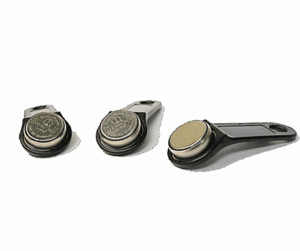
Do You Have an Example of How This Would Work in a Real-World Scenario?
In fact, one of our customers using the Remote Panic capability had a particularly interesting use case. Just months after implementing our GPS solution with the Remote Panic option, a lineman was in a raised bucket working on a line in an area with very dry brush and rampant wild fires. Suddenly, the line sparked and set fire to the brush below. The fire quickly spread to the lineman's truck, setting it on fire. He was able to get down but when he did, the cab was engulfed in flames and his cell phone was in there too. With a simple press of a button on the Remote Panic keyfob, Dispatch was alerted to the emergency, and thanks to our software, they knew exactly where to go and pick him up. In this instance, having Remote Panic helped prevent a dangerous situation from becoming a tragic one.
 What was left of a co-op vehicle after a lucky driver used our Remote Panic capabilities to alert dispatchers of the emergency. View a full case study of this capability in Business Fleet’s magazine blog: http://www.businessfleet.com/blog/auto-focus/story/2015/07/an-unusual-fleet-safety-story.aspx
[post_title] => Protecting Your Drivers Remotely
[post_excerpt] => How do I take a proactive approach toward protecting my drivers while they are out in the field?
[post_status] => publish
[comment_status] => closed
[ping_status] => closed
[post_password] =>
[post_name] => protecting-your-drivers-remotely
[to_ping] =>
[pinged] =>
[post_modified] => 2025-08-07 10:20:39
[post_modified_gmt] => 2025-08-07 17:20:39
[post_content_filtered] =>
[post_parent] => 0
[guid] => https://help.gpsinsight.com/?post_type=bestpractice&p=7995
[menu_order] => 0
[post_type] => bestpractice
[post_mime_type] =>
[comment_count] => 0
[filter] => raw
)
[7] => WP_Post Object
(
[ID] => 7567
[post_author] => 12
[post_date] => 2017-07-18 19:17:48
[post_date_gmt] => 2017-07-18 19:17:48
[post_content] => The most successful fleet management program includes an open and strong line of active communication between management and drivers. Your drivers are an integral part of your investment in your fleet business, helping to keep them is a priority. One way to show this is to establish a clear agreement with rewards and consequences between yourself and your drivers.

As an agreement, there are conditions for both parties to fulfill. Feel free to use the following sample agreement as a stepping stone.
What do you agree to?
 Providing Safe Working Conditions
- Service vehicles regularly (current registration, up-to-date maintenance, etc.,)
- Include emergency kits (first aid, fire extinguisher, flashlight, etc.,)
- Be clear that no job is so important that your drivers put themselves at risk
Offering Driver Training or Educational Modules
Additionally, you may want to explore offering incentives or special recognition of drivers who repeatedly score well in monitored driver behavior (e.g., The driver who reduces the most overall fuel usage by avoiding speeding and hard accel/decel events receives a gift card).
What do you want your drivers to agree to?
Driving Safely
- Be "hands-free." No cell phones or distracted driving while operating the vehicle
- Abide by all federal/state laws and internal driving policies (e.g., no speeding, wear seatbelts, no idling, no hard accel/decel
- Take adequate rest breaks
Treating the Vehicle as a Workspace
- Conduct pre- & post-trip inspections*
- Immediately report any vehicle issues
- No eating, drinking (except water), or smoking in the vehicle
*Ask us about the new GPS Insight Driver App (Pro/Enterprise only) for Android and iOS mobile devices
[post_title] => Safety Agreement
[post_excerpt] => The most successful fleet management program includes an open and strong line of active communication between management and drivers.
[post_status] => publish
[comment_status] => closed
[ping_status] => closed
[post_password] =>
[post_name] => safety-agreement
[to_ping] =>
[pinged] =>
[post_modified] => 2019-06-07 10:14:42
[post_modified_gmt] => 2019-06-07 17:14:42
[post_content_filtered] =>
[post_parent] => 0
[guid] => https://help.gpsinsight.com/?post_type=bestpractice&p=7567
[menu_order] => 0
[post_type] => bestpractice
[post_mime_type] =>
[comment_count] => 0
[filter] => raw
)
)
[post_count] => 8
[current_post] => -1
[before_loop] => 1
[in_the_loop] =>
[post] => WP_Post Object
(
[ID] => 7585
[post_author] => 12
[post_date] => 2017-07-18 23:08:33
[post_date_gmt] => 2017-07-18 23:08:33
[post_content] =>
The PNP-3000 series device has been discontinued as of January 2026.
Identifying the data you want to track is a pivotal step in creating and maintaining a fleet safety program that works for your fleet. Measure what matters to you and your fleet by configuring thresholds on your devices. Sounds simple enough, right? But wait! You have a range of vehicles, so uniform thresholds cannot be applied to the entire fleet. Did this just get complicated? Not for you!
We are here to help!
The following thresholds can be applied to
PNP-3000 devices by utilizing the
Device Configuration Page in the Portal:
- Rapid acceleration
- Harsh braking
- Hard left/right turning
- Idling
- Speeding
How are Thresholds Measured?
Definition:[glossary slug="g-force"]G-force[/glossary], ("G" as in gravitational) is not really a force; it is a felt weight based on acceleration or deceleration. Acceleration is the increase in rate of velocity/speed; deceleration is the decrease of rate of velocity/speed. The measurement involves location, speed, and time.
Here are some real-world g-force examples:
- Decent rollercoasters reach between 3-6g.
- Top fuel dragsters reach an average of 4g.
- Formula One cars during extreme braking maneuvers reach 5g.
- A high performance sports car jamming 0-60 in 2.5 seconds, only reaches 1.5g.
- DOT defines harsh (not dangerous) braking as .45g (Think of your average NYC cab driver).
- >25g means probable death or serious injury.
Pro and Enterprise Only: Still unsure about what g-force is? See the How Do I Detect A Crash? article.
Recommended G-Force Thresholds
We’ve done the research for you and here are some recommended default thresholds (in g-force) based on types of vehicles by weight class*:
[et class="table-zebra" colwidth="25%|75%"]
Weight Class,Recommended Thresholds
Class 1~~~~
~~~~6\,000 lbs or less, Rapid Acceleration 0.37g~~~~Harsh Braking 0.38g~~~~Hard Turning Events 0.38g
Class 2~~~~
~~~~6\,001 - 10\,000 lbs, Rapid Acceleration 0.35g~~~~Harsh Braking 0.36g~~~~Hard Turning Events 0.35g
Class 3~~~~
~~~~10\,001 - 14\,000 lbs, Rapid Acceleration 0.33g~~~~Harsh Braking 0.34g~~~~Hard Turning Events 0.33g
Class 4~~~~
~~~~14\,001 - 16\,000 lbs, Rapid Acceleration 0.30g~~~~Harsh Braking 0.31g~~~~Hard Turning Events 0.30g
Class 5~~~~
~~~~16\,001 - 19\,500 lbs, Rapid Acceleration 0.28g~~~~Harsh Braking 0.29g~~~~Hard Turning Events 0.28g
[/et]
*The above threshold settings are estimates and should be used as a starting point. You’ll need to adjust these settings to gather data that really works for your fleet. In addition, please note that the thresholds for a truck at empty or full cargo status (i.e., a delivery truck at the beginning of the day and at the end of the day) may significantly differ and it’s important to understand which violations you want to catch.
[post_title] => Defining Thresholds for Your Fleet
[post_excerpt] => Identifying the data you want to track is a pivotal step in creating and maintaining a fleet safety program that works for your fleet.
[post_status] => publish
[comment_status] => closed
[ping_status] => closed
[post_password] =>
[post_name] => defining-thresholds-for-your-fleet
[to_ping] =>
[pinged] =>
[post_modified] => 2026-01-14 12:34:46
[post_modified_gmt] => 2026-01-14 19:34:46
[post_content_filtered] =>
[post_parent] => 0
[guid] => https://help.gpsinsight.com/?post_type=bestpractice&p=7585
[menu_order] => 0
[post_type] => bestpractice
[post_mime_type] =>
[comment_count] => 0
[filter] => raw
)
[comment_count] => 0
[current_comment] => -1
[found_posts] => 8
[max_num_pages] => 1
[max_num_comment_pages] => 0
[is_single] =>
[is_preview] =>
[is_page] =>
[is_archive] => 1
[is_date] =>
[is_year] =>
[is_month] =>
[is_day] =>
[is_time] =>
[is_author] =>
[is_category] =>
[is_tag] =>
[is_tax] => 1
[is_search] =>
[is_feed] =>
[is_comment_feed] =>
[is_trackback] =>
[is_home] =>
[is_privacy_policy] =>
[is_404] =>
[is_embed] =>
[is_paged] =>
[is_admin] =>
[is_attachment] =>
[is_singular] =>
[is_robots] =>
[is_favicon] =>
[is_sitemap] =>
[is_posts_page] =>
[is_post_type_archive] => 1
[query_vars_hash:WP_Query:private] => 6a982ad4f8c94c47c5de4dea9962fcf3
[query_vars_changed:WP_Query:private] => 1
[thumbnails_cached] =>
[allow_query_attachment_by_filename:protected] =>
[stopwords:WP_Query:private] =>
[compat_fields:WP_Query:private] => Array
(
[0] => query_vars_hash
[1] => query_vars_changed
)
[compat_methods:WP_Query:private] => Array
(
[0] => init_query_flags
[1] => parse_tax_query
)
[query_cache_key:WP_Query:private] => wp_query:e0eccdad9017f46963b9d3c25382c9a5
)
[children] => Array
(
)
[term] => WP_Term Object
(
[term_id] => 310
[name] => Fleet Safety
[slug] => safety
[term_group] => 0
[term_taxonomy_id] => 310
[taxonomy] => feature
[description] => Tools, templates and resources used to design, deploy and maintain a driver safety program.
[parent] => 0
[count] => 9
[filter] => raw
[term_order] => 24
[cat_ID] => 310
[category_count] => 9
[category_description] => Tools, templates and resources used to design, deploy and maintain a driver safety program.
[cat_name] => Fleet Safety
[category_nicename] => safety
[category_parent] => 0
)
[post_count] => 8
)
[387] => Array
(
[posts] => WP_Query Object
(
[query] => Array
(
[orderby] => title
[order] => ASC
[post_type] => bestpractice
[posts_per_page] => 999
[tax_query] => Array
(
[0] => Array
(
[taxonomy] => feature
[field] => term_id
[terms] => 387
[include_children] => 1
)
[1] => Array
(
[taxonomy] => solution
[field] => term_id
[terms] => 12
)
[relation] => AND
[2] => Array
(
[taxonomy] => product
[field] => term_id
[terms] => 511
)
)
[meta_query] => Array
(
[0] => Array
(
[key] => _exclude_whitelabel_full
[compare] => NOT EXISTS
)
)
)
[query_vars] => Array
(
[orderby] => title
[order] => ASC
[post_type] => bestpractice
[posts_per_page] => 999
[tax_query] => Array
(
[0] => Array
(
[taxonomy] => feature
[field] => term_id
[terms] => 387
[include_children] => 1
)
[1] => Array
(
[taxonomy] => solution
[field] => term_id
[terms] => 12
)
[relation] => AND
[2] => Array
(
[taxonomy] => product
[field] => term_id
[terms] => 511
)
)
[meta_query] => Array
(
[0] => Array
(
[key] => _exclude_whitelabel_full
[compare] => NOT EXISTS
)
)
[error] =>
[m] =>
[p] => 0
[post_parent] =>
[subpost] =>
[subpost_id] =>
[attachment] =>
[attachment_id] => 0
[name] =>
[pagename] =>
[page_id] => 0
[second] =>
[minute] =>
[hour] =>
[day] => 0
[monthnum] => 0
[year] => 0
[w] => 0
[category_name] =>
[tag] =>
[cat] =>
[tag_id] =>
[author] =>
[author_name] =>
[feed] =>
[tb] =>
[paged] => 0
[meta_key] =>
[meta_value] =>
[preview] =>
[s] =>
[sentence] =>
[title] =>
[fields] => all
[menu_order] =>
[embed] =>
[category__in] => Array
(
)
[category__not_in] => Array
(
)
[category__and] => Array
(
)
[post__in] => Array
(
)
[post__not_in] => Array
(
[0] => 14750
[1] => 23436
[2] => 27424
[3] => 27817
[4] => 30225
[5] => 31065
[6] => 31175
[7] => 32017
[8] => 32296
[9] => 32565
[10] => 32605
[11] => 32636
[12] => 33723
[13] => 33737
[14] => 33761
[15] => 34344
[16] => 34459
[17] => 34553
[18] => 34586
[19] => 34590
[20] => 34637
[21] => 34651
[22] => 34657
[23] => 34659
)
[post_name__in] => Array
(
)
[tag__in] => Array
(
)
[tag__not_in] => Array
(
)
[tag__and] => Array
(
)
[tag_slug__in] => Array
(
)
[tag_slug__and] => Array
(
)
[post_parent__in] => Array
(
)
[post_parent__not_in] => Array
(
)
[author__in] => Array
(
)
[author__not_in] => Array
(
)
[search_columns] => Array
(
)
[ignore_sticky_posts] =>
[suppress_filters] =>
[cache_results] => 1
[update_post_term_cache] => 1
[update_menu_item_cache] =>
[lazy_load_term_meta] => 1
[update_post_meta_cache] => 1
[nopaging] =>
[comments_per_page] => 50
[no_found_rows] =>
[taxonomy] => feature
[term_id] => 387
)
[tax_query] => WP_Tax_Query Object
(
[queries] => Array
(
[0] => Array
(
[taxonomy] => feature
[terms] => Array
(
[0] => 387
)
[field] => term_id
[operator] => IN
[include_children] => 1
)
[1] => Array
(
[taxonomy] => solution
[terms] => Array
(
[0] => 12
)
[field] => term_id
[operator] => IN
[include_children] => 1
)
[relation] => AND
[2] => Array
(
[taxonomy] => product
[terms] => Array
(
[0] => 511
)
[field] => term_id
[operator] => IN
[include_children] => 1
)
)
[relation] => AND
[table_aliases:protected] => Array
(
[0] => wp_term_relationships
[1] => tt1
[2] => tt2
)
[queried_terms] => Array
(
[feature] => Array
(
[terms] => Array
(
[0] => 387
)
[field] => term_id
)
[solution] => Array
(
[terms] => Array
(
[0] => 12
)
[field] => term_id
)
[product] => Array
(
[terms] => Array
(
[0] => 511
)
[field] => term_id
)
)
[primary_table] => wp_posts
[primary_id_column] => ID
)
[meta_query] => WP_Meta_Query Object
(
[queries] => Array
(
[0] => Array
(
[key] => _exclude_whitelabel_full
[compare] => NOT EXISTS
)
[relation] => OR
)
[relation] => AND
[meta_table] => wp_postmeta
[meta_id_column] => post_id
[primary_table] => wp_posts
[primary_id_column] => ID
[table_aliases:protected] => Array
(
[0] => wp_postmeta
)
[clauses:protected] => Array
(
[wp_postmeta] => Array
(
[key] => _exclude_whitelabel_full
[compare] => NOT EXISTS
[compare_key] => =
[alias] => wp_postmeta
[cast] => CHAR
)
)
[has_or_relation:protected] =>
)
[date_query] =>
[request] => SELECT SQL_CALC_FOUND_ROWS wp_posts.ID
FROM wp_posts LEFT JOIN wp_term_relationships ON (wp_posts.ID = wp_term_relationships.object_id) LEFT JOIN wp_term_relationships AS tt1 ON (wp_posts.ID = tt1.object_id) LEFT JOIN wp_term_relationships AS tt2 ON (wp_posts.ID = tt2.object_id) LEFT JOIN wp_postmeta ON ( wp_posts.ID = wp_postmeta.post_id AND wp_postmeta.meta_key = '_exclude_whitelabel_full' )
WHERE 1=1 AND wp_posts.ID NOT IN (14750,23436,27424,27817,30225,31065,31175,32017,32296,32565,32605,32636,33723,33737,33761,34344,34459,34553,34586,34590,34637,34651,34657,34659) AND (
wp_term_relationships.term_taxonomy_id IN (387)
AND
tt1.term_taxonomy_id IN (12)
AND
tt2.term_taxonomy_id IN (511)
) AND (
wp_postmeta.post_id IS NULL
) AND ((wp_posts.post_type = 'bestpractice' AND (wp_posts.post_status = 'publish' OR wp_posts.post_status = 'graded' OR wp_posts.post_status = 'not_graded')))
GROUP BY wp_posts.ID
ORDER BY wp_posts.post_title ASC
LIMIT 0, 999
[posts] => Array
(
[0] => WP_Post Object
(
[ID] => 2882
[post_author] => 12
[post_date] => 2016-07-05 20:32:15
[post_date_gmt] => 2016-07-05 20:32:15
[post_content] => Features don’t create value, solutions do! Each feature in the portal is tied to a solution, and making that connection is the difference between an average deployment and a great one.
Most fleet management tracking goals fall into one or more of these categories:
Increase Productivity,
Increase Efficiency,
Exceed Customer Expectations, and
Build Community Value. Use these case videos to see examples of solutions to real-world challenges that you can apply to your own business to reduce costs, reduce risk, and increase revenue.
Increase Productivity
[video width="768" height="432" mp4="https://help.gpsinsight.com/wp-content/uploads/2016/07/usecase-padding-hours_q308.mp4"][/video]
How can you implement something similar in your business? Start with these videos (or documentation) to learn how to use the specific features shown in the use case video:
Increase Efficiency
[video width="768" height="432" mp4="https://help.gpsinsight.com/wp-content/uploads/2016/07/use-case-idling_q307.mp4"][/video]
How can you implement something similar in your business? Start with these videos (or documentation) to learn how to use the specific features shown in the use case video:
Exceed Customer Expectations
[video width="768" height="432" mp4="https://help.gpsinsight.com/wp-content/uploads/2016/07/use-case-dispatch_q308.mp4"][/video]
How can you implement something similar in your business? Start with these videos (or documentation) to learn how to use the specific features shown in the use case video:
Build Community Value
[video width="768" height="432" mp4="https://help.gpsinsight.com/wp-content/uploads/2016/07/usecase-speeding_q308-2.mp4"][/video]
How can you implement something similar in your business? Start with these videos (or documentation) to learn how to use the specific features shown in the use case video:
[post_title] => Using Features to Create Solutions
[post_excerpt] => Features don’t create value, solutions do! Each feature in the portal is tied to a solution, and making that connection is the difference between an average deployment and a great one.
[post_status] => publish
[comment_status] => closed
[ping_status] => closed
[post_password] =>
[post_name] => using-features-to-create-solutions
[to_ping] =>
[pinged] =>
[post_modified] => 2019-08-23 09:54:07
[post_modified_gmt] => 2019-08-23 16:54:07
[post_content_filtered] =>
[post_parent] => 0
[guid] => http://help.gpsinsight.com/?post_type=bestpractice&p=2882
[menu_order] => 0
[post_type] => bestpractice
[post_mime_type] =>
[comment_count] => 0
[filter] => raw
)
)
[post_count] => 1
[current_post] => -1
[before_loop] => 1
[in_the_loop] =>
[post] => WP_Post Object
(
[ID] => 2882
[post_author] => 12
[post_date] => 2016-07-05 20:32:15
[post_date_gmt] => 2016-07-05 20:32:15
[post_content] => Features don’t create value, solutions do! Each feature in the portal is tied to a solution, and making that connection is the difference between an average deployment and a great one.
Most fleet management tracking goals fall into one or more of these categories:
Increase Productivity,
Increase Efficiency,
Exceed Customer Expectations, and
Build Community Value. Use these case videos to see examples of solutions to real-world challenges that you can apply to your own business to reduce costs, reduce risk, and increase revenue.
Increase Productivity
[video width="768" height="432" mp4="https://help.gpsinsight.com/wp-content/uploads/2016/07/usecase-padding-hours_q308.mp4"][/video]
How can you implement something similar in your business? Start with these videos (or documentation) to learn how to use the specific features shown in the use case video:
Increase Efficiency
[video width="768" height="432" mp4="https://help.gpsinsight.com/wp-content/uploads/2016/07/use-case-idling_q307.mp4"][/video]
How can you implement something similar in your business? Start with these videos (or documentation) to learn how to use the specific features shown in the use case video:
Exceed Customer Expectations
[video width="768" height="432" mp4="https://help.gpsinsight.com/wp-content/uploads/2016/07/use-case-dispatch_q308.mp4"][/video]
How can you implement something similar in your business? Start with these videos (or documentation) to learn how to use the specific features shown in the use case video:
Build Community Value
[video width="768" height="432" mp4="https://help.gpsinsight.com/wp-content/uploads/2016/07/usecase-speeding_q308-2.mp4"][/video]
How can you implement something similar in your business? Start with these videos (or documentation) to learn how to use the specific features shown in the use case video:
[post_title] => Using Features to Create Solutions
[post_excerpt] => Features don’t create value, solutions do! Each feature in the portal is tied to a solution, and making that connection is the difference between an average deployment and a great one.
[post_status] => publish
[comment_status] => closed
[ping_status] => closed
[post_password] =>
[post_name] => using-features-to-create-solutions
[to_ping] =>
[pinged] =>
[post_modified] => 2019-08-23 09:54:07
[post_modified_gmt] => 2019-08-23 16:54:07
[post_content_filtered] =>
[post_parent] => 0
[guid] => http://help.gpsinsight.com/?post_type=bestpractice&p=2882
[menu_order] => 0
[post_type] => bestpractice
[post_mime_type] =>
[comment_count] => 0
[filter] => raw
)
[comment_count] => 0
[current_comment] => -1
[found_posts] => 1
[max_num_pages] => 1
[max_num_comment_pages] => 0
[is_single] =>
[is_preview] =>
[is_page] =>
[is_archive] => 1
[is_date] =>
[is_year] =>
[is_month] =>
[is_day] =>
[is_time] =>
[is_author] =>
[is_category] =>
[is_tag] =>
[is_tax] => 1
[is_search] =>
[is_feed] =>
[is_comment_feed] =>
[is_trackback] =>
[is_home] =>
[is_privacy_policy] =>
[is_404] =>
[is_embed] =>
[is_paged] =>
[is_admin] =>
[is_attachment] =>
[is_singular] =>
[is_robots] =>
[is_favicon] =>
[is_sitemap] =>
[is_posts_page] =>
[is_post_type_archive] => 1
[query_vars_hash:WP_Query:private] => 34cd86e58ca8cb2b3dc513f01622dcc9
[query_vars_changed:WP_Query:private] => 1
[thumbnails_cached] =>
[allow_query_attachment_by_filename:protected] =>
[stopwords:WP_Query:private] =>
[compat_fields:WP_Query:private] => Array
(
[0] => query_vars_hash
[1] => query_vars_changed
)
[compat_methods:WP_Query:private] => Array
(
[0] => init_query_flags
[1] => parse_tax_query
)
[query_cache_key:WP_Query:private] => wp_query:fda95d5facf8a424f12644229738c48f
)
[children] => Array
(
)
[term] => WP_Term Object
(
[term_id] => 387
[name] => Getting Started
[slug] => getting-started
[term_group] => 0
[term_taxonomy_id] => 387
[taxonomy] => feature
[description] => New to the solution? Use these articles to get started.
[parent] => 0
[count] => 27
[filter] => raw
[term_order] => 3
[cat_ID] => 387
[category_count] => 27
[category_description] => New to the solution? Use these articles to get started.
[cat_name] => Getting Started
[category_nicename] => getting-started
[category_parent] => 0
)
[post_count] => 1
)
[68] => Array
(
[posts] => WP_Query Object
(
[query] => Array
(
[orderby] => title
[order] => ASC
[post_type] => bestpractice
[posts_per_page] => 999
[tax_query] => Array
(
[0] => Array
(
[taxonomy] => feature
[field] => term_id
[terms] => 68
[include_children] => 1
)
[1] => Array
(
[taxonomy] => solution
[field] => term_id
[terms] => 12
)
[relation] => AND
[2] => Array
(
[taxonomy] => product
[field] => term_id
[terms] => 511
)
)
[meta_query] => Array
(
[0] => Array
(
[key] => _exclude_whitelabel_full
[compare] => NOT EXISTS
)
)
)
[query_vars] => Array
(
[orderby] => title
[order] => ASC
[post_type] => bestpractice
[posts_per_page] => 999
[tax_query] => Array
(
[0] => Array
(
[taxonomy] => feature
[field] => term_id
[terms] => 68
[include_children] => 1
)
[1] => Array
(
[taxonomy] => solution
[field] => term_id
[terms] => 12
)
[relation] => AND
[2] => Array
(
[taxonomy] => product
[field] => term_id
[terms] => 511
)
)
[meta_query] => Array
(
[0] => Array
(
[key] => _exclude_whitelabel_full
[compare] => NOT EXISTS
)
)
[error] =>
[m] =>
[p] => 0
[post_parent] =>
[subpost] =>
[subpost_id] =>
[attachment] =>
[attachment_id] => 0
[name] =>
[pagename] =>
[page_id] => 0
[second] =>
[minute] =>
[hour] =>
[day] => 0
[monthnum] => 0
[year] => 0
[w] => 0
[category_name] =>
[tag] =>
[cat] =>
[tag_id] =>
[author] =>
[author_name] =>
[feed] =>
[tb] =>
[paged] => 0
[meta_key] =>
[meta_value] =>
[preview] =>
[s] =>
[sentence] =>
[title] =>
[fields] => all
[menu_order] =>
[embed] =>
[category__in] => Array
(
)
[category__not_in] => Array
(
)
[category__and] => Array
(
)
[post__in] => Array
(
)
[post__not_in] => Array
(
[0] => 14750
[1] => 23436
[2] => 27424
[3] => 27817
[4] => 30225
[5] => 31065
[6] => 31175
[7] => 32017
[8] => 32296
[9] => 32565
[10] => 32605
[11] => 32636
[12] => 33723
[13] => 33737
[14] => 33761
[15] => 34344
[16] => 34459
[17] => 34553
[18] => 34586
[19] => 34590
[20] => 34637
[21] => 34651
[22] => 34657
[23] => 34659
)
[post_name__in] => Array
(
)
[tag__in] => Array
(
)
[tag__not_in] => Array
(
)
[tag__and] => Array
(
)
[tag_slug__in] => Array
(
)
[tag_slug__and] => Array
(
)
[post_parent__in] => Array
(
)
[post_parent__not_in] => Array
(
)
[author__in] => Array
(
)
[author__not_in] => Array
(
)
[search_columns] => Array
(
)
[ignore_sticky_posts] =>
[suppress_filters] =>
[cache_results] => 1
[update_post_term_cache] => 1
[update_menu_item_cache] =>
[lazy_load_term_meta] => 1
[update_post_meta_cache] => 1
[nopaging] =>
[comments_per_page] => 50
[no_found_rows] =>
[taxonomy] => feature
[term_id] => 68
)
[tax_query] => WP_Tax_Query Object
(
[queries] => Array
(
[0] => Array
(
[taxonomy] => feature
[terms] => Array
(
[0] => 68
)
[field] => term_id
[operator] => IN
[include_children] => 1
)
[1] => Array
(
[taxonomy] => solution
[terms] => Array
(
[0] => 12
)
[field] => term_id
[operator] => IN
[include_children] => 1
)
[relation] => AND
[2] => Array
(
[taxonomy] => product
[terms] => Array
(
[0] => 511
)
[field] => term_id
[operator] => IN
[include_children] => 1
)
)
[relation] => AND
[table_aliases:protected] => Array
(
[0] => wp_term_relationships
[1] => tt1
[2] => tt2
)
[queried_terms] => Array
(
[feature] => Array
(
[terms] => Array
(
[0] => 68
)
[field] => term_id
)
[solution] => Array
(
[terms] => Array
(
[0] => 12
)
[field] => term_id
)
[product] => Array
(
[terms] => Array
(
[0] => 511
)
[field] => term_id
)
)
[primary_table] => wp_posts
[primary_id_column] => ID
)
[meta_query] => WP_Meta_Query Object
(
[queries] => Array
(
[0] => Array
(
[key] => _exclude_whitelabel_full
[compare] => NOT EXISTS
)
[relation] => OR
)
[relation] => AND
[meta_table] => wp_postmeta
[meta_id_column] => post_id
[primary_table] => wp_posts
[primary_id_column] => ID
[table_aliases:protected] => Array
(
[0] => wp_postmeta
)
[clauses:protected] => Array
(
[wp_postmeta] => Array
(
[key] => _exclude_whitelabel_full
[compare] => NOT EXISTS
[compare_key] => =
[alias] => wp_postmeta
[cast] => CHAR
)
)
[has_or_relation:protected] =>
)
[date_query] =>
[request] => SELECT SQL_CALC_FOUND_ROWS wp_posts.*
FROM wp_posts LEFT JOIN wp_term_relationships ON (wp_posts.ID = wp_term_relationships.object_id) LEFT JOIN wp_term_relationships AS tt1 ON (wp_posts.ID = tt1.object_id) LEFT JOIN wp_term_relationships AS tt2 ON (wp_posts.ID = tt2.object_id) LEFT JOIN wp_postmeta ON ( wp_posts.ID = wp_postmeta.post_id AND wp_postmeta.meta_key = '_exclude_whitelabel_full' )
WHERE 1=1 AND wp_posts.ID NOT IN (14750,23436,27424,27817,30225,31065,31175,32017,32296,32565,32605,32636,33723,33737,33761,34344,34459,34553,34586,34590,34637,34651,34657,34659) AND (
wp_term_relationships.term_taxonomy_id IN (68)
AND
tt1.term_taxonomy_id IN (12)
AND
tt2.term_taxonomy_id IN (511)
) AND (
wp_postmeta.post_id IS NULL
) AND ((wp_posts.post_type = 'bestpractice' AND (wp_posts.post_status = 'publish' OR wp_posts.post_status = 'graded' OR wp_posts.post_status = 'not_graded')))
GROUP BY wp_posts.ID
ORDER BY wp_posts.post_title ASC
LIMIT 0, 999
[posts] => Array
(
[0] => WP_Post Object
(
[ID] => 20665
[post_author] => 12
[post_date] => 2020-08-06 14:19:31
[post_date_gmt] => 2020-08-06 21:19:31
[post_content] => This article borrows from several existing large-scale fleets who utilize our telematics product and the feedback they’ve given in regards to managing their device inventory, and so we aim to share these steps with you to help provide direction for fleets who benefit from defined hardware management practices.
Centralized Ordering System
Assigning one individual, or one group of individuals, to manage the ordering of new or replacement devices makes it extremely easy to keep track of incoming new hardware and the redistribution of that hardware to the shop techs/drivers/vehicles that require it.
Weekly Performance Report
For all accounts, we recommend scheduling the
Performance Report to be run every Monday, which can be found in the list of available scheduled reports, and to have this report scheduled to be sent to fleet admins. These admins should review the report and identify any vehicles that have not reported within the past 10 days, determine if this is expected due to being out of service, or device uninstalled, etc., and for the vehicles that should be reporting make plans to complete hardware troubleshooting or verify installation.
Driver/Manager Complaints
Occasionally drivers and/or managers will question report accuracy from installed devices. It’s recommended these complaints should be escalated to the fleet admin, where they can determine if the complaint is valid or not. If valid then the fleet admin should create an internal ticket within their fleet management system then coordinate with the driver/manager to contact Support while near the vehicle.
Support Casing/Troubleshooting
When contacting Support to troubleshoot a device there are generally two outcomes – either the device is proven to be working and in good order (an update may or may not be required, or the installation may need to be revisited and corrected) or the device can be found faulty. If a device a found faulty, and the support rep determines the only resolution is to send a replacement then that replacement should be sent to the attention of the fleet admin. The fleet admin will then be able to monitor the incoming replacement, schedule service for the physical device swap, and ultimately close the ticket once resolved.
Summary
By following some of these simple steps a user can easily simplify the device management process for a fleet.
For fleets looking to gain further help and services with regards to hardware management feel free to ask us about our
Enhanced Hardware Services.
[post_title] => Device Management
[post_excerpt] =>
[post_status] => publish
[comment_status] => closed
[ping_status] => closed
[post_password] =>
[post_name] => device-management
[to_ping] =>
[pinged] =>
[post_modified] => 2020-08-06 14:19:31
[post_modified_gmt] => 2020-08-06 21:19:31
[post_content_filtered] =>
[post_parent] => 0
[guid] => https://help.gpsinsight.com/?post_type=bestpractice&p=20665
[menu_order] => 0
[post_type] => bestpractice
[post_mime_type] =>
[comment_count] => 0
[filter] => raw
)
[1] => WP_Post Object
(
[ID] => 3608
[post_author] => 12
[post_date] => 2016-09-12 17:38:00
[post_date_gmt] => 2016-09-12 17:38:00
[post_content] => The best fleet management programs consider drivers, communication, alerts, and reports together. Creating a holistic plan not only helps you organize these elements, but it also helps you
measure their effectiveness.
Here is an example of a fleet management program for the first year, separated into phases:
[et class="table-zebra" colwidth="12%|22%|22%|22%|22%"]
,Phase 1,Phase 2,Phase 3,Phase 4
,
Jan-Mar,
Apr-Jun,
Jul-Sep,
Oct-Dec
Overview,Introduction of GPS tracking program.~~Benchmark period.,Determine departmental fleet goals\, and establish KPIs.~~~~Review three-month benchmark period\, and take appropriate action with scheduled reports and moderate level alerts.,Review last quarter to quantify fleet performance compared to benchmark period.~~~~Increase alert level to be more aggressive if needed. Increase report frequency if needed.,Identify the year's fleet trends\, and recommend actions.~~~~Establish agreement from management on fleet initiatives for the next year.
Reports,
Schedule weekly reports for direct managers and monthly reports for higher-level managers.~~~~Suggested
reports to schedule:~~*Fleet Utilization~~*Performance~~*Beginning/End of Day~~*Idle Summary~~*Posted Speed~~*Odd Hours,Identify other people (in addition to managers) who can use fleet data and who need scheduled reports.~~~~Identify additional reports to schedule based on benchmark results\, such as Landmark and Maintenance.~~~~Increase/decrease report frequency if needed.,Review Fleet Utilization reports to identify recommendations on right-sizing fleet.~~~~Solicit feedback regarding scheduled report frequency\, and adjust as needed.,Identify areas that require improvement\, and schedule additional reports.~~~~Create high speed\, high idling\, and high odd hours vehicle groups\, and assign egregious vehicles to
those groups for monitoring purposes (i.e.\, schedule reports on those groups to be delivered to responsible managers or human resource representatives).
Alerts,No alerts set aside from
device health.~~~~Alerts to set:~~*
Switch Alert (External Power Loss)~~*
Switch Alert (Battery Voltage),Alerts set for
egregious violations sent to management.~~~~Alerts to set:~~*Posted Speed (20+ MPH)~~*Idle (30 min)~~Other,Set moderate alerts:~~*Speed (15+ MPH)~~*Idle (10 min)~~*Landmark~~*Maintenance~~*Odd Hours~~*Other (consider people not directly related to fleet),Identify areas that require improvement\, and set additional alerts.~~~~Set aggressive alerts on notification of Speed (11+ MPH) and Idle (5+ min).~~~~Set egregious groups to be delivered to managers.~~~~Notify drivers via email.
Communication,Notify managers\, fleet managers\, and dispatchers regarding new fleet tracking program.~~~~Start
product training.,Distribute Phase 1 results to management.~~~~Notify drivers regarding fleet tracking program and provide overview of driving goals.~~~~Distribute
driving policy to drivers for signature.,Distribute Phase 2 results to management.~~~~Educate fleet managers regarding best practices and coaching methods.~~~~Managers review results with drivers to coach on needed improvements.,Distribute fleet performance yearly Account Review to management and other shareholders.~~~~Recommend a plan for the next year.~~~~Managers review results with drivers to coach on needed improvements.~~~~Update
driving policy if needed and redistribute to drivers.
[/et]
[post_title] => Fleet Management Program Example
[post_excerpt] => The best fleet management programs consider drivers, communication, alerts, and reports together. Creating a holistic plan not only helps you organize these elements, but it also helps you measure their effectiveness.
[post_status] => publish
[comment_status] => closed
[ping_status] => closed
[post_password] =>
[post_name] => fleet-management-program-example
[to_ping] =>
[pinged] =>
[post_modified] => 2019-06-07 10:17:43
[post_modified_gmt] => 2019-06-07 17:17:43
[post_content_filtered] =>
[post_parent] => 0
[guid] => http://help.gpsinsight.com/?post_type=bestpractice&p=3608
[menu_order] => 0
[post_type] => bestpractice
[post_mime_type] =>
[comment_count] => 0
[filter] => raw
)
[2] => WP_Post Object
(
[ID] => 890
[post_author] => 12
[post_date] => 2016-03-30 19:42:12
[post_date_gmt] => 2016-03-30 19:42:12
[post_content] => All implementations require careful planning. [whitelabel_name] provides you with a detailed Implementation Plan to help you manage and track progress during each stage. This article describes the components of the plan.
Roles and Responsibilities
You and your [whitelabel_name] representative will document role, name, title, phone, and e-mail for everyone involved in the project:
- Primary Customer Contact
- Fleet Manager
- Customer Installation Liaison
- [whitelabel_name] Sales Rep
- [whitelabel_name] Account Manager
- [whitelabel_name] Implementation Coordinator
- [whitelabel_name] Sales Engineer
Milestones
Next, you'll set tentative dates for major milestones, such as:
[row]
[column lg="6" md="12" sm="12" xs="12" ]
- Kick-off call
- Contract Execution
- Installation
- Installation Verification
- Account Set-Up
- Training
- Integration
[/column]
[column lg="6" md="12" sm="12" xs="12" ]
- Full Implementation
- Q1 Account Review
- Q2 Account Review
- Q3 Account Review
- Q4 Account Review
- Yearly Review
[/column]
[/row]
Implementation Schedule
The above implementation schedule includes the following parts:
1. Contract & Invoicing
Set contract execution date, record total device and asset counts, assign installation teams, introduce Account Manager, define and validate invoicing and purchase order requirements.
2. Project Initiation
This phase includes a kick-off call to discuss goals and review implementation schedule. Define contacts and fleet managers in each department, and register key contacts for training courses. Set another meeting for installation coordination and finalize vehicle lists (details vary for self-install and professional install). Determine integration requirements and discuss available options.
3. Pre-Order (Applies to Paid Install Only)
Work with Account manager to prepare a vehicle list according to our preferred implementation template. Installation team provides recommendations on unit type and equipment. Two purchase orders are required for order to be shipped (one for installation/hardware, one for service).
4. Order
Estimate for device order must be approved. Help Center resources are available for
pre-training. Installation route is scheduled (typically 1.5-2 weeks). Fulfillment ships orders via standard FedEx 2 Day Air.
5. Installation
Complete and return the
Vehicle List. Remind site contacts of installation prior to arrival, so that when installer arrives, the installation can be completed as efficiently as possible. Installer registers devices after installation and verifies that devices are reporting. Proactive alerts and performance reports are set up in the portal.
6. Account Set Up
The account is set up according to specs defined in the kick-off meeting. Typical features include:
Hierarchies,
Vehicle Groups,
Vehicles,
Spreadsheet Upload,
Attributes,
Users,
Dashboards,
Drivers,
Scheduled Reports,
Alerts, and
Landmarks.
7. Training
Define a master software training schedule and identify the training participants who will learn how to use the portal (admin user). Additional remote (WebEx) training sessions can be scheduled for advanced training and special topics for users. (Recommend setting up a reoccurring training meeting until all users are trained.)
- Administrator Training. The initial session typically begins at the administrative level and focuses on establishing a list of users with varying degrees of account/software interface level access.
- Non-Administrator Training. Additional training for non-administrative users. WebEx meetings can be recorded for playback for any individuals who are unable to attend.
- Self-Paced Training. Online training courses are available for participants to take on their own time. Using recorded videos and a multiple-choice/interactive quiz, learners can assess how well they meet course objectives.
8. Integration
Provide an overview of
various integration options. If
Fuel Card integration is used, signed approval forms for data transmission are required.
9. Account Management
Account management's mission is to help you achieve maximum ROI with our solution through training, support assistance, and quarterly account reviews. We show creative ways to use the platform to affect positive change across your organization and turn goals into KPIs. We also provide device health analysis and
other deep dives.
Refer to the alternate schedule if you are transitioning from another GPS provider. Refer to the ELD/HOS schedule or the ELD/HOS + GPS schedule or if your implementation includes Hours of Service.
[post_title] => Implementation Plan: Where We Start
[post_excerpt] => All implementations require careful planning.
[post_status] => publish
[comment_status] => closed
[ping_status] => closed
[post_password] =>
[post_name] => implementation-plan-where-we-start
[to_ping] =>
[pinged] =>
[post_modified] => 2023-07-25 08:58:57
[post_modified_gmt] => 2023-07-25 15:58:57
[post_content_filtered] =>
[post_parent] => 0
[guid] => http://gpsihelp.wpengine.com/?post_type=bestpractice&p=890
[menu_order] => 0
[post_type] => bestpractice
[post_mime_type] =>
[comment_count] => 0
[filter] => raw
)
[3] => WP_Post Object
(
[ID] => 1479
[post_author] => 12
[post_date] => 2016-02-15 20:24:52
[post_date_gmt] => 2016-02-15 20:24:52
[post_content] => Proper installation is the key to a successful GPS tracking solution. In other words, if your devices aren't reporting properly, even the most advanced software isn't going to provide much value for you. If you've decided to
invest in a professional installation, what do you need to know? This article provides
our answers to important questions about implementation.
How many vehicles can an installer do in a day?
In a nine hour work day with one hour for lunch, a single technician can complete 8-10 standard GPS installation (1+ installation per hour). If vehicle conditions are poor, weather impedes the installation, or additional accessories are purchased, the per vehicle installation time may increase, thus the number of installs completed per day might decrease.
How many installers can come out at once?
Depending on the install location, additional local technicians may be available; however, this may come at an additional travel cost and is dependent on vehicle availability and volume. Typically, the number of technicians assigned to a project is dependent upon the number of vehicles, which can be made available over ‘X’ hours and over ‘X’ number of consecutive days. For example, 100 vehicles at one location need standard GPS Installation. If the customer can make 20 vehicles available each day, two techs would be assigned to the project (2 vehicles every hour over a 10 hours), completing 20 installs per day over 5 consecutive days.
Do all vehicles have to be at one location?
No, we can travel to any location at a charge per mile, and depending on volume and location lodging charges may apply. Grouping as many vehicles to a single location for install will reduce travel charges and is recommended for expediting installation projects.
Do installations have to take place indoors?
No, its best to install outdoors, in the open, where the GPS units can easily acquire a GPS and Cellular lock. Inclement weather may reduce the number of installs which can be complete in a day, and if indoor installation is not an option, weather may delay the installation schedule.
How can I help manage an installation project?
Provide a
vehicle list of each vehicle’s year, make, model, VIN and vehicle label along with the requested install location and a single point of contact for all vehicles being complete at each location. In addition to this, appoint a customer project manager to oversee the initial deployment and assist with communications to all site contacts.
How much will installation cost?
Pricing is specific to the hardware and hardware accessories requested for installation. You may provide us with a list of each vehicle’s year, make, model to receive an accurate quote. Once you receive an installation quote, keep in mind that they are valid for 30 days because installer availability varies. If past 30 days, the quote must be reconfirmed with the [whitelabel_name] Installation Department.
What happens if some of my vehicles are not available?
Cancellation of a scheduled appointment must be given within 24 hours of the scheduled appointment. Should a vehicle not be available during the scheduled appointment outside of the 24 hour cancellation window, a no-show fee will be applied to each vehicle. (See terms and conditions.) The vehicle is then placed on a follow-up schedule and its installation coordinated with other no-show vehicles, or as a standalone installation request.
Can we do our own installations?
Yes, but [whitelabel_name] highly recommends the use of one of our preferred installation vendors. [whitelabel_name] offers free installation coordinating assistance, and with a single third-party installation vendor, you’re guaranteed to have uniform installations across your fleet, installs completed in less time, as well as every device verified and registered. If you choose to do self-installation, the GPS devices must be installed and verified according [whitelabel_name]'s standard operating procedures to avoid hardware warranty issues.
Do installers work after hours, at night, or weekends? Does it cost more?
Yes, after hours, nights, and weekends are acceptable, but an onsite customer representative is required. Sunday and after hour weekend requests may come with additional charges, depending on your project (size, location, frequency). For large installation projects, this is the preferred installation method, but it does require adequate customer support should vehicles need to be moved, jump started, etc.
Does installing GPS devices void the vehicle warranty?
According to the Federal Trade Commission, the Magnuson-Moss Warranty Act makes it illegal for companies to void your vehicle warranty or deny coverage under the warranty simply because you used an aftermarket or recycled part. The manufacturer or dealer must show that the aftermarket or recycled part caused the need for repairs before denying warranty coverage. Therefore, the burden is on the manufacturer or dealer to prove that the aftermarket product caused the failure of the warranted product before denying warranty coverage.
What happens if an installer doesn't arrive to a scheduled appointment or damages something?
Each GPS installation will be completed by one of [whitelabel_name]’s approved vendors, all of whom are trained according to industry standards and certified by [whitelabel_name]. Although [whitelabel_name] maintains this standard, issues happen from time to time that cause the technician to miss the appointment. Should a Technician not arrive to a scheduled appointment, no installation charges will be charged to the customer and the installation will be rescheduled in a timely manner.
How long after installation can I begin seeing vehicle data in the system?
Vehicles will be registered in the application immediately after installation. The vehicle may not appear on the map until it has been driven.
I need to verify my installation
[post_title] => Professional Installation 101
[post_excerpt] => Proper installation is the key to a successful GPS tracking solution.
[post_status] => publish
[comment_status] => closed
[ping_status] => closed
[post_password] =>
[post_name] => professional-installation-101
[to_ping] =>
[pinged] =>
[post_modified] => 2026-06-18 12:27:44
[post_modified_gmt] => 2026-06-18 19:27:44
[post_content_filtered] =>
[post_parent] => 0
[guid] => http://gpsihelp.wpengine.com/?post_type=bestpractice&p=1479
[menu_order] => 0
[post_type] => bestpractice
[post_mime_type] =>
[comment_count] => 0
[filter] => raw
)
[4] => WP_Post Object
(
[ID] => 877
[post_author] => 12
[post_date] => 2016-01-11 17:17:36
[post_date_gmt] => 2016-01-11 17:17:36
[post_content] => Many human resources professionals report that it is beneficial to notify your workers before you install a GPS tracking system. If some people have a fear of being watched, the last thing they want is to be
secretly watched. Instead of promoting fear, promote driver adoption through these five tips.
1. Publicly announce that you are installing the units
In groups, and individually, explain why the GPS tracking system is being installed (to increase driver safety, resolve customer disputes, etc.) and what it will track (speed, idle time, etc.). Follow up this announcement with detailed e-mails and information posted on your company’s website. You may also ask for decals from your GPS provider to put on the vehicles.
2. Focus on benefits
Tell employees that GPS tracking protects them (by saving vital time and location information) if they are involved in an accident, proves them right regarding attendance issues, increases driver safety by keeping overall speeds down, increases profits with better routing and dispatching, and much more.
3. Offer clear-cut incentives
Put together an incentive plan to reward good drivers for following your new objectives and reaching goals regarding daily fuel use, safe driving, idle time, and so on. Drivers should be aware that the more money they save (or make for) your company, the more they will benefit. Give drivers straightforward goals they can focus on in their daily routines. Some companies found it beneficial to create quarterly contests, such as the driver who reduces the most overall fuel usage gets a gift certificate or other reward.
4. Be upfront about privacy issues
Tell your drivers exactly how much the GPS tracking system will be "watching." Equally as important, assure drivers that occasional, minor infractions will not be penalized.
5. Write a formal policy
Compose a
formal policy about your GPS tracking system, new employee expectations and incentive opportunities. Have your employees sign and date a copy and include it in your employee handbook. This way, everyone stays on the same page. Make sure your drivers know that your decision to use GPS tracking will help and benefit them as well as your company.
[post_title] => Promoting Driver Adoption of GPS Tracking
[post_excerpt] => Many human resources professionals report that it is beneficial to notify your workers before you install a GPS tracking system.
[post_status] => publish
[comment_status] => closed
[ping_status] => closed
[post_password] =>
[post_name] => promoting-driver-adoption-of-gps-tracking
[to_ping] =>
[pinged] =>
[post_modified] => 2025-04-22 12:47:09
[post_modified_gmt] => 2025-04-22 19:47:09
[post_content_filtered] =>
[post_parent] => 0
[guid] => http://gpsihelp.wpengine.com/?post_type=bestpractice&p=877
[menu_order] => 0
[post_type] => bestpractice
[post_mime_type] =>
[comment_count] => 0
[filter] => raw
)
[5] => WP_Post Object
(
[ID] => 3286
[post_author] => 12
[post_date] => 2016-08-08 19:10:30
[post_date_gmt] => 2016-08-08 19:10:30
[post_content] => Proper installation is the key to a successful GPS tracking solution. In other words, if your devices aren't reporting properly, even the most advanced software isn't going to provide much value for you. If you've decided to NOT
invest in a professional installation, what do you need to know? This article provides
our answers to important questions about self-implementation.
Why do I have to supply a vehicle list along with my order?
The last thing we want to do is create unnecessary work for our teams. A
vehicle list is required with a device order so that we can determine the device types and cables that are required for each vehicle. Getting together a list of vehicles can be time consuming, but it will save you time in the long run. You can even use this list to update vehicle information via
spreadsheet upload once vehicles have been installed.
Who manages the installation process?
During the self-install option, we recommend that you appoint a project manager on your team to oversee the initial deployment and assist with communications to all site contacts.
What are my installers supposed to do with the vehicle list?
As vehicles enter the shop, the installer should consult the list, determine the device type/cables, refer to
installation guides, and use the
verifygps.gpsinsight.com web app to complete each installation while they are at the vehicle.
What is installation verification and why is it required?
Installation verification confirms that the device is functional and correctly sending data. Warranty requires that installation verification is performed after each installation. To do so, call the Support Team at 480-508-7478 while your installer is with the vehicle. Device registration will be handled by the Support at this time. In addition, installation verification helps to improve device performance by verifying the device is reporting correctly at the time of installation.
Why can't you pre-register devices with the vehicles for us?
There are several reasons why we do not
pre-register devices at the time of order/shipment:
- Billing starts immediately at registration. If you aren't installing the devices immediately, you would be billed for service of uninstalled devices.
- Odometer is required to be entered at registration. If the installer does not update the odometer information at installation, the odometer will be off.
- If we pre-registered devices on your behalf, the devices will show location as being in Scottsdale, AZ at the last plugged in location.
- Installers will see a list of devices with serial numbers, and it is difficult to determine what device type goes into what vehicle by just looking at the serial number. An installer could wrongly attempt to install a light duty device in a heavy duty truck.
- If any devices get installed in incorrect vehicles after pre-registration, the current registration would need to be deleted then re-created. Additionally, determining that a device got installed in the wrong vehicle may require disassembly of the dash in order to read the serial number to get correct installations.
Does installing GPS devices void the vehicle warranty?
According to the Federal Trade Commission, the Magnuson-Moss Warranty Act makes it illegal for companies to void your vehicle warranty or deny coverage under the warranty simply because you used an aftermarket or recycled part. The manufacturer or dealer must show that the aftermarket or recycled part caused the need for repairs before denying warranty coverage. Therefore, the burden is on the manufacturer or dealer to prove that the aftermarket product caused the failure of the warranted product before denying warranty coverage.
How long after installation can I begin seeing vehicle data in the system?
Vehicles should be registered in the application immediately after installation. The vehicle may not appear on the map until it has been driven.
[post_title] => Self Installation 101
[post_excerpt] => Proper installation is the key to a successful GPS tracking solution.
[post_status] => publish
[comment_status] => closed
[ping_status] => closed
[post_password] =>
[post_name] => self-installation-101
[to_ping] =>
[pinged] =>
[post_modified] => 2023-07-27 10:21:45
[post_modified_gmt] => 2023-07-27 17:21:45
[post_content_filtered] =>
[post_parent] => 0
[guid] => http://help.gpsinsight.com/?post_type=bestpractice&p=3286
[menu_order] => 0
[post_type] => bestpractice
[post_mime_type] =>
[comment_count] => 0
[filter] => raw
)
[6] => WP_Post Object
(
[ID] => 898
[post_author] => 12
[post_date] => 2016-01-12 20:07:02
[post_date_gmt] => 2016-01-12 20:07:02
[post_content] => Installation can be a time-consuming and complicated process, which is why the decision to install GPS Fleet Tracking using either an internal resource or a professional third-party installation team is so important. There are pros and cons to each side, and factors that should influence your decision include the size and location of the vehicle fleet, your company’s internal resources, and the project implementation schedule. For example, a third-party installation is highly recommended for enterprise-size customers (100+ units), whereas a customer with fewer units might be well-served doing a self-installation.
Pros and Cons
Here are some pros and cons to consider for each situation.
[table class="table-zebra" responsive ="false"]
[table_head]
[th_column][/th_column]
[th_column]Pro[/th_column]
[th_column]Con[/th_column]
[/table_head]
[table_body]
[table_row]
[row_column]
Self Installation[/row_column]
[row_column]
- Often less expensive at inception
- Controlled roll-out with fewer time constraints (dependent on internal scheduling)
- Troubleshooting often easier and less expensive due to deeper understanding of the installation/unit
[/row_column]
[row_column]
- Quality of installation questionable (historically more install issues)
- Often more expensive in the long run if troubleshooting/correction required
- May collect less reliable data due to incorrectly installed units
- Fewer installations get verified
- Covert installation difficult, increased risk of tampering (drivers know where units are and how to disable)
[/row_column]
[/table_row]
[table_row]
[row_column]
Professional Installation[/row_column]
[row_column]
- Professional installation error is considerably lower
- Skilled at performing complex installations (more experienced)
- Installers have all the tools, parts, and proper connectors
- Assumes responsibility for installation guarantee (warranty varies by installer)
- Secondary checks are performed
- Added consistency, proper methods and circuits are used
- Better suited to perform large installations
- Documented registration information
- Enterprise-size installation (units are registered for customer)
[/row_column]
[row_column]
- Typically costs more than self-installation
- On occasion Installer/Customer vehicle availability schedules don’t align
[/row_column]
[/table_row]
[/table_body]
[/table]
Which is More Costly?
Consider the following scenario. A customer opted to perform a self-install for a 1,000 vehicle fleet. The customer underestimated the task of managing such a large scale project and overestimated their internal resources to do so. It was discovered that 580 of the 1,000 units were installed incorrectly; over half of the vehicles had to be retouched to troubleshoot and fix. Aside from the cost of repair, there was also the cost of managing/scheduling the repair process and opportunity lost from the vehicles being out of operation for a second time. The initial cost of the installation was lower at the beginning, but the work required and time spent to fix incorrectly installed units actually made the self-installation more expensive in the long run.
[et class="table-zebra" colwidth="25%|60%|15%"]
Installation Type,Description,Total Cost
Self Installation,Including initial base cost\, troubleshooting costs\, and partial re-installation of devices reporting incorrectly by a qualified third-party installer., $112\,600
Professional Installation,Total may vary based on number of install locations\, client vehicle/asset availability\, accessories and other miscellaneous fees., $100\,000
[/et]
[post_title] => Self Installation vs. Professional Installation
[post_excerpt] => Installation can be a time-consuming and complicated process, which is why the decision to install GPS Fleet Tracking using either an internal resource or a professional third-party installation team is so important.
[post_status] => publish
[comment_status] => closed
[ping_status] => closed
[post_password] =>
[post_name] => self-installation-vs-professional-installation
[to_ping] =>
[pinged] =>
[post_modified] => 2021-08-05 10:04:19
[post_modified_gmt] => 2021-08-05 17:04:19
[post_content_filtered] =>
[post_parent] => 0
[guid] => http://gpsihelp.wpengine.com/?post_type=bestpractice&p=898
[menu_order] => 0
[post_type] => bestpractice
[post_mime_type] =>
[comment_count] => 0
[filter] => raw
)
)
[post_count] => 7
[current_post] => -1
[before_loop] => 1
[in_the_loop] =>
[post] => WP_Post Object
(
[ID] => 20665
[post_author] => 12
[post_date] => 2020-08-06 14:19:31
[post_date_gmt] => 2020-08-06 21:19:31
[post_content] => This article borrows from several existing large-scale fleets who utilize our telematics product and the feedback they’ve given in regards to managing their device inventory, and so we aim to share these steps with you to help provide direction for fleets who benefit from defined hardware management practices.
Centralized Ordering System
Assigning one individual, or one group of individuals, to manage the ordering of new or replacement devices makes it extremely easy to keep track of incoming new hardware and the redistribution of that hardware to the shop techs/drivers/vehicles that require it.
Weekly Performance Report
For all accounts, we recommend scheduling the
Performance Report to be run every Monday, which can be found in the list of available scheduled reports, and to have this report scheduled to be sent to fleet admins. These admins should review the report and identify any vehicles that have not reported within the past 10 days, determine if this is expected due to being out of service, or device uninstalled, etc., and for the vehicles that should be reporting make plans to complete hardware troubleshooting or verify installation.
Driver/Manager Complaints
Occasionally drivers and/or managers will question report accuracy from installed devices. It’s recommended these complaints should be escalated to the fleet admin, where they can determine if the complaint is valid or not. If valid then the fleet admin should create an internal ticket within their fleet management system then coordinate with the driver/manager to contact Support while near the vehicle.
Support Casing/Troubleshooting
When contacting Support to troubleshoot a device there are generally two outcomes – either the device is proven to be working and in good order (an update may or may not be required, or the installation may need to be revisited and corrected) or the device can be found faulty. If a device a found faulty, and the support rep determines the only resolution is to send a replacement then that replacement should be sent to the attention of the fleet admin. The fleet admin will then be able to monitor the incoming replacement, schedule service for the physical device swap, and ultimately close the ticket once resolved.
Summary
By following some of these simple steps a user can easily simplify the device management process for a fleet.
For fleets looking to gain further help and services with regards to hardware management feel free to ask us about our
Enhanced Hardware Services.
[post_title] => Device Management
[post_excerpt] =>
[post_status] => publish
[comment_status] => closed
[ping_status] => closed
[post_password] =>
[post_name] => device-management
[to_ping] =>
[pinged] =>
[post_modified] => 2020-08-06 14:19:31
[post_modified_gmt] => 2020-08-06 21:19:31
[post_content_filtered] =>
[post_parent] => 0
[guid] => https://help.gpsinsight.com/?post_type=bestpractice&p=20665
[menu_order] => 0
[post_type] => bestpractice
[post_mime_type] =>
[comment_count] => 0
[filter] => raw
)
[comment_count] => 0
[current_comment] => -1
[found_posts] => 7
[max_num_pages] => 1
[max_num_comment_pages] => 0
[is_single] =>
[is_preview] =>
[is_page] =>
[is_archive] => 1
[is_date] =>
[is_year] =>
[is_month] =>
[is_day] =>
[is_time] =>
[is_author] =>
[is_category] =>
[is_tag] =>
[is_tax] => 1
[is_search] =>
[is_feed] =>
[is_comment_feed] =>
[is_trackback] =>
[is_home] =>
[is_privacy_policy] =>
[is_404] =>
[is_embed] =>
[is_paged] =>
[is_admin] =>
[is_attachment] =>
[is_singular] =>
[is_robots] =>
[is_favicon] =>
[is_sitemap] =>
[is_posts_page] =>
[is_post_type_archive] => 1
[query_vars_hash:WP_Query:private] => 8e628365c8ecb3e924787ddb29cef0c1
[query_vars_changed:WP_Query:private] => 1
[thumbnails_cached] =>
[allow_query_attachment_by_filename:protected] =>
[stopwords:WP_Query:private] =>
[compat_fields:WP_Query:private] => Array
(
[0] => query_vars_hash
[1] => query_vars_changed
)
[compat_methods:WP_Query:private] => Array
(
[0] => init_query_flags
[1] => parse_tax_query
)
[query_cache_key:WP_Query:private] => wp_query:fa555a80e95b4b70704cf55e1d4cf6e5
)
[children] => Array
(
)
[term] => WP_Term Object
(
[term_id] => 68
[name] => Implementation
[slug] => implementation
[term_group] => 0
[term_taxonomy_id] => 68
[taxonomy] => feature
[description] => Successful implementation requires good planning, comprehensive training, and clear goals.
[parent] => 0
[count] => 10
[filter] => raw
[term_order] => 15
[cat_ID] => 68
[category_count] => 10
[category_description] => Successful implementation requires good planning, comprehensive training, and clear goals.
[cat_name] => Implementation
[category_nicename] => implementation
[category_parent] => 0
)
[post_count] => 8
)
[69] => Array
(
[posts] => WP_Query Object
(
[query] => Array
(
[orderby] => title
[order] => ASC
[post_type] => bestpractice
[posts_per_page] => 999
[tax_query] => Array
(
[0] => Array
(
[taxonomy] => feature
[field] => term_id
[terms] => 69
[include_children] => 1
)
[1] => Array
(
[taxonomy] => solution
[field] => term_id
[terms] => 12
)
[relation] => AND
[2] => Array
(
[taxonomy] => product
[field] => term_id
[terms] => 511
)
)
[meta_query] => Array
(
[0] => Array
(
[key] => _exclude_whitelabel_full
[compare] => NOT EXISTS
)
)
)
[query_vars] => Array
(
[orderby] => title
[order] => ASC
[post_type] => bestpractice
[posts_per_page] => 999
[tax_query] => Array
(
[0] => Array
(
[taxonomy] => feature
[field] => term_id
[terms] => 69
[include_children] => 1
)
[1] => Array
(
[taxonomy] => solution
[field] => term_id
[terms] => 12
)
[relation] => AND
[2] => Array
(
[taxonomy] => product
[field] => term_id
[terms] => 511
)
)
[meta_query] => Array
(
[0] => Array
(
[key] => _exclude_whitelabel_full
[compare] => NOT EXISTS
)
)
[error] =>
[m] =>
[p] => 0
[post_parent] =>
[subpost] =>
[subpost_id] =>
[attachment] =>
[attachment_id] => 0
[name] =>
[pagename] =>
[page_id] => 0
[second] =>
[minute] =>
[hour] =>
[day] => 0
[monthnum] => 0
[year] => 0
[w] => 0
[category_name] =>
[tag] =>
[cat] =>
[tag_id] =>
[author] =>
[author_name] =>
[feed] =>
[tb] =>
[paged] => 0
[meta_key] =>
[meta_value] =>
[preview] =>
[s] =>
[sentence] =>
[title] =>
[fields] => all
[menu_order] =>
[embed] =>
[category__in] => Array
(
)
[category__not_in] => Array
(
)
[category__and] => Array
(
)
[post__in] => Array
(
)
[post__not_in] => Array
(
[0] => 14750
[1] => 23436
[2] => 27424
[3] => 27817
[4] => 30225
[5] => 31065
[6] => 31175
[7] => 32017
[8] => 32296
[9] => 32565
[10] => 32605
[11] => 32636
[12] => 33723
[13] => 33737
[14] => 33761
[15] => 34344
[16] => 34459
[17] => 34553
[18] => 34586
[19] => 34590
[20] => 34637
[21] => 34651
[22] => 34657
[23] => 34659
)
[post_name__in] => Array
(
)
[tag__in] => Array
(
)
[tag__not_in] => Array
(
)
[tag__and] => Array
(
)
[tag_slug__in] => Array
(
)
[tag_slug__and] => Array
(
)
[post_parent__in] => Array
(
)
[post_parent__not_in] => Array
(
)
[author__in] => Array
(
)
[author__not_in] => Array
(
)
[search_columns] => Array
(
)
[ignore_sticky_posts] =>
[suppress_filters] =>
[cache_results] => 1
[update_post_term_cache] => 1
[update_menu_item_cache] =>
[lazy_load_term_meta] => 1
[update_post_meta_cache] => 1
[nopaging] =>
[comments_per_page] => 50
[no_found_rows] =>
[taxonomy] => feature
[term_id] => 69
)
[tax_query] => WP_Tax_Query Object
(
[queries] => Array
(
[0] => Array
(
[taxonomy] => feature
[terms] => Array
(
[0] => 69
)
[field] => term_id
[operator] => IN
[include_children] => 1
)
[1] => Array
(
[taxonomy] => solution
[terms] => Array
(
[0] => 12
)
[field] => term_id
[operator] => IN
[include_children] => 1
)
[relation] => AND
[2] => Array
(
[taxonomy] => product
[terms] => Array
(
[0] => 511
)
[field] => term_id
[operator] => IN
[include_children] => 1
)
)
[relation] => AND
[table_aliases:protected] => Array
(
[0] => wp_term_relationships
[1] => tt1
[2] => tt2
)
[queried_terms] => Array
(
[feature] => Array
(
[terms] => Array
(
[0] => 69
)
[field] => term_id
)
[solution] => Array
(
[terms] => Array
(
[0] => 12
)
[field] => term_id
)
[product] => Array
(
[terms] => Array
(
[0] => 511
)
[field] => term_id
)
)
[primary_table] => wp_posts
[primary_id_column] => ID
)
[meta_query] => WP_Meta_Query Object
(
[queries] => Array
(
[0] => Array
(
[key] => _exclude_whitelabel_full
[compare] => NOT EXISTS
)
[relation] => OR
)
[relation] => AND
[meta_table] => wp_postmeta
[meta_id_column] => post_id
[primary_table] => wp_posts
[primary_id_column] => ID
[table_aliases:protected] => Array
(
[0] => wp_postmeta
)
[clauses:protected] => Array
(
[wp_postmeta] => Array
(
[key] => _exclude_whitelabel_full
[compare] => NOT EXISTS
[compare_key] => =
[alias] => wp_postmeta
[cast] => CHAR
)
)
[has_or_relation:protected] =>
)
[date_query] =>
[request] => SELECT SQL_CALC_FOUND_ROWS wp_posts.ID
FROM wp_posts LEFT JOIN wp_term_relationships ON (wp_posts.ID = wp_term_relationships.object_id) LEFT JOIN wp_term_relationships AS tt1 ON (wp_posts.ID = tt1.object_id) LEFT JOIN wp_term_relationships AS tt2 ON (wp_posts.ID = tt2.object_id) LEFT JOIN wp_postmeta ON ( wp_posts.ID = wp_postmeta.post_id AND wp_postmeta.meta_key = '_exclude_whitelabel_full' )
WHERE 1=1 AND wp_posts.ID NOT IN (14750,23436,27424,27817,30225,31065,31175,32017,32296,32565,32605,32636,33723,33737,33761,34344,34459,34553,34586,34590,34637,34651,34657,34659) AND (
wp_term_relationships.term_taxonomy_id IN (69)
AND
tt1.term_taxonomy_id IN (12)
AND
tt2.term_taxonomy_id IN (511)
) AND (
wp_postmeta.post_id IS NULL
) AND ((wp_posts.post_type = 'bestpractice' AND (wp_posts.post_status = 'publish' OR wp_posts.post_status = 'graded' OR wp_posts.post_status = 'not_graded')))
GROUP BY wp_posts.ID
ORDER BY wp_posts.post_title ASC
LIMIT 0, 999
[posts] => Array
(
[0] => WP_Post Object
(
[ID] => 2217
[post_author] => 12
[post_date] => 2016-05-12 22:19:18
[post_date_gmt] => 2016-05-12 22:19:18
[post_content] => If you've never used a vehicle scorecard before, it may help to plot out your metric goals before diving head first into
custom metric scorecards. Make sure they align with your
fleet management goals/KPIs, and
driver policy. Use the following table as a guideline for planning purposes. Use the PDF icon above to print. One example is provided.
[et class="table-zebra" colwidth="25%|10%|20%|20%|25%"]
Metric, Weight, Measurement,Threshold,Scoring System
Count Speeding Events,25%,Custom Scale,Over Posted Speed 10+ MPH,100 Points = 0 Events~~60 Points = 10 Events
~~~~,~~~~,~~~~,~~~~,
~~~~,~~~~,~~~~,~~~~,
~~~~,~~~~,~~~~,~~~~,
~~~~,~~~~,~~~~,~~~~,
~~~~,~~~~,~~~~,~~~~,
~~~~,~~~~,~~~~,~~~~,
~~~~,~~~~,~~~~,~~~~,
~~~~,~~~~,~~~~,~~~~,
[/et]
You can
create a vehicle custom metric for any of the following types:
[row]
[column lg="6" md="12" sm="12" xs="12" ]
- Vehicle Scorecard*
- Sum Scorecard
- Hours Vehicle Stopped
- Hours Vehicle Idled
- Runtime Hours
- Distance Vehicle Traveled
- Count Vehicle Stops
- Count Vehicle Idle Stops
- Count Vehicle Landmark Visits
- Count Driver Assignments
[/column]
[column lg="6" md="12" sm="12" xs="12" ]
- Count Speeding Events
- Count Alerts Triggered
- Maximum Speed
- Average Delta for Posted Violations
- Average Speed for Speed Violations
- Count Acceleration Events
- Count Deceleration Events
- Count Drivers
- Average Idle Hours
[/column]
[/row]
[post_title] => Scorecard Planning
[post_excerpt] => If you've never used a vehicle scorecard before, it may help to plot out your metric goals before diving head first into custom metric scorecards.
[post_status] => publish
[comment_status] => closed
[ping_status] => closed
[post_password] =>
[post_name] => scorecard-planning
[to_ping] =>
[pinged] =>
[post_modified] => 2019-06-07 11:03:02
[post_modified_gmt] => 2019-06-07 18:03:02
[post_content_filtered] =>
[post_parent] => 0
[guid] => http://help.gpsinsight.com/?post_type=bestpractice&p=2217
[menu_order] => 0
[post_type] => bestpractice
[post_mime_type] =>
[comment_count] => 0
[filter] => raw
)
)
[post_count] => 1
[current_post] => -1
[before_loop] => 1
[in_the_loop] =>
[post] => WP_Post Object
(
[ID] => 2217
[post_author] => 12
[post_date] => 2016-05-12 22:19:18
[post_date_gmt] => 2016-05-12 22:19:18
[post_content] => If you've never used a vehicle scorecard before, it may help to plot out your metric goals before diving head first into
custom metric scorecards. Make sure they align with your
fleet management goals/KPIs, and
driver policy. Use the following table as a guideline for planning purposes. Use the PDF icon above to print. One example is provided.
[et class="table-zebra" colwidth="25%|10%|20%|20%|25%"]
Metric, Weight, Measurement,Threshold,Scoring System
Count Speeding Events,25%,Custom Scale,Over Posted Speed 10+ MPH,100 Points = 0 Events~~60 Points = 10 Events
~~~~,~~~~,~~~~,~~~~,
~~~~,~~~~,~~~~,~~~~,
~~~~,~~~~,~~~~,~~~~,
~~~~,~~~~,~~~~,~~~~,
~~~~,~~~~,~~~~,~~~~,
~~~~,~~~~,~~~~,~~~~,
~~~~,~~~~,~~~~,~~~~,
~~~~,~~~~,~~~~,~~~~,
[/et]
You can
create a vehicle custom metric for any of the following types:
[row]
[column lg="6" md="12" sm="12" xs="12" ]
- Vehicle Scorecard*
- Sum Scorecard
- Hours Vehicle Stopped
- Hours Vehicle Idled
- Runtime Hours
- Distance Vehicle Traveled
- Count Vehicle Stops
- Count Vehicle Idle Stops
- Count Vehicle Landmark Visits
- Count Driver Assignments
[/column]
[column lg="6" md="12" sm="12" xs="12" ]
- Count Speeding Events
- Count Alerts Triggered
- Maximum Speed
- Average Delta for Posted Violations
- Average Speed for Speed Violations
- Count Acceleration Events
- Count Deceleration Events
- Count Drivers
- Average Idle Hours
[/column]
[/row]
[post_title] => Scorecard Planning
[post_excerpt] => If you've never used a vehicle scorecard before, it may help to plot out your metric goals before diving head first into custom metric scorecards.
[post_status] => publish
[comment_status] => closed
[ping_status] => closed
[post_password] =>
[post_name] => scorecard-planning
[to_ping] =>
[pinged] =>
[post_modified] => 2019-06-07 11:03:02
[post_modified_gmt] => 2019-06-07 18:03:02
[post_content_filtered] =>
[post_parent] => 0
[guid] => http://help.gpsinsight.com/?post_type=bestpractice&p=2217
[menu_order] => 0
[post_type] => bestpractice
[post_mime_type] =>
[comment_count] => 0
[filter] => raw
)
[comment_count] => 0
[current_comment] => -1
[found_posts] => 1
[max_num_pages] => 1
[max_num_comment_pages] => 0
[is_single] =>
[is_preview] =>
[is_page] =>
[is_archive] => 1
[is_date] =>
[is_year] =>
[is_month] =>
[is_day] =>
[is_time] =>
[is_author] =>
[is_category] =>
[is_tag] =>
[is_tax] => 1
[is_search] =>
[is_feed] =>
[is_comment_feed] =>
[is_trackback] =>
[is_home] =>
[is_privacy_policy] =>
[is_404] =>
[is_embed] =>
[is_paged] =>
[is_admin] =>
[is_attachment] =>
[is_singular] =>
[is_robots] =>
[is_favicon] =>
[is_sitemap] =>
[is_posts_page] =>
[is_post_type_archive] => 1
[query_vars_hash:WP_Query:private] => e3f30f51cf770c4f6445f151029171de
[query_vars_changed:WP_Query:private] => 1
[thumbnails_cached] =>
[allow_query_attachment_by_filename:protected] =>
[stopwords:WP_Query:private] =>
[compat_fields:WP_Query:private] => Array
(
[0] => query_vars_hash
[1] => query_vars_changed
)
[compat_methods:WP_Query:private] => Array
(
[0] => init_query_flags
[1] => parse_tax_query
)
[query_cache_key:WP_Query:private] => wp_query:3577d9f3c601e81f55bf9b9f07c87a9e
)
[children] => Array
(
)
[term] => WP_Term Object
(
[term_id] => 69
[name] => Metrics
[slug] => metrics
[term_group] => 0
[term_taxonomy_id] => 69
[taxonomy] => feature
[description] => Metrics allow you to personalize your summary data for custom reporting like Scorecards and Executive Dashboard.
[parent] => 0
[count] => 10
[filter] => raw
[term_order] => 18
[cat_ID] => 69
[category_count] => 10
[category_description] => Metrics allow you to personalize your summary data for custom reporting like Scorecards and Executive Dashboard.
[cat_name] => Metrics
[category_nicename] => metrics
[category_parent] => 0
)
[post_count] => 1
)
[44] => Array
(
[posts] => WP_Query Object
(
[query] => Array
(
[orderby] => title
[order] => ASC
[post_type] => bestpractice
[posts_per_page] => 999
[tax_query] => Array
(
[0] => Array
(
[taxonomy] => feature
[field] => term_id
[terms] => 44
[include_children] => 1
)
[1] => Array
(
[taxonomy] => solution
[field] => term_id
[terms] => 12
)
[relation] => AND
[2] => Array
(
[taxonomy] => product
[field] => term_id
[terms] => 511
)
)
[meta_query] => Array
(
[0] => Array
(
[key] => _exclude_whitelabel_full
[compare] => NOT EXISTS
)
)
)
[query_vars] => Array
(
[orderby] => title
[order] => ASC
[post_type] => bestpractice
[posts_per_page] => 999
[tax_query] => Array
(
[0] => Array
(
[taxonomy] => feature
[field] => term_id
[terms] => 44
[include_children] => 1
)
[1] => Array
(
[taxonomy] => solution
[field] => term_id
[terms] => 12
)
[relation] => AND
[2] => Array
(
[taxonomy] => product
[field] => term_id
[terms] => 511
)
)
[meta_query] => Array
(
[0] => Array
(
[key] => _exclude_whitelabel_full
[compare] => NOT EXISTS
)
)
[error] =>
[m] =>
[p] => 0
[post_parent] =>
[subpost] =>
[subpost_id] =>
[attachment] =>
[attachment_id] => 0
[name] =>
[pagename] =>
[page_id] => 0
[second] =>
[minute] =>
[hour] =>
[day] => 0
[monthnum] => 0
[year] => 0
[w] => 0
[category_name] =>
[tag] =>
[cat] =>
[tag_id] =>
[author] =>
[author_name] =>
[feed] =>
[tb] =>
[paged] => 0
[meta_key] =>
[meta_value] =>
[preview] =>
[s] =>
[sentence] =>
[title] =>
[fields] => all
[menu_order] =>
[embed] =>
[category__in] => Array
(
)
[category__not_in] => Array
(
)
[category__and] => Array
(
)
[post__in] => Array
(
)
[post__not_in] => Array
(
[0] => 14750
[1] => 23436
[2] => 27424
[3] => 27817
[4] => 30225
[5] => 31065
[6] => 31175
[7] => 32017
[8] => 32296
[9] => 32565
[10] => 32605
[11] => 32636
[12] => 33723
[13] => 33737
[14] => 33761
[15] => 34344
[16] => 34459
[17] => 34553
[18] => 34586
[19] => 34590
[20] => 34637
[21] => 34651
[22] => 34657
[23] => 34659
)
[post_name__in] => Array
(
)
[tag__in] => Array
(
)
[tag__not_in] => Array
(
)
[tag__and] => Array
(
)
[tag_slug__in] => Array
(
)
[tag_slug__and] => Array
(
)
[post_parent__in] => Array
(
)
[post_parent__not_in] => Array
(
)
[author__in] => Array
(
)
[author__not_in] => Array
(
)
[search_columns] => Array
(
)
[ignore_sticky_posts] =>
[suppress_filters] =>
[cache_results] => 1
[update_post_term_cache] => 1
[update_menu_item_cache] =>
[lazy_load_term_meta] => 1
[update_post_meta_cache] => 1
[nopaging] =>
[comments_per_page] => 50
[no_found_rows] =>
[taxonomy] => feature
[term_id] => 44
)
[tax_query] => WP_Tax_Query Object
(
[queries] => Array
(
[0] => Array
(
[taxonomy] => feature
[terms] => Array
(
[0] => 44
)
[field] => term_id
[operator] => IN
[include_children] => 1
)
[1] => Array
(
[taxonomy] => solution
[terms] => Array
(
[0] => 12
)
[field] => term_id
[operator] => IN
[include_children] => 1
)
[relation] => AND
[2] => Array
(
[taxonomy] => product
[terms] => Array
(
[0] => 511
)
[field] => term_id
[operator] => IN
[include_children] => 1
)
)
[relation] => AND
[table_aliases:protected] => Array
(
[0] => wp_term_relationships
[1] => tt1
[2] => tt2
)
[queried_terms] => Array
(
[feature] => Array
(
[terms] => Array
(
[0] => 44
)
[field] => term_id
)
[solution] => Array
(
[terms] => Array
(
[0] => 12
)
[field] => term_id
)
[product] => Array
(
[terms] => Array
(
[0] => 511
)
[field] => term_id
)
)
[primary_table] => wp_posts
[primary_id_column] => ID
)
[meta_query] => WP_Meta_Query Object
(
[queries] => Array
(
[0] => Array
(
[key] => _exclude_whitelabel_full
[compare] => NOT EXISTS
)
[relation] => OR
)
[relation] => AND
[meta_table] => wp_postmeta
[meta_id_column] => post_id
[primary_table] => wp_posts
[primary_id_column] => ID
[table_aliases:protected] => Array
(
[0] => wp_postmeta
)
[clauses:protected] => Array
(
[wp_postmeta] => Array
(
[key] => _exclude_whitelabel_full
[compare] => NOT EXISTS
[compare_key] => =
[alias] => wp_postmeta
[cast] => CHAR
)
)
[has_or_relation:protected] =>
)
[date_query] =>
[request] => SELECT SQL_CALC_FOUND_ROWS wp_posts.ID
FROM wp_posts LEFT JOIN wp_term_relationships ON (wp_posts.ID = wp_term_relationships.object_id) LEFT JOIN wp_term_relationships AS tt1 ON (wp_posts.ID = tt1.object_id) LEFT JOIN wp_term_relationships AS tt2 ON (wp_posts.ID = tt2.object_id) LEFT JOIN wp_postmeta ON ( wp_posts.ID = wp_postmeta.post_id AND wp_postmeta.meta_key = '_exclude_whitelabel_full' )
WHERE 1=1 AND wp_posts.ID NOT IN (14750,23436,27424,27817,30225,31065,31175,32017,32296,32565,32605,32636,33723,33737,33761,34344,34459,34553,34586,34590,34637,34651,34657,34659) AND (
wp_term_relationships.term_taxonomy_id IN (44)
AND
tt1.term_taxonomy_id IN (12)
AND
tt2.term_taxonomy_id IN (511)
) AND (
wp_postmeta.post_id IS NULL
) AND ((wp_posts.post_type = 'bestpractice' AND (wp_posts.post_status = 'publish' OR wp_posts.post_status = 'graded' OR wp_posts.post_status = 'not_graded')))
GROUP BY wp_posts.ID
ORDER BY wp_posts.post_title ASC
LIMIT 0, 999
[posts] => Array
(
[0] => WP_Post Object
(
[ID] => 23999
[post_author] => 12
[post_date] => 2021-10-06 15:19:09
[post_date_gmt] => 2021-10-06 22:19:09
[post_content] => You can enable Single Sign-On (SSO) with the Portal as an extra layer of security for your organization.
When enabled, your users will have the same login experience on the Portal as they have in your internal systems. Typically this is done via Microsoft Azure AD, in which we use the same Identity Provider for our Portal that you use for your email.
How this benefits you
This Single Sign-On model increases security on multiple levels:
- Fewer passwords – Once SSO is enabled, a copy of your login password is no longer stored, meaning your passwords are stored in fewer places. This also means your users will have fewer passwords to remember.
- World-Class Security – Eliminate concerns regarding Portal login security. With SSO, authentication is delegated to industry leaders (e.g., Microsoft, etc.) with proven security models.
- Revoke Access Instantly – When you need to revoke access for a departing employee, that also means revoking access to various external systems. With SSO, cutting off their email account also cuts off their Portal access instantly.
Portal SSO Example
The below is an example of how this works for your users.
- When a user navigates to the login page, they enter their email address on your company’s domain (i.e. john.doe@company.com), and click Next.
- The user will be redirected to Azure AD to authenticate their password on a Microsoft.com website. There they can also fulfill any other security requirements for your organization, such as Multi-Factor Authentication.
- Azure AD issues an authorization token that we then use to log the user into the Portal.
In cases where Azure AD has already authenticated the user, step 2 above is bypassed. If Azure AD already knows the user, even from a different website, they’ll issue the authorization token without prompting the user for a password again.
Frequently Asked Questions
[et class="table-zebra" colwidth="30%|70%"]
Question,Answer
Do all of my users need to use SSO?,SSO will be bound to your company’s email domain(s); however\, logins with usernames or emails off that domain can be supported by storing a password like other users not using SSO.~~
A user with an email bound to SSO cannot alternately log in with their username to bypass SSO. All SSO users will need to use their email to log in.
Do you support automatic provisioning with SCIM?,We have not implemented SCIM endpoints\, so all management or user accounts need to be done through the Portal or APIs. Users who are terminated in your IDP will have access cut off instantly in the Portal because they won’t be able to log in\, but their Portal user record will still be marked as active until you update it.
How often do users have to log in?, We have adopted Microsoft’s refresh token expiration policy\, which is common in most modern websites. A refresh token will be stored as a cookie in the browser allowing the user to refresh their login without a password. If the user doesn’t log in for 90 days\, this token will expire. Otherwise\, it will continue to be valid as long as the user logs in regularly. It will also expire if the user changes their password\, deletes their cookie\, or access is revoked at their Identity Provider.
What exactly do you mean by “Revoke Access Instantly”?,Modern authentication uses a short-lived token called an Access Token to allow for access. When a user is disabled in your Identity Provider\, they will no longer be able to retrieve a new access token\, so even if they are currently using a valid access token it will be valid for\, at most\, one hour after access is revoked.
[/et]
[post_title] => Portal Single Sign-On
[post_excerpt] =>
[post_status] => publish
[comment_status] => closed
[ping_status] => closed
[post_password] =>
[post_name] => portal-single-sign-on
[to_ping] =>
[pinged] =>
[post_modified] => 2023-01-03 09:11:04
[post_modified_gmt] => 2023-01-03 16:11:04
[post_content_filtered] =>
[post_parent] => 0
[guid] => https://help.gpsinsight.com/?post_type=bestpractice&p=23999
[menu_order] => 0
[post_type] => bestpractice
[post_mime_type] =>
[comment_count] => 0
[filter] => raw
)
[1] => WP_Post Object
(
[ID] => 912
[post_author] => 12
[post_date] => 2016-01-27 18:05:16
[post_date_gmt] => 2016-01-27 18:05:16
[post_content] => If you've explored the documentation for
creating/importing users and
managing user access, you may now be asking yourself where you should start—especially for an enterprise-level implementation with a large number of users who should have different access to data and features. This article outlines the process you might take for defining different user types and dashboards prior to a user import.
Plan Your User Types and Dashboard Types
Before starting your import, consider the different user types and dashboard types that you want to define.
User Types
The types of fleet management roles vary with each business. Here is a starter list of user types that might apply to your organization.
Note that the following user types describe both to data that users can see (i.e., only certain vehicles, drivers, other users, etc.) AND the features that they can use (e.g., reports, alerts, maps, etc.). The data a user can see is determined the user’s group and/or hierarchy membership. The features a user can access is determined by User Permissions and Menu Access.
[et class="table-zebra" colwidth="25%|75%"]
Type,Description
General, Ability to view dashboards\, run reports\, and set alerts. No need to manage Users\, Drivers\, and Vehicles.
Basic Admin, Handles day-to-day data/clerical maintenance. Ability to manage Users\, Drivers\, and Vehicles. No need to see vehicle location or run vehicle reports.
Advanced Admin, Basic Admin + General.
[/et]
Dashboard Types
The
dashboard is the first thing users see when they log into the portal. It's designed to be
customized, so it's easy to design them to support specific user roles. Here are some sample dashboard configurations for a variety of user types/job roles in a fleet-based organization:
[et class="table-zebra" colwidth="25%|75%"]
Type, Example
General, A starter dashboard with a little bit of everything.~~

Operations Management, A dispatching dashboard with maps\, routing options\, messaging\, and locator dashlets.~~

Operations Management (Specialized), A map dashboard that supports dispatching activities. ~~

Top Management, A dashboard to measure overall utilization\, comparisons\, and savings opportunities.~~

[/et]
Prepare for Import
Ready to get started? The following steps walk you through the process of creating the user types and dashboard types and then applying them to your actual users during import.
This process is written for a NEW import. If you already have users in the system, you will overwrite their current dashboards and permissions if you include them in this import/update process.
[steps]
[step pdf_inc="1" title="Add a generic user for each user type."]For each user type you defined,
add a new generic user for that user type. Later, we will be able to clone from this user. Make sure you take note of the username/password that you set for each user so that you can later log in as each one to create/assign default dashboards.

[/step]
[step pdf_inc="2" title="Set access to data for each user type."]After you've created a generic user for each user type, manage the generic user's
access to data (i.e., membership to groups):
[row]
[column lg="6" md="12" sm="12" xs="12" ]


[/column]
[column lg="6" md="12" sm="12" xs="12" ]

[/column]
[/row]
If using a hierarchy, see Giving Hierarchy Admin Access to Users.
[/step]
[step pdf_inc="3" title="Set each user's access to features."]Generally speaking, “features” refers to User Permissions and Menu Access. Think of it this way: If “Reports” is a User Permission that allows a user to run and schedule reports, then the Menu Access determines which reports a user can run when accessing that feature.
User Permissions:

Menu Access: Set for each category.

[/step]
[step pdf_inc="4" title="Create dashboard types and assign them to each user type."]In order to create/assign dashboards to each user type, you'll need to know the user credentials for each generic user type that you created. (If you didn't take note of them earlier, you can invoke the "
Welcome Emails," which will send a copy to the admin email address on your account.)
One at a time, log into the portal with the username/password for each generic user type. Design the dashboard, and set it as the default for that user.

If a user type could have different dashboard types (e.g., "Basic Admin" users could either have the "Operations Management" or the "Operations Management (Specialized)" dashboard), make sure you design both dashboards under that user type, but only set one as the default for now. We'll handle that anomaly later after the initial import.
[/step]
[step pdf_inc="5" title="Apply settings to your import list."]Now we're ready for initial import of users followed by an update import to set a default dashboard.
Updating users via spreadsheet with a User Dashboard Clone will overwrite any pre-configured dashboards the user may have. In our example, we don't have any real users in the system yet (other than admin and the generic users), so our update is safe to make.
From the Spreadsheet Actions page, download one of the example templates and populate your user data into the template. (
See detailed user import instructions.) In the
User to Clone column, specify which of the User Types to clone (username). Leave the
Vehicle Group Permissions,
Hierarchy Permissions*,
Hierarchy Permission Types*,
Landmark Group Permissions, and
Menu Access Template columns blank; we are already cloning all of those settings from the user type.

It is possible to clone a user AND copy access permissions, but it doesn't fit with our example. If you do specify various permissions and a user to clone, those permissions override any overlapping permissions cloned from the user.
*If you are using hierarchies, you may want to specify those settings right now in your spreadsheet on a per user basis (with more granularity than a single generic user type can provide). In that case, feel free to set those definitions in this import spreadsheet, or wait to do it in the update spreadsheet next.
After the initial import, go to the Manage Users page in the portal. Verify the users were imported correctly. From the bottom of the User grid, click Export to Excel. Copy the Username column from your export and paste it into the Username column in the Update Users spreadsheet example. Leave all other columns in the Update Users spreadsheet blank except for User to Clone Dashboard, and then proceed with the update import.

If you had more than one dashboard type for the same user type, then only set the User to Clone Dashboard for the users in your spreadsheet who should have the default dashboard (e.g., "Operations Management"). Then after the update import, log into the generic user's account ("BasicAdmin"), change the default dashboard to the other one ("Operations Management (Specialized"). In the spreadsheet, remove the values in the User to Clone Dashboard column for all of the users you just updated. For the users who didn't get a dashboard assigned the first time, now set the User to Clone Dashboard column for the generic user's account ("BasicAdmin", and then re-do the update import.
[/step]
[/steps]
[post_title] => User Planning
[post_excerpt] => This article outlines the process you might take for defining different user types and dashboards prior to a user import.
[post_status] => publish
[comment_status] => closed
[ping_status] => closed
[post_password] =>
[post_name] => user-planning
[to_ping] =>
[pinged] =>
[post_modified] => 2020-01-15 13:21:29
[post_modified_gmt] => 2020-01-15 20:21:29
[post_content_filtered] =>
[post_parent] => 0
[guid] => http://gpsihelp.wpengine.com/?post_type=bestpractice&p=912
[menu_order] => 0
[post_type] => bestpractice
[post_mime_type] =>
[comment_count] => 0
[filter] => raw
)
)
[post_count] => 2
[current_post] => -1
[before_loop] => 1
[in_the_loop] =>
[post] => WP_Post Object
(
[ID] => 23999
[post_author] => 12
[post_date] => 2021-10-06 15:19:09
[post_date_gmt] => 2021-10-06 22:19:09
[post_content] => You can enable Single Sign-On (SSO) with the Portal as an extra layer of security for your organization.
When enabled, your users will have the same login experience on the Portal as they have in your internal systems. Typically this is done via Microsoft Azure AD, in which we use the same Identity Provider for our Portal that you use for your email.
How this benefits you
This Single Sign-On model increases security on multiple levels:
- Fewer passwords – Once SSO is enabled, a copy of your login password is no longer stored, meaning your passwords are stored in fewer places. This also means your users will have fewer passwords to remember.
- World-Class Security – Eliminate concerns regarding Portal login security. With SSO, authentication is delegated to industry leaders (e.g., Microsoft, etc.) with proven security models.
- Revoke Access Instantly – When you need to revoke access for a departing employee, that also means revoking access to various external systems. With SSO, cutting off their email account also cuts off their Portal access instantly.
Portal SSO Example
The below is an example of how this works for your users.
- When a user navigates to the login page, they enter their email address on your company’s domain (i.e. john.doe@company.com), and click Next.
- The user will be redirected to Azure AD to authenticate their password on a Microsoft.com website. There they can also fulfill any other security requirements for your organization, such as Multi-Factor Authentication.
- Azure AD issues an authorization token that we then use to log the user into the Portal.
In cases where Azure AD has already authenticated the user, step 2 above is bypassed. If Azure AD already knows the user, even from a different website, they’ll issue the authorization token without prompting the user for a password again.
Frequently Asked Questions
[et class="table-zebra" colwidth="30%|70%"]
Question,Answer
Do all of my users need to use SSO?,SSO will be bound to your company’s email domain(s); however\, logins with usernames or emails off that domain can be supported by storing a password like other users not using SSO.~~
A user with an email bound to SSO cannot alternately log in with their username to bypass SSO. All SSO users will need to use their email to log in.
Do you support automatic provisioning with SCIM?,We have not implemented SCIM endpoints\, so all management or user accounts need to be done through the Portal or APIs. Users who are terminated in your IDP will have access cut off instantly in the Portal because they won’t be able to log in\, but their Portal user record will still be marked as active until you update it.
How often do users have to log in?, We have adopted Microsoft’s refresh token expiration policy\, which is common in most modern websites. A refresh token will be stored as a cookie in the browser allowing the user to refresh their login without a password. If the user doesn’t log in for 90 days\, this token will expire. Otherwise\, it will continue to be valid as long as the user logs in regularly. It will also expire if the user changes their password\, deletes their cookie\, or access is revoked at their Identity Provider.
What exactly do you mean by “Revoke Access Instantly”?,Modern authentication uses a short-lived token called an Access Token to allow for access. When a user is disabled in your Identity Provider\, they will no longer be able to retrieve a new access token\, so even if they are currently using a valid access token it will be valid for\, at most\, one hour after access is revoked.
[/et]
[post_title] => Portal Single Sign-On
[post_excerpt] =>
[post_status] => publish
[comment_status] => closed
[ping_status] => closed
[post_password] =>
[post_name] => portal-single-sign-on
[to_ping] =>
[pinged] =>
[post_modified] => 2023-01-03 09:11:04
[post_modified_gmt] => 2023-01-03 16:11:04
[post_content_filtered] =>
[post_parent] => 0
[guid] => https://help.gpsinsight.com/?post_type=bestpractice&p=23999
[menu_order] => 0
[post_type] => bestpractice
[post_mime_type] =>
[comment_count] => 0
[filter] => raw
)
[comment_count] => 0
[current_comment] => -1
[found_posts] => 2
[max_num_pages] => 1
[max_num_comment_pages] => 0
[is_single] =>
[is_preview] =>
[is_page] =>
[is_archive] => 1
[is_date] =>
[is_year] =>
[is_month] =>
[is_day] =>
[is_time] =>
[is_author] =>
[is_category] =>
[is_tag] =>
[is_tax] => 1
[is_search] =>
[is_feed] =>
[is_comment_feed] =>
[is_trackback] =>
[is_home] =>
[is_privacy_policy] =>
[is_404] =>
[is_embed] =>
[is_paged] =>
[is_admin] =>
[is_attachment] =>
[is_singular] =>
[is_robots] =>
[is_favicon] =>
[is_sitemap] =>
[is_posts_page] =>
[is_post_type_archive] => 1
[query_vars_hash:WP_Query:private] => 9e702c366f4327004e1db986a5ff28f6
[query_vars_changed:WP_Query:private] => 1
[thumbnails_cached] =>
[allow_query_attachment_by_filename:protected] =>
[stopwords:WP_Query:private] =>
[compat_fields:WP_Query:private] => Array
(
[0] => query_vars_hash
[1] => query_vars_changed
)
[compat_methods:WP_Query:private] => Array
(
[0] => init_query_flags
[1] => parse_tax_query
)
[query_cache_key:WP_Query:private] => wp_query:5aa6a06252add740b36a64b75cf85267
)
[children] => Array
(
)
[term] => WP_Term Object
(
[term_id] => 44
[name] => Users
[slug] => users
[term_group] => 0
[term_taxonomy_id] => 44
[taxonomy] => feature
[description] => The data in your Portal account is only accessible to users with a valid login. Users can adjust contact information and add and/or edit other users directly from the Portal.
[parent] => 0
[count] => 11
[filter] => raw
[term_order] => 5
[cat_ID] => 44
[category_count] => 11
[category_description] => The data in your Portal account is only accessible to users with a valid login. Users can adjust contact information and add and/or edit other users directly from the Portal.
[cat_name] => Users
[category_nicename] => users
[category_parent] => 0
)
[post_count] => 2
)
[17] => Array
(
[posts] => WP_Query Object
(
[query] => Array
(
[orderby] => title
[order] => ASC
[post_type] => bestpractice
[posts_per_page] => 999
[tax_query] => Array
(
[0] => Array
(
[taxonomy] => feature
[field] => term_id
[terms] => 17
[include_children] => 1
)
[1] => Array
(
[taxonomy] => solution
[field] => term_id
[terms] => 12
)
[relation] => AND
[2] => Array
(
[taxonomy] => product
[field] => term_id
[terms] => 511
)
)
[meta_query] => Array
(
[0] => Array
(
[key] => _exclude_whitelabel_full
[compare] => NOT EXISTS
)
)
)
[query_vars] => Array
(
[orderby] => title
[order] => ASC
[post_type] => bestpractice
[posts_per_page] => 999
[tax_query] => Array
(
[0] => Array
(
[taxonomy] => feature
[field] => term_id
[terms] => 17
[include_children] => 1
)
[1] => Array
(
[taxonomy] => solution
[field] => term_id
[terms] => 12
)
[relation] => AND
[2] => Array
(
[taxonomy] => product
[field] => term_id
[terms] => 511
)
)
[meta_query] => Array
(
[0] => Array
(
[key] => _exclude_whitelabel_full
[compare] => NOT EXISTS
)
)
[error] =>
[m] =>
[p] => 0
[post_parent] =>
[subpost] =>
[subpost_id] =>
[attachment] =>
[attachment_id] => 0
[name] =>
[pagename] =>
[page_id] => 0
[second] =>
[minute] =>
[hour] =>
[day] => 0
[monthnum] => 0
[year] => 0
[w] => 0
[category_name] =>
[tag] =>
[cat] =>
[tag_id] =>
[author] =>
[author_name] =>
[feed] =>
[tb] =>
[paged] => 0
[meta_key] =>
[meta_value] =>
[preview] =>
[s] =>
[sentence] =>
[title] =>
[fields] => all
[menu_order] =>
[embed] =>
[category__in] => Array
(
)
[category__not_in] => Array
(
)
[category__and] => Array
(
)
[post__in] => Array
(
)
[post__not_in] => Array
(
[0] => 14750
[1] => 23436
[2] => 27424
[3] => 27817
[4] => 30225
[5] => 31065
[6] => 31175
[7] => 32017
[8] => 32296
[9] => 32565
[10] => 32605
[11] => 32636
[12] => 33723
[13] => 33737
[14] => 33761
[15] => 34344
[16] => 34459
[17] => 34553
[18] => 34586
[19] => 34590
[20] => 34637
[21] => 34651
[22] => 34657
[23] => 34659
)
[post_name__in] => Array
(
)
[tag__in] => Array
(
)
[tag__not_in] => Array
(
)
[tag__and] => Array
(
)
[tag_slug__in] => Array
(
)
[tag_slug__and] => Array
(
)
[post_parent__in] => Array
(
)
[post_parent__not_in] => Array
(
)
[author__in] => Array
(
)
[author__not_in] => Array
(
)
[search_columns] => Array
(
)
[ignore_sticky_posts] =>
[suppress_filters] =>
[cache_results] => 1
[update_post_term_cache] => 1
[update_menu_item_cache] =>
[lazy_load_term_meta] => 1
[update_post_meta_cache] => 1
[nopaging] =>
[comments_per_page] => 50
[no_found_rows] =>
[taxonomy] => feature
[term_id] => 17
)
[tax_query] => WP_Tax_Query Object
(
[queries] => Array
(
[0] => Array
(
[taxonomy] => feature
[terms] => Array
(
[0] => 17
)
[field] => term_id
[operator] => IN
[include_children] => 1
)
[1] => Array
(
[taxonomy] => solution
[terms] => Array
(
[0] => 12
)
[field] => term_id
[operator] => IN
[include_children] => 1
)
[relation] => AND
[2] => Array
(
[taxonomy] => product
[terms] => Array
(
[0] => 511
)
[field] => term_id
[operator] => IN
[include_children] => 1
)
)
[relation] => AND
[table_aliases:protected] => Array
(
[0] => wp_term_relationships
[1] => tt1
[2] => tt2
)
[queried_terms] => Array
(
[feature] => Array
(
[terms] => Array
(
[0] => 17
)
[field] => term_id
)
[solution] => Array
(
[terms] => Array
(
[0] => 12
)
[field] => term_id
)
[product] => Array
(
[terms] => Array
(
[0] => 511
)
[field] => term_id
)
)
[primary_table] => wp_posts
[primary_id_column] => ID
)
[meta_query] => WP_Meta_Query Object
(
[queries] => Array
(
[0] => Array
(
[key] => _exclude_whitelabel_full
[compare] => NOT EXISTS
)
[relation] => OR
)
[relation] => AND
[meta_table] => wp_postmeta
[meta_id_column] => post_id
[primary_table] => wp_posts
[primary_id_column] => ID
[table_aliases:protected] => Array
(
[0] => wp_postmeta
)
[clauses:protected] => Array
(
[wp_postmeta] => Array
(
[key] => _exclude_whitelabel_full
[compare] => NOT EXISTS
[compare_key] => =
[alias] => wp_postmeta
[cast] => CHAR
)
)
[has_or_relation:protected] =>
)
[date_query] =>
[request] => SELECT SQL_CALC_FOUND_ROWS wp_posts.ID
FROM wp_posts LEFT JOIN wp_term_relationships ON (wp_posts.ID = wp_term_relationships.object_id) LEFT JOIN wp_term_relationships AS tt1 ON (wp_posts.ID = tt1.object_id) LEFT JOIN wp_term_relationships AS tt2 ON (wp_posts.ID = tt2.object_id) LEFT JOIN wp_postmeta ON ( wp_posts.ID = wp_postmeta.post_id AND wp_postmeta.meta_key = '_exclude_whitelabel_full' )
WHERE 1=1 AND wp_posts.ID NOT IN (14750,23436,27424,27817,30225,31065,31175,32017,32296,32565,32605,32636,33723,33737,33761,34344,34459,34553,34586,34590,34637,34651,34657,34659) AND (
wp_term_relationships.term_taxonomy_id IN (17)
AND
tt1.term_taxonomy_id IN (12)
AND
tt2.term_taxonomy_id IN (511)
) AND (
wp_postmeta.post_id IS NULL
) AND ((wp_posts.post_type = 'bestpractice' AND (wp_posts.post_status = 'publish' OR wp_posts.post_status = 'graded' OR wp_posts.post_status = 'not_graded')))
GROUP BY wp_posts.ID
ORDER BY wp_posts.post_title ASC
LIMIT 0, 999
[posts] => Array
(
[0] => WP_Post Object
(
[ID] => 2944
[post_author] => 12
[post_date] => 2016-07-18 01:50:07
[post_date_gmt] => 2016-07-18 01:50:07
[post_content] => [solution term="standard"]Upgrading from a 3G device? Here are the steps to request deactivation, and install and register the upgrade device.
[steps]
[step pdf_inc="1" title="Request deactivation for the old device."]
Until the old device is deactivated, your account WILL be double-billed. Before installing and registering the new devices, submit a request for the old devices to be deactivated.
Deactivating a device requires action from the
Support team. The deactivation form in the portal automatically notifies Support of the request. The device will be removed from your account at the end of the month.
Technical Support can deactivate a device remotely. Deactivation requests are processed at the end of the month.
To deactivate a device:
- From the menu, click More.
- Click Request Deactivation.
- Select the vehicle(s) to include in the request, and click Next.

- Enter a reason for the deactivation (2G/3G Swap), and click Save.

A copy of the deactivation request will be sent to the email address on file for your account. You cannot modify the deactivation request in the web interface once the request has been made. If you need to make changes, please contact Support.
[/step]
[step pdf_inc="2" title="Install and register the upgrade device."]By this step, you should have received an email containing
instructions for using the Unit Verification App (
iOS |
Android) and the required and installation key. If you did not receive this installation key, please contact the
Support team.
- Have your installers replace the current device with upgrade device in the vehicle. They should follow the installation instructions included with your upgrade device.
- Verify installation and register the device using the Unit Verification App (iOS | Android).
To keep device history, make sure you enter the VIN correctly.
If you are not using the app, call Support for verification. If after-hours or weekend installations occur, we recommend establishing a schedule ahead of time.
- Log into the desktop version of the portal from a web browser (not the mobile app).
- From the menu, click Vehicles.
- Click Add Vehicle.
- From the Vehicle Card, click Edit.
- Enter the vehicle information, and associate it to the new device serial number. Enter any information you captured from the old device into this new registration record. If you want to keep the previous registration’s history, you must register the exact VIN as the one that was previously deactivated.

- Click Save.
[/step]
[/steps]
[/solution][solution term="pro,enterprise"]Upgrading from a 3G device? Here are the steps to request deactivation and install and register the upgrade device.
[steps]
[step pdf_inc="1" title="Submit request for device deactivation."]
Until the old device is deactivated, your account WILL be double-billed. Before installing and registering the new devices, submit a request to deactivate the old devices.
Deactivating a device requires action from the
Support team. The deactivation form in the portal automatically notifies Support of the request. The device will be removed from your account at the end of the month.
- From the portal, hover over the Account menu, click Manage Vehicles, and click Open.
The Manage Vehicles and Groups page opens in a new browser tab.
- Locate the vehicle you want to modify, and click Delete (
 ).
- In the Deactivate Vehicle window, choose the Deactivate option, and click Continue.

- Set the Reason for Deactivation to 2G/3G Swap.
- Choose whether you own or rent the device.
- Click Deactivate Vehicle.
Your request is put in progress (as indicated by the grayed out trash icon on the vehicle). You'll receive a confirmation email within a few business days when the deactivation has been complete. The device will no longer appear on maps or in reports.
[/step]
[step pdf_inc="2" title="Install and register the upgrade device."]By this step, you should have received an email containing
instructions for using the Unit Verification App (
iOS |
Android) and the required and installation key. If you did not receive this installation key, please contact the
Support team.
- Have your installers replace the current device with upgrade device in the vehicle. They should follow the installation instructions included with your upgrade device.
- Verify installation and register the device using the Unit Verification App (iOS | Android).
To keep device history, make sure you enter the VIN correctly.
If you are not using the app, call Support for verification. If after-hours or weekend installations occur, we recommend establishing a schedule ahead of time.
- Log into the desktop version of the portal from a web browser (not the mobile app).
- Locate the newly registered device within your Vehicle List.
- If you want to keep the previous registration’s history, you must register the exact VIN as the one that was previously deactivated.
- Make any other adjustments like assigning a driver or uploading the Service Log.
[/step]
[/steps]
[/solution]
[post_title] => 3G Device Exchange
[post_excerpt] => Upgrading from a 3G device? Here are the steps to request deactivation, and install and register the upgrade device.
[post_status] => publish
[comment_status] => closed
[ping_status] => closed
[post_password] =>
[post_name] => 3g-device-exchange
[to_ping] =>
[pinged] =>
[post_modified] => 2023-10-27 10:46:04
[post_modified_gmt] => 2023-10-27 17:46:04
[post_content_filtered] =>
[post_parent] => 0
[guid] => http://help.gpsinsight.com/?post_type=bestpractice&p=2944
[menu_order] => 0
[post_type] => bestpractice
[post_mime_type] =>
[comment_count] => 0
[filter] => raw
)
[1] => WP_Post Object
(
[ID] => 19375
[post_author] => 12
[post_date] => 2020-02-18 12:31:22
[post_date_gmt] => 2020-02-18 19:31:22
[post_content] => Throughout the course of a vehicle’s life, regularly scheduled maintenance, or even non-scheduled maintenance/repair can become a burden, specifically when it comes to shop technicians refusing to work with the vehicle due to the installed GPS devices. Technicians may refuse to work with a vehicle altogether due to a third-party device installation, claiming the device voids the vehicle’s warranty or immediately placing blame in that the device is directly tied to the reported malfunction of the vehicle without ever performing the necessary troubleshooting.
The below information is given to help prevent these incidents from occurring altogether, or ultimately provide enough information to the shop/mechanic that enables them to work on the vehicle as needed without requiring the immediate removal or blame of an installed GPS device.
Magnuson-Moss Warranty Act
In 1975 the US government enacted the
Magnuson-Moss Warranty Act, for which one of the specific purposes was to curtail instances where warrantors/vendors were requiring only their branded parts be used within their product, otherwise, the warranty was voided.
The passing of this act ensures that warrantors, or car manufacturers in our use-case, cannot require that only branded parts be used with their product in order to retain the warranty and that if a third party item is used then the full examination of the product is still required when troubleshooting or repairing a defect, failure, or other malfunction.
In this instance, if a GPS device is identified as being installed in a vehicle that’s malfunctioning, or needing service, then that technician is still required to perform that service to the best of their ability, all while leaving the GPS device untouched.
Vehicle Issue Validation
Some manufacturers, like GM,
instruct technicians to validate if the issue reported of the vehicle is caused by the third party device or not. If a technician truly believes that the GPS device is causing the issue, then validation can be performed by attempting to duplicate the issue with the device both installed and then uninstalled. It is specifically called out that only “if on the rare occasion [vehicle] parts appear to have been damaged by the [third party] device or the installation of the [third party] device, this would not be a defect covered under the… Limited Warranty.”
It is extremely rare that a GPS device can cause defects or malfunctions within a vehicle, however if the instance arises then please be sure to contact GPS Insight’s
Support Team and they can help navigate and resolve the issue. Per our terms & conditions, if GPS Insight is unable to resolve the issue remotely and determines it was the result of an improper installation by the Installer, GPS Insight will schedule a technician to correct such installation under our standard installation warranty.
Ultimately, the information above should help inform and provide guidance for if/when there ever comes an instance where a vehicle is refused service due to a GPS device being installed.
[post_title] => Vehicle Warranties & Third-Party GPS Devices
[post_excerpt] =>
[post_status] => publish
[comment_status] => closed
[ping_status] => closed
[post_password] =>
[post_name] => vehicle-warranties-third-party-devices
[to_ping] =>
[pinged] =>
[post_modified] => 2020-02-18 14:04:33
[post_modified_gmt] => 2020-02-18 21:04:33
[post_content_filtered] =>
[post_parent] => 0
[guid] => https://help.gpsinsight.com/?post_type=bestpractice&p=19375
[menu_order] => 0
[post_type] => bestpractice
[post_mime_type] =>
[comment_count] => 0
[filter] => raw
)
)
[post_count] => 2
[current_post] => -1
[before_loop] => 1
[in_the_loop] =>
[post] => WP_Post Object
(
[ID] => 2944
[post_author] => 12
[post_date] => 2016-07-18 01:50:07
[post_date_gmt] => 2016-07-18 01:50:07
[post_content] => [solution term="standard"]Upgrading from a 3G device? Here are the steps to request deactivation, and install and register the upgrade device.
[steps]
[step pdf_inc="1" title="Request deactivation for the old device."]
Until the old device is deactivated, your account WILL be double-billed. Before installing and registering the new devices, submit a request for the old devices to be deactivated.
Deactivating a device requires action from the
Support team. The deactivation form in the portal automatically notifies Support of the request. The device will be removed from your account at the end of the month.
Technical Support can deactivate a device remotely. Deactivation requests are processed at the end of the month.
To deactivate a device:
- From the menu, click More.
- Click Request Deactivation.
- Select the vehicle(s) to include in the request, and click Next.
- Enter a reason for the deactivation (2G/3G Swap), and click Save.
A copy of the deactivation request will be sent to the email address on file for your account. You cannot modify the deactivation request in the web interface once the request has been made. If you need to make changes, please contact Support.
[/step]
[step pdf_inc="2" title="Install and register the upgrade device."]By this step, you should have received an email containing
instructions for using the Unit Verification App (
iOS |
Android) and the required and installation key. If you did not receive this installation key, please contact the
Support team.
- Have your installers replace the current device with upgrade device in the vehicle. They should follow the installation instructions included with your upgrade device.
- Verify installation and register the device using the Unit Verification App (iOS | Android).
To keep device history, make sure you enter the VIN correctly.
If you are not using the app, call Support for verification. If after-hours or weekend installations occur, we recommend establishing a schedule ahead of time.
- Log into the desktop version of the portal from a web browser (not the mobile app).
- From the menu, click Vehicles.
- Click Add Vehicle.
- From the Vehicle Card, click Edit.
- Enter the vehicle information, and associate it to the new device serial number. Enter any information you captured from the old device into this new registration record. If you want to keep the previous registration’s history, you must register the exact VIN as the one that was previously deactivated.
- Click Save.
[/step]
[/steps]
[/solution][solution term="pro,enterprise"]Upgrading from a 3G device? Here are the steps to request deactivation and install and register the upgrade device.
[steps]
[step pdf_inc="1" title="Submit request for device deactivation."]
Until the old device is deactivated, your account WILL be double-billed. Before installing and registering the new devices, submit a request to deactivate the old devices.
Deactivating a device requires action from the
Support team. The deactivation form in the portal automatically notifies Support of the request. The device will be removed from your account at the end of the month.
- From the portal, hover over the Account menu, click Manage Vehicles, and click Open.
The Manage Vehicles and Groups page opens in a new browser tab.
- Locate the vehicle you want to modify, and click Delete ().
- In the Deactivate Vehicle window, choose the Deactivate option, and click Continue.
- Set the Reason for Deactivation to 2G/3G Swap.
- Choose whether you own or rent the device.
- Click Deactivate Vehicle.
Your request is put in progress (as indicated by the grayed out trash icon on the vehicle). You'll receive a confirmation email within a few business days when the deactivation has been complete. The device will no longer appear on maps or in reports.
[/step]
[step pdf_inc="2" title="Install and register the upgrade device."]By this step, you should have received an email containing
instructions for using the Unit Verification App (
iOS |
Android) and the required and installation key. If you did not receive this installation key, please contact the
Support team.
- Have your installers replace the current device with upgrade device in the vehicle. They should follow the installation instructions included with your upgrade device.
- Verify installation and register the device using the Unit Verification App (iOS | Android).
To keep device history, make sure you enter the VIN correctly.
If you are not using the app, call Support for verification. If after-hours or weekend installations occur, we recommend establishing a schedule ahead of time.
- Log into the desktop version of the portal from a web browser (not the mobile app).
- Locate the newly registered device within your Vehicle List.
- If you want to keep the previous registration’s history, you must register the exact VIN as the one that was previously deactivated.
- Make any other adjustments like assigning a driver or uploading the Service Log.
[/step]
[/steps]
[/solution]
[post_title] => 3G Device Exchange
[post_excerpt] => Upgrading from a 3G device? Here are the steps to request deactivation, and install and register the upgrade device.
[post_status] => publish
[comment_status] => closed
[ping_status] => closed
[post_password] =>
[post_name] => 3g-device-exchange
[to_ping] =>
[pinged] =>
[post_modified] => 2023-10-27 10:46:04
[post_modified_gmt] => 2023-10-27 17:46:04
[post_content_filtered] =>
[post_parent] => 0
[guid] => http://help.gpsinsight.com/?post_type=bestpractice&p=2944
[menu_order] => 0
[post_type] => bestpractice
[post_mime_type] =>
[comment_count] => 0
[filter] => raw
)
[comment_count] => 0
[current_comment] => -1
[found_posts] => 2
[max_num_pages] => 1
[max_num_comment_pages] => 0
[is_single] =>
[is_preview] =>
[is_page] =>
[is_archive] => 1
[is_date] =>
[is_year] =>
[is_month] =>
[is_day] =>
[is_time] =>
[is_author] =>
[is_category] =>
[is_tag] =>
[is_tax] => 1
[is_search] =>
[is_feed] =>
[is_comment_feed] =>
[is_trackback] =>
[is_home] =>
[is_privacy_policy] =>
[is_404] =>
[is_embed] =>
[is_paged] =>
[is_admin] =>
[is_attachment] =>
[is_singular] =>
[is_robots] =>
[is_favicon] =>
[is_sitemap] =>
[is_posts_page] =>
[is_post_type_archive] => 1
[query_vars_hash:WP_Query:private] => c65cfcdefa4ca995a81da7ca25bfee36
[query_vars_changed:WP_Query:private] => 1
[thumbnails_cached] =>
[allow_query_attachment_by_filename:protected] =>
[stopwords:WP_Query:private] =>
[compat_fields:WP_Query:private] => Array
(
[0] => query_vars_hash
[1] => query_vars_changed
)
[compat_methods:WP_Query:private] => Array
(
[0] => init_query_flags
[1] => parse_tax_query
)
[query_cache_key:WP_Query:private] => wp_query:7beb10ab037e9ce43f3af8dc4423f9d3
)
[children] => Array
(
)
[term] => WP_Term Object
(
[term_id] => 17
[name] => Vehicles
[slug] => vehicles
[term_group] => 0
[term_taxonomy_id] => 17
[taxonomy] => feature
[description] => Vehicle features allow you to manage all vehicle activity. You can register new vehicles in your account, edit vehicle information, view vehicle locations on the map, view current status, view historical activity, find the closest vehicles, get directions, center the map around a vehicle, follow a vehicle on the map, send an SMS message, create a landmark from a vehicle's location, and more. You can also create and share vehicle groups and manage access permissions.
[parent] => 0
[count] => 43
[filter] => raw
[term_order] => 8
[cat_ID] => 17
[category_count] => 43
[category_description] => Vehicle features allow you to manage all vehicle activity. You can register new vehicles in your account, edit vehicle information, view vehicle locations on the map, view current status, view historical activity, find the closest vehicles, get directions, center the map around a vehicle, follow a vehicle on the map, send an SMS message, create a landmark from a vehicle's location, and more. You can also create and share vehicle groups and manage access permissions.
[cat_name] => Vehicles
[category_nicename] => vehicles
[category_parent] => 0
)
[post_count] => 2
)
)
)
[GPS Insight DVIR] => Array
(
[Enterprise] => Array
(
)
)
[Safety Cameras] => Array
(
[Enterprise] => Array
(
)
)
[Drive360] => Array
(
[Enterprise] => Array
(
)
)
[Driveri] => Array
(
[Enterprise] => Array
(
)
)
[GPS Insight Mobile] => Array
(
[Enterprise] => Array
(
)
)
[Manager App] => Array
(
[Enterprise] => Array
(
)
)
[Driver App] => Array
(
[Enterprise] => Array
(
)
)
[GPSI Connect] => Array
(
[Enterprise] => Array
(
)
)
[GPS Insight Hours of Service] => Array
(
[Enterprise] => Array
(
[591] => Array
(
[posts] => WP_Query Object
(
[query] => Array
(
[orderby] => title
[order] => ASC
[post_type] => bestpractice
[posts_per_page] => 999
[tax_query] => Array
(
[0] => Array
(
[taxonomy] => feature
[field] => term_id
[terms] => 591
[include_children] => 1
)
[1] => Array
(
[taxonomy] => solution
[field] => term_id
[terms] => 12
)
[relation] => AND
[2] => Array
(
[taxonomy] => product
[field] => term_id
[terms] => 515
)
)
[meta_query] => Array
(
[0] => Array
(
[key] => _exclude_whitelabel_full
[compare] => NOT EXISTS
)
)
)
[query_vars] => Array
(
[orderby] => title
[order] => ASC
[post_type] => bestpractice
[posts_per_page] => 999
[tax_query] => Array
(
[0] => Array
(
[taxonomy] => feature
[field] => term_id
[terms] => 591
[include_children] => 1
)
[1] => Array
(
[taxonomy] => solution
[field] => term_id
[terms] => 12
)
[relation] => AND
[2] => Array
(
[taxonomy] => product
[field] => term_id
[terms] => 515
)
)
[meta_query] => Array
(
[0] => Array
(
[key] => _exclude_whitelabel_full
[compare] => NOT EXISTS
)
)
[error] =>
[m] =>
[p] => 0
[post_parent] =>
[subpost] =>
[subpost_id] =>
[attachment] =>
[attachment_id] => 0
[name] =>
[pagename] =>
[page_id] => 0
[second] =>
[minute] =>
[hour] =>
[day] => 0
[monthnum] => 0
[year] => 0
[w] => 0
[category_name] =>
[tag] =>
[cat] =>
[tag_id] =>
[author] =>
[author_name] =>
[feed] =>
[tb] =>
[paged] => 0
[meta_key] =>
[meta_value] =>
[preview] =>
[s] =>
[sentence] =>
[title] =>
[fields] => all
[menu_order] =>
[embed] =>
[category__in] => Array
(
)
[category__not_in] => Array
(
)
[category__and] => Array
(
)
[post__in] => Array
(
)
[post__not_in] => Array
(
[0] => 14750
[1] => 23436
[2] => 27424
[3] => 27817
[4] => 30225
[5] => 31065
[6] => 31175
[7] => 32017
[8] => 32296
[9] => 32565
[10] => 32605
[11] => 32636
[12] => 33723
[13] => 33737
[14] => 33761
[15] => 34344
[16] => 34459
[17] => 34553
[18] => 34586
[19] => 34590
[20] => 34637
[21] => 34651
[22] => 34657
[23] => 34659
)
[post_name__in] => Array
(
)
[tag__in] => Array
(
)
[tag__not_in] => Array
(
)
[tag__and] => Array
(
)
[tag_slug__in] => Array
(
)
[tag_slug__and] => Array
(
)
[post_parent__in] => Array
(
)
[post_parent__not_in] => Array
(
)
[author__in] => Array
(
)
[author__not_in] => Array
(
)
[search_columns] => Array
(
)
[ignore_sticky_posts] =>
[suppress_filters] =>
[cache_results] => 1
[update_post_term_cache] => 1
[update_menu_item_cache] =>
[lazy_load_term_meta] => 1
[update_post_meta_cache] => 1
[nopaging] =>
[comments_per_page] => 50
[no_found_rows] =>
[taxonomy] => feature
[term_id] => 591
)
[tax_query] => WP_Tax_Query Object
(
[queries] => Array
(
[0] => Array
(
[taxonomy] => feature
[terms] => Array
(
[0] => 591
)
[field] => term_id
[operator] => IN
[include_children] => 1
)
[1] => Array
(
[taxonomy] => solution
[terms] => Array
(
[0] => 12
)
[field] => term_id
[operator] => IN
[include_children] => 1
)
[relation] => AND
[2] => Array
(
[taxonomy] => product
[terms] => Array
(
[0] => 515
)
[field] => term_id
[operator] => IN
[include_children] => 1
)
)
[relation] => AND
[table_aliases:protected] => Array
(
[0] => wp_term_relationships
[1] => tt1
[2] => tt2
)
[queried_terms] => Array
(
[feature] => Array
(
[terms] => Array
(
[0] => 591
)
[field] => term_id
)
[solution] => Array
(
[terms] => Array
(
[0] => 12
)
[field] => term_id
)
[product] => Array
(
[terms] => Array
(
[0] => 515
)
[field] => term_id
)
)
[primary_table] => wp_posts
[primary_id_column] => ID
)
[meta_query] => WP_Meta_Query Object
(
[queries] => Array
(
[0] => Array
(
[key] => _exclude_whitelabel_full
[compare] => NOT EXISTS
)
[relation] => OR
)
[relation] => AND
[meta_table] => wp_postmeta
[meta_id_column] => post_id
[primary_table] => wp_posts
[primary_id_column] => ID
[table_aliases:protected] => Array
(
[0] => wp_postmeta
)
[clauses:protected] => Array
(
[wp_postmeta] => Array
(
[key] => _exclude_whitelabel_full
[compare] => NOT EXISTS
[compare_key] => =
[alias] => wp_postmeta
[cast] => CHAR
)
)
[has_or_relation:protected] =>
)
[date_query] =>
[request] => SELECT SQL_CALC_FOUND_ROWS wp_posts.ID
FROM wp_posts LEFT JOIN wp_term_relationships ON (wp_posts.ID = wp_term_relationships.object_id) LEFT JOIN wp_term_relationships AS tt1 ON (wp_posts.ID = tt1.object_id) LEFT JOIN wp_term_relationships AS tt2 ON (wp_posts.ID = tt2.object_id) LEFT JOIN wp_postmeta ON ( wp_posts.ID = wp_postmeta.post_id AND wp_postmeta.meta_key = '_exclude_whitelabel_full' )
WHERE 1=1 AND wp_posts.ID NOT IN (14750,23436,27424,27817,30225,31065,31175,32017,32296,32565,32605,32636,33723,33737,33761,34344,34459,34553,34586,34590,34637,34651,34657,34659) AND (
wp_term_relationships.term_taxonomy_id IN (591)
AND
tt1.term_taxonomy_id IN (12)
AND
tt2.term_taxonomy_id IN (588,516,563,517,515)
) AND (
wp_postmeta.post_id IS NULL
) AND ((wp_posts.post_type = 'bestpractice' AND (wp_posts.post_status = 'publish' OR wp_posts.post_status = 'graded' OR wp_posts.post_status = 'not_graded')))
GROUP BY wp_posts.ID
ORDER BY wp_posts.post_title ASC
LIMIT 0, 999
[posts] => Array
(
[0] => WP_Post Object
(
[ID] => 32923
[post_author] => 12
[post_date] => 2025-08-05 08:53:14
[post_date_gmt] => 2025-08-05 15:53:14
[post_content] =>
What is BYOD?
BYOD, or Bring Your Own Device, allows drivers to use their personal or company-issued smartphones or tablets to manage Hours of Service (HOS) and ensure ELD compliance. With our BYOD solution, you get flexibility, lower costs, and a faster path to compliance—without compromising on reliability or support.
🚛 Benefits for Fleet Managers
- Lower Hardware Costs: BYOD eliminates the need to buy and manage dedicated tablets. Drivers use their own devices, significantly reducing capital expenses and replacement costs.
- Fast, Hassle-Free Deployment: Drivers can download the ELD app from the App Store or Google Play and get started in minutes—no shipping delays or installation downtime.
- Easy to Scale: Perfect for fleets of any size—from five trucks to five thousand. Adding or removing drivers doesn’t require new hardware—just configure and go.
- Reduced Maintenance Overhead: No dedicated hardware means fewer devices to manage, replace, or troubleshoot. Software updates are pushed remotely, minimizing IT burden.
- Seamless Compliance: Our BYOD ELD meets all FMCSA standards. Even if a Bluetooth connection drops temporarily, the system continues logging and syncs automatically when reconnected.
🛣️ Benefits for Drivers
- Familiar Devices, Faster Onboarding: Drivers use their own smartphones or tablets—devices they already know and trust. That means a shorter learning curve and fewer tech frustrations.
- One Device, All Tasks: No juggling between personal phones and fleet-issued tablets. BYOD simplifies the driver’s workday with fewer devices and more convenience.
- Stay Connected—Anywhere Around the Truck: Thanks to stable Bluetooth connections, drivers can step out of the cab for inspections without interrupting their ELD session. All data continues logging in the background.
- Smooth Reconnection and Reliable Logging: If a Bluetooth drop happens, there’s no need to panic. The ELD logs continue internally, and the system auto-reconnects—no manual steps required.
- Upload Documents On-the-Go: Drivers can easily upload fuel receipts and important documents from their devices right into the ELD Complete app, keeping operations efficient and organized.
👍🏽 Get Started with BYOD Today
With our BYOD solution, you don’t need to invest in tablets to achieve FMCSA compliance. BYOD brings it straight to your drivers’ fingertips—fast, easy, and fully supported.
Need help selecting devices or setting up? Check out
this article. We’re here to assist every step of the way.
[post_title] => BYOD: A Game-Changer for Fleets
[post_excerpt] =>
[post_status] => publish
[comment_status] => closed
[ping_status] => closed
[post_password] =>
[post_name] => byod-a-game-changer-for-fleets
[to_ping] =>
[pinged] =>
[post_modified] => 2025-08-12 08:13:16
[post_modified_gmt] => 2025-08-12 15:13:16
[post_content_filtered] =>
[post_parent] => 0
[guid] => https://help.gpsinsight.com/?post_type=bestpractice&p=32923
[menu_order] => 0
[post_type] => bestpractice
[post_mime_type] =>
[comment_count] => 0
[filter] => raw
)
[1] => WP_Post Object
(
[ID] => 3292
[post_author] => 12
[post_date] => 2016-08-09 02:38:25
[post_date_gmt] => 2016-08-09 02:38:25
[post_content] => During the account setup process for your
Hours of Service solution, it will help to collect information about your organization and home terminal. Use the following form to capture that information to have handy and/or provide to your account manager.
Use the PDF icon above to print and/or save to a file or access the PDF version here:
HOS Customer Worksheet (Response)
Access the Word version:
HOS Customer Worksheet (Response)
[et class="table-zebra" colwidth="30%|70%"]
Field,Response
Carrier Name,
Company Name,
USDOT Number,
Address 1,
Address 2,
City,
State/Province,
Zip/Postal Code,
Phone,
Home Terminal Name,
Timezone,
Adjust for Daylight Savings Time? (yes or no),
Address 1 (if different),
Address 2 (if different),
City (if different),
State/Province (if different),
Zip/Postal Code (if different),
Phone (if different),
[/et]
[post_title] => HOS Customer Worksheet
[post_excerpt] => During the account setup process for your Hours of Service solution, it will help to collect information about your organization and home terminal.
[post_status] => publish
[comment_status] => closed
[ping_status] => closed
[post_password] =>
[post_name] => hos-customer-worksheet
[to_ping] =>
[pinged] =>
[post_modified] => 2023-09-06 10:19:01
[post_modified_gmt] => 2023-09-06 17:19:01
[post_content_filtered] =>
[post_parent] => 0
[guid] => http://help.gpsinsight.com/?post_type=bestpractice&p=3292
[menu_order] => 0
[post_type] => bestpractice
[post_mime_type] =>
[comment_count] => 0
[filter] => raw
)
[2] => WP_Post Object
(
[ID] => 542
[post_author] => 12
[post_date] => 2015-12-29 20:19:50
[post_date_gmt] => 2015-12-29 20:19:50
[post_content] => Consider the following best practices for successful implementation and ongoing management of your HOS Solution.
[steps]
[step title="Set expectations."]
Set deployment expectations for your internal people that this is an important project, and it needs to be managed DAILY. In addition to overall expectations, make sure you set and communicate important goals (both compliance and tracking). Examples of measurable compliance goals might include:
- Improve CSA BASIC for HOS Violations from 78.5 to 35.0.
- Improve Vehicle Maintenance BASIC from 88.4 to 25.0.
- Eliminate OOS (out of service) occurrences entirely.
- Reduce measured driver violations at host level to “x” per week.
- Certify repairs to vehicles within “x” days from post trip reports.
- Resolve driver “conflicts” in HOS data daily.
- Resolve on-board failures within 3 working days.
[/step]
[step title="Define and assign roles."]
Define which employee(s) in the office are responsible for day-to-day accomplishment of the goals. Make sure they know they are responsible and measured. For example, specifically who is responsible in your company for the overall success of this project? Will you have site resource(s) at each location? Who are they? If problems arise during deployment, who should they inform first, second, etc.? If the problem is installation or GPS related, remember to work with Support to resolve as soon as possible. Many things can be solved with a phone call while being in the truck (if it’s a device that is not working as expected). See next step below for support tips.
Every organization is different, and one person may be responsible for more than one role. Use the following table as a guideline:
[et colwidth="30%|70%" class="table-zebra"]
Examples,Notes
Project Manager,"This person is most vested in this project's success.~~
-Who reports to the PM?~~
-To whom does the PM report and how?~~
-Who will the PM train?~~"
Administrator,"This person has total control of the HOS portal. Duties include:~~
-Determines access to the system (and for what purposes)~~
-Sets up drivers, locations, filters, etc.~~
-Regularly inspects system for proper usage of reports and data~~
-Fields technical support questions on system operation"
Office Manager,"This person has view/edit rights to the HOS portal and is responsible for daily compliance:~~
-Resolve unknown driver conflicts~~
-Edit logs~~
-Run violation reports and meet with drivers~~
-Certify inspections with defects~~"
Maintenance Staff,"The Maintenance Staff must know how to install, troubleshoot, and obtain repair parts and systems."
Driver Supervisors,"The Driver Supervisors are typically the first point of contact for usage questions from Drivers. They must know how to use the in-cab operations as well as any driver."
Drivers,"Primary users of the in-cab device. Drivers must be adequately trained regarding the proper operation of the device in the event of a roadside inspection."
[/et]
[/step]
[step title="Train your team as soon as units are installed."]
Use the ELD/HOS resources to assist in
Driver and
Administrator training.
Do not start driver training until all systems are installed and working properly. Additional checklist items for readiness include:
- Obtain a readiness sign-off from each driver after training.
- Communicate the date that all drivers will go live on electronic logs. It is suggested to use the first calendar day of a month, and it's typically recommended to do so within no more than two months of installation.
- Allow for feedback during the "parallel" period when paper logs are still used for official records.
- Ask drivers to report any unexpected results to you ASAP. Take notes, and ask if the driver remembers anything specifically happening prior to the event.
- Reach out to our Support team immediately upon drivers reporting these unexpected results. Don’t let problems occur over and over without doing anything.
- Be prepared when you call. Support needs to know who the driver is, Vehicle ID, date and time and what problem is being reports (as much detail as you can). When we receive a call, we will review the drivers log data received against the normal functionality and present a solution to resolve the problem. If it’s a device related, many things can be solved remotely. If it’s driver error, the driver may require more training. If the problem is unique and needs more evaluation, we will escalate the problem and respond with the findings.
- Create a plan for new drivers who are hired after the program has commenced.
Support personnel are not trained to give guidance on FMCSA regulations (unless it pertains explicitly to the current FMCSA reg 395.15 AOBRD functionality and ELD after we add that product functionality). You are responsible for educating your employees on other FMCSA regulations.
[/step]
[step title="Maintain a healthy workflow."]
Measure Goals
After your organization is using the system, it's time to measure your goals and compare them to actual performance.
Maintain Accountability
Everyone must be held accountable to the roles and expectations that were defined prior to the project launch. Implement daily, weekly, or monthly check points to ensure the plan is followed.
Plan for Transitions
Every plan must have a contingency. Set up a process for proper coverage when key participants take leaves of absences, get promoted, or leave the organization.
[/step]
[/steps]
[post_title] => Implementation Tips for Your HOS Solution
[post_excerpt] => Consider the following best practices for successful implementation and ongoing management of your HOS Solution.
[post_status] => publish
[comment_status] => open
[ping_status] => open
[post_password] =>
[post_name] => implementation-tips-for-your-hos-solution
[to_ping] =>
[pinged] =>
[post_modified] => 2023-09-06 11:31:24
[post_modified_gmt] => 2023-09-06 18:31:24
[post_content_filtered] =>
[post_parent] => 0
[guid] => http://gpsihelp.wpengine.com/?p=542
[menu_order] => 0
[post_type] => bestpractice
[post_mime_type] =>
[comment_count] => 0
[filter] => raw
)
[3] => WP_Post Object
(
[ID] => 1900
[post_author] => 12
[post_date] => 2016-04-04 21:02:50
[post_date_gmt] => 2016-04-04 21:02:50
[post_content] => CSA (Compliance, Safety, Accountability) is a major safety measurement and reporting initiative of the
Federal Motor Carrier Safety Administration (FMCSA). Drivers can eliminate many CSA violations with a thorough pre-trip inspection, which ensures the driver's safety as well as the safety of everyone else on the road.
So how long should an inspection take? There is no minimum or maximum requirement, but seasoned professionals indicate that a full inspection done well should take you approximately 30 minutes. The most common issues found during a roadside inspection are related to brakes, lights, tires, and steering.
In terms of efficiency, pre-inspections may seem to add a big chunk of time that could otherwise be spent on the road. However, consider the consequences for not doing an inspection or for doing an inspection hastily:
- Penalties from law enforcement
- Breakdowns
- Opportunity costs from being out of service
- Higher risk for accidents
One very important observation that Transportation and Logistics Risk Control experts offer is that most vehicle-to-truck fatal crashes are not typically the truck driver’s fault. Even so, the first thing legal counsel will do is investigate the compliance of inspections. If they find anything--even if it had nothing to do with the actual crash--they will try to paint a picture of an unsafe fleet and sell the concept of negligence during the legal proceeding.
[well]
If legal counsel is successful, the motor carrier would be responsible to pay for a crash that they did not cause, sometimes resulting in punitive damages of $2 million or more.[/well]
Well-conducted pre-trip inspections promote safety and protect your company from unnecessary risk.
[post_title] => Pre-Trip Vehicle Inspections
[post_excerpt] => CSA (Compliance, Safety, Accountability) is a major safety measurement and reporting initiative of the Federal Motor Carrier Safety Administration (FMCSA).
[post_status] => publish
[comment_status] => closed
[ping_status] => closed
[post_password] =>
[post_name] => pre-trip-vehicle-inspections
[to_ping] =>
[pinged] =>
[post_modified] => 2023-09-06 13:04:19
[post_modified_gmt] => 2023-09-06 20:04:19
[post_content_filtered] =>
[post_parent] => 0
[guid] => http://help.gpsinsight.com/?post_type=bestpractice&p=1900
[menu_order] => 0
[post_type] => bestpractice
[post_mime_type] =>
[comment_count] => 0
[filter] => raw
)
)
[post_count] => 4
[current_post] => -1
[before_loop] => 1
[in_the_loop] =>
[post] => WP_Post Object
(
[ID] => 32923
[post_author] => 12
[post_date] => 2025-08-05 08:53:14
[post_date_gmt] => 2025-08-05 15:53:14
[post_content] =>
What is BYOD?
BYOD, or Bring Your Own Device, allows drivers to use their personal or company-issued smartphones or tablets to manage Hours of Service (HOS) and ensure ELD compliance. With our BYOD solution, you get flexibility, lower costs, and a faster path to compliance—without compromising on reliability or support.
🚛 Benefits for Fleet Managers
- Lower Hardware Costs: BYOD eliminates the need to buy and manage dedicated tablets. Drivers use their own devices, significantly reducing capital expenses and replacement costs.
- Fast, Hassle-Free Deployment: Drivers can download the ELD app from the App Store or Google Play and get started in minutes—no shipping delays or installation downtime.
- Easy to Scale: Perfect for fleets of any size—from five trucks to five thousand. Adding or removing drivers doesn’t require new hardware—just configure and go.
- Reduced Maintenance Overhead: No dedicated hardware means fewer devices to manage, replace, or troubleshoot. Software updates are pushed remotely, minimizing IT burden.
- Seamless Compliance: Our BYOD ELD meets all FMCSA standards. Even if a Bluetooth connection drops temporarily, the system continues logging and syncs automatically when reconnected.
🛣️ Benefits for Drivers
- Familiar Devices, Faster Onboarding: Drivers use their own smartphones or tablets—devices they already know and trust. That means a shorter learning curve and fewer tech frustrations.
- One Device, All Tasks: No juggling between personal phones and fleet-issued tablets. BYOD simplifies the driver’s workday with fewer devices and more convenience.
- Stay Connected—Anywhere Around the Truck: Thanks to stable Bluetooth connections, drivers can step out of the cab for inspections without interrupting their ELD session. All data continues logging in the background.
- Smooth Reconnection and Reliable Logging: If a Bluetooth drop happens, there’s no need to panic. The ELD logs continue internally, and the system auto-reconnects—no manual steps required.
- Upload Documents On-the-Go: Drivers can easily upload fuel receipts and important documents from their devices right into the ELD Complete app, keeping operations efficient and organized.
👍🏽 Get Started with BYOD Today
With our BYOD solution, you don’t need to invest in tablets to achieve FMCSA compliance. BYOD brings it straight to your drivers’ fingertips—fast, easy, and fully supported.
Need help selecting devices or setting up? Check out
this article. We’re here to assist every step of the way.
[post_title] => BYOD: A Game-Changer for Fleets
[post_excerpt] =>
[post_status] => publish
[comment_status] => closed
[ping_status] => closed
[post_password] =>
[post_name] => byod-a-game-changer-for-fleets
[to_ping] =>
[pinged] =>
[post_modified] => 2025-08-12 08:13:16
[post_modified_gmt] => 2025-08-12 15:13:16
[post_content_filtered] =>
[post_parent] => 0
[guid] => https://help.gpsinsight.com/?post_type=bestpractice&p=32923
[menu_order] => 0
[post_type] => bestpractice
[post_mime_type] =>
[comment_count] => 0
[filter] => raw
)
[comment_count] => 0
[current_comment] => -1
[found_posts] => 4
[max_num_pages] => 1
[max_num_comment_pages] => 0
[is_single] =>
[is_preview] =>
[is_page] =>
[is_archive] => 1
[is_date] =>
[is_year] =>
[is_month] =>
[is_day] =>
[is_time] =>
[is_author] =>
[is_category] =>
[is_tag] =>
[is_tax] => 1
[is_search] =>
[is_feed] =>
[is_comment_feed] =>
[is_trackback] =>
[is_home] =>
[is_privacy_policy] =>
[is_404] =>
[is_embed] =>
[is_paged] =>
[is_admin] =>
[is_attachment] =>
[is_singular] =>
[is_robots] =>
[is_favicon] =>
[is_sitemap] =>
[is_posts_page] =>
[is_post_type_archive] => 1
[query_vars_hash:WP_Query:private] => 8139fd38a7b4f59c868101a24ce14710
[query_vars_changed:WP_Query:private] => 1
[thumbnails_cached] =>
[allow_query_attachment_by_filename:protected] =>
[stopwords:WP_Query:private] =>
[compat_fields:WP_Query:private] => Array
(
[0] => query_vars_hash
[1] => query_vars_changed
)
[compat_methods:WP_Query:private] => Array
(
[0] => init_query_flags
[1] => parse_tax_query
)
[query_cache_key:WP_Query:private] => wp_query:8f972f1e630bb9f864d3c522b27874f4
)
[children] => Array
(
)
[term] => WP_Term Object
(
[term_id] => 591
[name] => ELD Complete Admin
[slug] => complete-admin
[term_group] => 0
[term_taxonomy_id] => 591
[taxonomy] => feature
[description] => The reference materials in this section are designed for administrators using ELD Complete to monitor their fleets.
[parent] => 0
[count] => 26
[filter] => raw
[term_order] => 2
[cat_ID] => 591
[category_count] => 26
[category_description] => The reference materials in this section are designed for administrators using ELD Complete to monitor their fleets.
[cat_name] => ELD Complete Admin
[category_nicename] => complete-admin
[category_parent] => 0
)
[post_count] => 4
)
)
)
[ELD Complete] => Array
(
[Enterprise] => Array
(
[591] => Array
(
[posts] => WP_Query Object
(
[query] => Array
(
[orderby] => title
[order] => ASC
[post_type] => bestpractice
[posts_per_page] => 999
[tax_query] => Array
(
[0] => Array
(
[taxonomy] => feature
[field] => term_id
[terms] => 591
[include_children] => 1
)
[1] => Array
(
[taxonomy] => solution
[field] => term_id
[terms] => 12
)
[relation] => AND
[2] => Array
(
[taxonomy] => product
[field] => term_id
[terms] => 588
)
)
[meta_query] => Array
(
[0] => Array
(
[key] => _exclude_whitelabel_full
[compare] => NOT EXISTS
)
)
)
[query_vars] => Array
(
[orderby] => title
[order] => ASC
[post_type] => bestpractice
[posts_per_page] => 999
[tax_query] => Array
(
[0] => Array
(
[taxonomy] => feature
[field] => term_id
[terms] => 591
[include_children] => 1
)
[1] => Array
(
[taxonomy] => solution
[field] => term_id
[terms] => 12
)
[relation] => AND
[2] => Array
(
[taxonomy] => product
[field] => term_id
[terms] => 588
)
)
[meta_query] => Array
(
[0] => Array
(
[key] => _exclude_whitelabel_full
[compare] => NOT EXISTS
)
)
[error] =>
[m] =>
[p] => 0
[post_parent] =>
[subpost] =>
[subpost_id] =>
[attachment] =>
[attachment_id] => 0
[name] =>
[pagename] =>
[page_id] => 0
[second] =>
[minute] =>
[hour] =>
[day] => 0
[monthnum] => 0
[year] => 0
[w] => 0
[category_name] =>
[tag] =>
[cat] =>
[tag_id] =>
[author] =>
[author_name] =>
[feed] =>
[tb] =>
[paged] => 0
[meta_key] =>
[meta_value] =>
[preview] =>
[s] =>
[sentence] =>
[title] =>
[fields] => all
[menu_order] =>
[embed] =>
[category__in] => Array
(
)
[category__not_in] => Array
(
)
[category__and] => Array
(
)
[post__in] => Array
(
)
[post__not_in] => Array
(
[0] => 14750
[1] => 23436
[2] => 27424
[3] => 27817
[4] => 30225
[5] => 31065
[6] => 31175
[7] => 32017
[8] => 32296
[9] => 32565
[10] => 32605
[11] => 32636
[12] => 33723
[13] => 33737
[14] => 33761
[15] => 34344
[16] => 34459
[17] => 34553
[18] => 34586
[19] => 34590
[20] => 34637
[21] => 34651
[22] => 34657
[23] => 34659
)
[post_name__in] => Array
(
)
[tag__in] => Array
(
)
[tag__not_in] => Array
(
)
[tag__and] => Array
(
)
[tag_slug__in] => Array
(
)
[tag_slug__and] => Array
(
)
[post_parent__in] => Array
(
)
[post_parent__not_in] => Array
(
)
[author__in] => Array
(
)
[author__not_in] => Array
(
)
[search_columns] => Array
(
)
[ignore_sticky_posts] =>
[suppress_filters] =>
[cache_results] => 1
[update_post_term_cache] => 1
[update_menu_item_cache] =>
[lazy_load_term_meta] => 1
[update_post_meta_cache] => 1
[nopaging] =>
[comments_per_page] => 50
[no_found_rows] =>
[taxonomy] => feature
[term_id] => 591
)
[tax_query] => WP_Tax_Query Object
(
[queries] => Array
(
[0] => Array
(
[taxonomy] => feature
[terms] => Array
(
[0] => 591
)
[field] => term_id
[operator] => IN
[include_children] => 1
)
[1] => Array
(
[taxonomy] => solution
[terms] => Array
(
[0] => 12
)
[field] => term_id
[operator] => IN
[include_children] => 1
)
[relation] => AND
[2] => Array
(
[taxonomy] => product
[terms] => Array
(
[0] => 588
)
[field] => term_id
[operator] => IN
[include_children] => 1
)
)
[relation] => AND
[table_aliases:protected] => Array
(
[0] => wp_term_relationships
[1] => tt1
[2] => tt2
)
[queried_terms] => Array
(
[feature] => Array
(
[terms] => Array
(
[0] => 591
)
[field] => term_id
)
[solution] => Array
(
[terms] => Array
(
[0] => 12
)
[field] => term_id
)
[product] => Array
(
[terms] => Array
(
[0] => 588
)
[field] => term_id
)
)
[primary_table] => wp_posts
[primary_id_column] => ID
)
[meta_query] => WP_Meta_Query Object
(
[queries] => Array
(
[0] => Array
(
[key] => _exclude_whitelabel_full
[compare] => NOT EXISTS
)
[relation] => OR
)
[relation] => AND
[meta_table] => wp_postmeta
[meta_id_column] => post_id
[primary_table] => wp_posts
[primary_id_column] => ID
[table_aliases:protected] => Array
(
[0] => wp_postmeta
)
[clauses:protected] => Array
(
[wp_postmeta] => Array
(
[key] => _exclude_whitelabel_full
[compare] => NOT EXISTS
[compare_key] => =
[alias] => wp_postmeta
[cast] => CHAR
)
)
[has_or_relation:protected] =>
)
[date_query] =>
[request] => SELECT SQL_CALC_FOUND_ROWS wp_posts.ID
FROM wp_posts LEFT JOIN wp_term_relationships ON (wp_posts.ID = wp_term_relationships.object_id) LEFT JOIN wp_term_relationships AS tt1 ON (wp_posts.ID = tt1.object_id) LEFT JOIN wp_term_relationships AS tt2 ON (wp_posts.ID = tt2.object_id) LEFT JOIN wp_postmeta ON ( wp_posts.ID = wp_postmeta.post_id AND wp_postmeta.meta_key = '_exclude_whitelabel_full' )
WHERE 1=1 AND wp_posts.ID NOT IN (14750,23436,27424,27817,30225,31065,31175,32017,32296,32565,32605,32636,33723,33737,33761,34344,34459,34553,34586,34590,34637,34651,34657,34659) AND (
wp_term_relationships.term_taxonomy_id IN (591)
AND
tt1.term_taxonomy_id IN (12)
AND
tt2.term_taxonomy_id IN (588)
) AND (
wp_postmeta.post_id IS NULL
) AND ((wp_posts.post_type = 'bestpractice' AND (wp_posts.post_status = 'publish' OR wp_posts.post_status = 'graded' OR wp_posts.post_status = 'not_graded')))
GROUP BY wp_posts.ID
ORDER BY wp_posts.post_title ASC
LIMIT 0, 999
[posts] => Array
(
[0] => WP_Post Object
(
[ID] => 32923
[post_author] => 12
[post_date] => 2025-08-05 08:53:14
[post_date_gmt] => 2025-08-05 15:53:14
[post_content] =>
What is BYOD?
BYOD, or Bring Your Own Device, allows drivers to use their personal or company-issued smartphones or tablets to manage Hours of Service (HOS) and ensure ELD compliance. With our BYOD solution, you get flexibility, lower costs, and a faster path to compliance—without compromising on reliability or support.
🚛 Benefits for Fleet Managers
- Lower Hardware Costs: BYOD eliminates the need to buy and manage dedicated tablets. Drivers use their own devices, significantly reducing capital expenses and replacement costs.
- Fast, Hassle-Free Deployment: Drivers can download the ELD app from the App Store or Google Play and get started in minutes—no shipping delays or installation downtime.
- Easy to Scale: Perfect for fleets of any size—from five trucks to five thousand. Adding or removing drivers doesn’t require new hardware—just configure and go.
- Reduced Maintenance Overhead: No dedicated hardware means fewer devices to manage, replace, or troubleshoot. Software updates are pushed remotely, minimizing IT burden.
- Seamless Compliance: Our BYOD ELD meets all FMCSA standards. Even if a Bluetooth connection drops temporarily, the system continues logging and syncs automatically when reconnected.
🛣️ Benefits for Drivers
- Familiar Devices, Faster Onboarding: Drivers use their own smartphones or tablets—devices they already know and trust. That means a shorter learning curve and fewer tech frustrations.
- One Device, All Tasks: No juggling between personal phones and fleet-issued tablets. BYOD simplifies the driver’s workday with fewer devices and more convenience.
- Stay Connected—Anywhere Around the Truck: Thanks to stable Bluetooth connections, drivers can step out of the cab for inspections without interrupting their ELD session. All data continues logging in the background.
- Smooth Reconnection and Reliable Logging: If a Bluetooth drop happens, there’s no need to panic. The ELD logs continue internally, and the system auto-reconnects—no manual steps required.
- Upload Documents On-the-Go: Drivers can easily upload fuel receipts and important documents from their devices right into the ELD Complete app, keeping operations efficient and organized.
👍🏽 Get Started with BYOD Today
With our BYOD solution, you don’t need to invest in tablets to achieve FMCSA compliance. BYOD brings it straight to your drivers’ fingertips—fast, easy, and fully supported.
Need help selecting devices or setting up? Check out
this article. We’re here to assist every step of the way.
[post_title] => BYOD: A Game-Changer for Fleets
[post_excerpt] =>
[post_status] => publish
[comment_status] => closed
[ping_status] => closed
[post_password] =>
[post_name] => byod-a-game-changer-for-fleets
[to_ping] =>
[pinged] =>
[post_modified] => 2025-08-12 08:13:16
[post_modified_gmt] => 2025-08-12 15:13:16
[post_content_filtered] =>
[post_parent] => 0
[guid] => https://help.gpsinsight.com/?post_type=bestpractice&p=32923
[menu_order] => 0
[post_type] => bestpractice
[post_mime_type] =>
[comment_count] => 0
[filter] => raw
)
[1] => WP_Post Object
(
[ID] => 3292
[post_author] => 12
[post_date] => 2016-08-09 02:38:25
[post_date_gmt] => 2016-08-09 02:38:25
[post_content] => During the account setup process for your
Hours of Service solution, it will help to collect information about your organization and home terminal. Use the following form to capture that information to have handy and/or provide to your account manager.
Use the PDF icon above to print and/or save to a file or access the PDF version here:
HOS Customer Worksheet (Response)
Access the Word version:
HOS Customer Worksheet (Response)
[et class="table-zebra" colwidth="30%|70%"]
Field,Response
Carrier Name,
Company Name,
USDOT Number,
Address 1,
Address 2,
City,
State/Province,
Zip/Postal Code,
Phone,
Home Terminal Name,
Timezone,
Adjust for Daylight Savings Time? (yes or no),
Address 1 (if different),
Address 2 (if different),
City (if different),
State/Province (if different),
Zip/Postal Code (if different),
Phone (if different),
[/et]
[post_title] => HOS Customer Worksheet
[post_excerpt] => During the account setup process for your Hours of Service solution, it will help to collect information about your organization and home terminal.
[post_status] => publish
[comment_status] => closed
[ping_status] => closed
[post_password] =>
[post_name] => hos-customer-worksheet
[to_ping] =>
[pinged] =>
[post_modified] => 2023-09-06 10:19:01
[post_modified_gmt] => 2023-09-06 17:19:01
[post_content_filtered] =>
[post_parent] => 0
[guid] => http://help.gpsinsight.com/?post_type=bestpractice&p=3292
[menu_order] => 0
[post_type] => bestpractice
[post_mime_type] =>
[comment_count] => 0
[filter] => raw
)
[2] => WP_Post Object
(
[ID] => 542
[post_author] => 12
[post_date] => 2015-12-29 20:19:50
[post_date_gmt] => 2015-12-29 20:19:50
[post_content] => Consider the following best practices for successful implementation and ongoing management of your HOS Solution.
[steps]
[step title="Set expectations."]
Set deployment expectations for your internal people that this is an important project, and it needs to be managed DAILY. In addition to overall expectations, make sure you set and communicate important goals (both compliance and tracking). Examples of measurable compliance goals might include:
- Improve CSA BASIC for HOS Violations from 78.5 to 35.0.
- Improve Vehicle Maintenance BASIC from 88.4 to 25.0.
- Eliminate OOS (out of service) occurrences entirely.
- Reduce measured driver violations at host level to “x” per week.
- Certify repairs to vehicles within “x” days from post trip reports.
- Resolve driver “conflicts” in HOS data daily.
- Resolve on-board failures within 3 working days.
[/step]
[step title="Define and assign roles."]
Define which employee(s) in the office are responsible for day-to-day accomplishment of the goals. Make sure they know they are responsible and measured. For example, specifically who is responsible in your company for the overall success of this project? Will you have site resource(s) at each location? Who are they? If problems arise during deployment, who should they inform first, second, etc.? If the problem is installation or GPS related, remember to work with Support to resolve as soon as possible. Many things can be solved with a phone call while being in the truck (if it’s a device that is not working as expected). See next step below for support tips.
Every organization is different, and one person may be responsible for more than one role. Use the following table as a guideline:
[et colwidth="30%|70%" class="table-zebra"]
Examples,Notes
Project Manager,"This person is most vested in this project's success.~~
-Who reports to the PM?~~
-To whom does the PM report and how?~~
-Who will the PM train?~~"
Administrator,"This person has total control of the HOS portal. Duties include:~~
-Determines access to the system (and for what purposes)~~
-Sets up drivers, locations, filters, etc.~~
-Regularly inspects system for proper usage of reports and data~~
-Fields technical support questions on system operation"
Office Manager,"This person has view/edit rights to the HOS portal and is responsible for daily compliance:~~
-Resolve unknown driver conflicts~~
-Edit logs~~
-Run violation reports and meet with drivers~~
-Certify inspections with defects~~"
Maintenance Staff,"The Maintenance Staff must know how to install, troubleshoot, and obtain repair parts and systems."
Driver Supervisors,"The Driver Supervisors are typically the first point of contact for usage questions from Drivers. They must know how to use the in-cab operations as well as any driver."
Drivers,"Primary users of the in-cab device. Drivers must be adequately trained regarding the proper operation of the device in the event of a roadside inspection."
[/et]
[/step]
[step title="Train your team as soon as units are installed."]
Use the ELD/HOS resources to assist in
Driver and
Administrator training.
Do not start driver training until all systems are installed and working properly. Additional checklist items for readiness include:
- Obtain a readiness sign-off from each driver after training.
- Communicate the date that all drivers will go live on electronic logs. It is suggested to use the first calendar day of a month, and it's typically recommended to do so within no more than two months of installation.
- Allow for feedback during the "parallel" period when paper logs are still used for official records.
- Ask drivers to report any unexpected results to you ASAP. Take notes, and ask if the driver remembers anything specifically happening prior to the event.
- Reach out to our Support team immediately upon drivers reporting these unexpected results. Don’t let problems occur over and over without doing anything.
- Be prepared when you call. Support needs to know who the driver is, Vehicle ID, date and time and what problem is being reports (as much detail as you can). When we receive a call, we will review the drivers log data received against the normal functionality and present a solution to resolve the problem. If it’s a device related, many things can be solved remotely. If it’s driver error, the driver may require more training. If the problem is unique and needs more evaluation, we will escalate the problem and respond with the findings.
- Create a plan for new drivers who are hired after the program has commenced.
Support personnel are not trained to give guidance on FMCSA regulations (unless it pertains explicitly to the current FMCSA reg 395.15 AOBRD functionality and ELD after we add that product functionality). You are responsible for educating your employees on other FMCSA regulations.
[/step]
[step title="Maintain a healthy workflow."]
Measure Goals
After your organization is using the system, it's time to measure your goals and compare them to actual performance.
Maintain Accountability
Everyone must be held accountable to the roles and expectations that were defined prior to the project launch. Implement daily, weekly, or monthly check points to ensure the plan is followed.
Plan for Transitions
Every plan must have a contingency. Set up a process for proper coverage when key participants take leaves of absences, get promoted, or leave the organization.
[/step]
[/steps]
[post_title] => Implementation Tips for Your HOS Solution
[post_excerpt] => Consider the following best practices for successful implementation and ongoing management of your HOS Solution.
[post_status] => publish
[comment_status] => open
[ping_status] => open
[post_password] =>
[post_name] => implementation-tips-for-your-hos-solution
[to_ping] =>
[pinged] =>
[post_modified] => 2023-09-06 11:31:24
[post_modified_gmt] => 2023-09-06 18:31:24
[post_content_filtered] =>
[post_parent] => 0
[guid] => http://gpsihelp.wpengine.com/?p=542
[menu_order] => 0
[post_type] => bestpractice
[post_mime_type] =>
[comment_count] => 0
[filter] => raw
)
[3] => WP_Post Object
(
[ID] => 1900
[post_author] => 12
[post_date] => 2016-04-04 21:02:50
[post_date_gmt] => 2016-04-04 21:02:50
[post_content] => CSA (Compliance, Safety, Accountability) is a major safety measurement and reporting initiative of the
Federal Motor Carrier Safety Administration (FMCSA). Drivers can eliminate many CSA violations with a thorough pre-trip inspection, which ensures the driver's safety as well as the safety of everyone else on the road.
So how long should an inspection take? There is no minimum or maximum requirement, but seasoned professionals indicate that a full inspection done well should take you approximately 30 minutes. The most common issues found during a roadside inspection are related to brakes, lights, tires, and steering.
In terms of efficiency, pre-inspections may seem to add a big chunk of time that could otherwise be spent on the road. However, consider the consequences for not doing an inspection or for doing an inspection hastily:
- Penalties from law enforcement
- Breakdowns
- Opportunity costs from being out of service
- Higher risk for accidents
One very important observation that Transportation and Logistics Risk Control experts offer is that most vehicle-to-truck fatal crashes are not typically the truck driver’s fault. Even so, the first thing legal counsel will do is investigate the compliance of inspections. If they find anything--even if it had nothing to do with the actual crash--they will try to paint a picture of an unsafe fleet and sell the concept of negligence during the legal proceeding.
[well]
If legal counsel is successful, the motor carrier would be responsible to pay for a crash that they did not cause, sometimes resulting in punitive damages of $2 million or more.[/well]
Well-conducted pre-trip inspections promote safety and protect your company from unnecessary risk.
[post_title] => Pre-Trip Vehicle Inspections
[post_excerpt] => CSA (Compliance, Safety, Accountability) is a major safety measurement and reporting initiative of the Federal Motor Carrier Safety Administration (FMCSA).
[post_status] => publish
[comment_status] => closed
[ping_status] => closed
[post_password] =>
[post_name] => pre-trip-vehicle-inspections
[to_ping] =>
[pinged] =>
[post_modified] => 2023-09-06 13:04:19
[post_modified_gmt] => 2023-09-06 20:04:19
[post_content_filtered] =>
[post_parent] => 0
[guid] => http://help.gpsinsight.com/?post_type=bestpractice&p=1900
[menu_order] => 0
[post_type] => bestpractice
[post_mime_type] =>
[comment_count] => 0
[filter] => raw
)
)
[post_count] => 4
[current_post] => -1
[before_loop] => 1
[in_the_loop] =>
[post] => WP_Post Object
(
[ID] => 32923
[post_author] => 12
[post_date] => 2025-08-05 08:53:14
[post_date_gmt] => 2025-08-05 15:53:14
[post_content] =>
What is BYOD?
BYOD, or Bring Your Own Device, allows drivers to use their personal or company-issued smartphones or tablets to manage Hours of Service (HOS) and ensure ELD compliance. With our BYOD solution, you get flexibility, lower costs, and a faster path to compliance—without compromising on reliability or support.
🚛 Benefits for Fleet Managers
- Lower Hardware Costs: BYOD eliminates the need to buy and manage dedicated tablets. Drivers use their own devices, significantly reducing capital expenses and replacement costs.
- Fast, Hassle-Free Deployment: Drivers can download the ELD app from the App Store or Google Play and get started in minutes—no shipping delays or installation downtime.
- Easy to Scale: Perfect for fleets of any size—from five trucks to five thousand. Adding or removing drivers doesn’t require new hardware—just configure and go.
- Reduced Maintenance Overhead: No dedicated hardware means fewer devices to manage, replace, or troubleshoot. Software updates are pushed remotely, minimizing IT burden.
- Seamless Compliance: Our BYOD ELD meets all FMCSA standards. Even if a Bluetooth connection drops temporarily, the system continues logging and syncs automatically when reconnected.
🛣️ Benefits for Drivers
- Familiar Devices, Faster Onboarding: Drivers use their own smartphones or tablets—devices they already know and trust. That means a shorter learning curve and fewer tech frustrations.
- One Device, All Tasks: No juggling between personal phones and fleet-issued tablets. BYOD simplifies the driver’s workday with fewer devices and more convenience.
- Stay Connected—Anywhere Around the Truck: Thanks to stable Bluetooth connections, drivers can step out of the cab for inspections without interrupting their ELD session. All data continues logging in the background.
- Smooth Reconnection and Reliable Logging: If a Bluetooth drop happens, there’s no need to panic. The ELD logs continue internally, and the system auto-reconnects—no manual steps required.
- Upload Documents On-the-Go: Drivers can easily upload fuel receipts and important documents from their devices right into the ELD Complete app, keeping operations efficient and organized.
👍🏽 Get Started with BYOD Today
With our BYOD solution, you don’t need to invest in tablets to achieve FMCSA compliance. BYOD brings it straight to your drivers’ fingertips—fast, easy, and fully supported.
Need help selecting devices or setting up? Check out
this article. We’re here to assist every step of the way.
[post_title] => BYOD: A Game-Changer for Fleets
[post_excerpt] =>
[post_status] => publish
[comment_status] => closed
[ping_status] => closed
[post_password] =>
[post_name] => byod-a-game-changer-for-fleets
[to_ping] =>
[pinged] =>
[post_modified] => 2025-08-12 08:13:16
[post_modified_gmt] => 2025-08-12 15:13:16
[post_content_filtered] =>
[post_parent] => 0
[guid] => https://help.gpsinsight.com/?post_type=bestpractice&p=32923
[menu_order] => 0
[post_type] => bestpractice
[post_mime_type] =>
[comment_count] => 0
[filter] => raw
)
[comment_count] => 0
[current_comment] => -1
[found_posts] => 4
[max_num_pages] => 1
[max_num_comment_pages] => 0
[is_single] =>
[is_preview] =>
[is_page] =>
[is_archive] => 1
[is_date] =>
[is_year] =>
[is_month] =>
[is_day] =>
[is_time] =>
[is_author] =>
[is_category] =>
[is_tag] =>
[is_tax] => 1
[is_search] =>
[is_feed] =>
[is_comment_feed] =>
[is_trackback] =>
[is_home] =>
[is_privacy_policy] =>
[is_404] =>
[is_embed] =>
[is_paged] =>
[is_admin] =>
[is_attachment] =>
[is_singular] =>
[is_robots] =>
[is_favicon] =>
[is_sitemap] =>
[is_posts_page] =>
[is_post_type_archive] => 1
[query_vars_hash:WP_Query:private] => 227442775bd423f8a74c295f96a8cba1
[query_vars_changed:WP_Query:private] => 1
[thumbnails_cached] =>
[allow_query_attachment_by_filename:protected] =>
[stopwords:WP_Query:private] =>
[compat_fields:WP_Query:private] => Array
(
[0] => query_vars_hash
[1] => query_vars_changed
)
[compat_methods:WP_Query:private] => Array
(
[0] => init_query_flags
[1] => parse_tax_query
)
[query_cache_key:WP_Query:private] => wp_query:493f75a6c9569963652ad7278d5711d1
)
[children] => Array
(
)
[term] => WP_Term Object
(
[term_id] => 591
[name] => ELD Complete Admin
[slug] => complete-admin
[term_group] => 0
[term_taxonomy_id] => 591
[taxonomy] => feature
[description] => The reference materials in this section are designed for administrators using ELD Complete to monitor their fleets.
[parent] => 0
[count] => 26
[filter] => raw
[term_order] => 2
[cat_ID] => 591
[category_count] => 26
[category_description] => The reference materials in this section are designed for administrators using ELD Complete to monitor their fleets.
[cat_name] => ELD Complete Admin
[category_nicename] => complete-admin
[category_parent] => 0
)
[post_count] => 4
)
)
)
[ELD Connect with Focus] => Array
(
[Enterprise] => Array
(
)
)
[ELD Flex] => Array
(
[Enterprise] => Array
(
)
)
[AOBRD] => Array
(
[Enterprise] => Array
(
)
)
)
 [/column]
[/row]
 [/whitelabel]
[whitelabel tier="limited,full"]
